Key concepts in Builder Content
Builder is a visual development platform. It connects to your existing site or application and enables anyone on your team to create, manage, and publish high-performing, enterprise-scale digital experiences without constantly relying on developers.
Empower your team while freeing up development resources, which helps all team members be more productive, efficient, and creative.
Using Builder with your site
You can decide which parts of your site Builder manages and which parts you want to maintain in code. There are three main ways you can incorporate Builder:
- Visual Pages: use the drag-and-drop UI to develop everything between your site's header and footer.
- Visual Sections (Enterprise only): make just a part of a page visually editable in Builder and use targeting and scheduling to decide who sees what.
- Structured Data: fetch data from Builder and use it anywhere in your application, such as menu items.
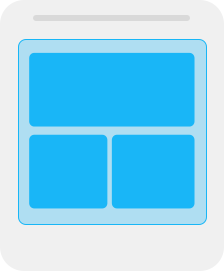
Visual Pages
Use Pages to manage entire pages, such as:
- Marketing and content pages
- Landing pages

Visual Sections
Pro plans

Use Sections to maintain parts of your site or app, such as:

Structured Data
Use Structured Data to manage structured data, such as:
- Navigation links
- Product details
- Blog post authors
Integrating other technologies
Builder integrates with your existing site or app and renders content much like developers do when writing code by hand. This means you can add visual site building while still leveraging your existing technologies, such as:
- SEO
- analytics
- core user flows control
- frontend components
- your framework or platform
- your current CMS
- backend data
You control hosting
Builder pushes content to your site or app by connecting to your codebase. You control your site, code, and hosting–Builder only passes content to your site or application rather than hosting it.
Builder content loads asynchronously, so it does not impact the loading of your site. Builder content loads immediately after your page loads.
The following diagram shows where Builder fits. Your app still resides where you host it, while Builder provides a visual interface to your services, commerce platform, or headless CMS.

Structuring your site
By adding landing page building to your site, you can create editable sections across your app and use targeting to choose the right content for the right users.
The following image illustrates some recommended examples for structuring various pages on an e-commerce site:
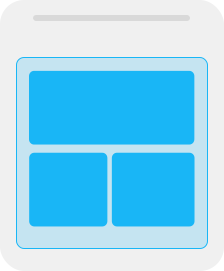
Home Page
- Builder manages full homepage
- Optionally target features such as purchase history.

Collection Page
Enterprise plans
- Builder hero section targeted by collection
- Your code manages the products
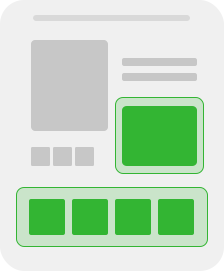
Product Page
Enterprise plans
- Your code manages image gallery and product options
- Builder section for product info, targeted by product (optional)
- Builder section for product editorial, targeted by product type

Cart Promotion
Enterprise plans
Promotion and cross-sells targeted by cart contents

Announcement Bar
Enterprise plans
Target content by URL and audience

Navigation Links
Use a data model to define the links and text
Useful concepts for working with Builder
The previous sections give you an idea of what you can do with Builder. To get started playing with Builder, a few terms and concepts can help:
| Concept | Description |
Organization | The top-most level of your Builder account, an Organization usually represents a company or group of related Spaces. For more information, see Understanding Organizations. |
Space | A single app, a Space resides within an Organization. A Space is where you do your daily tasks such as content entry creation, A/B testing, targeting, managing users, use plugins, and maintaining Environments. |
Users | Create and maintain all users in your Organization and then specify which Space(s) those users can access. For more information, see Managing Users, Roles and Permissions in a Space and Defining Custom Roles. |
Integrate | |
Integrations/plugins | A built-in or custom feature that helps two resources work together. For example, the built-in integrations for Figma helps you import designs directly from Figma into Builder. |
Model | A model is a schema, paradigm, or definition of something; such as a Page model, Section model, or Data model. |
Content entry | An instance of a Model; that is, a Page created using the Page model, a Section created using the Section model, or Data created using a Data model. Your content entries are in a list in the Content section of Builder. You make new instances by clicking on the +New button and choosing the model to use. |
Block | A Block is a drag-and-drop UI feature of Builder that you can use to create Page and Section layouts. For example, use Text blocks for copy, Columns for side-by-side layout, or create your own custom components. You can find all available components in the Insert tab within the Visual Editor. |
Responsive | Responsive apps adapt by design to any screen width. You can check out any site's responsiveness by opening it on various devices or changing the width of the browser. A responsive site maintains its integrity and accessibility on any device. For more detail, see Intro to Responsive Design. |
For more terms and definitions, visit the Glossary.


