


Integrate Navigation Links
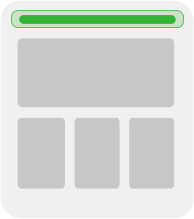
Navigation links are often best as minimal, structured data that your team mates can edit with a form interface.
Model definition
A structured data model named navigation-links is all you need, with a couple fields:
| name | type | notes | ||||||
|---|---|---|---|---|---|---|---|---|
|
| with sub fields:
|
Example Code
// pages/your-page.jsx
import { builder } from '@builder.io/react';
// Replace with your Public API Key.
builder.init(YOUR_API_KEY);
export async function getStaticProps() {
const links = await builder.get('navigation-links', {
// You can use options for queries, sorting, and targeting here
// https://github.com/BuilderIO/builder/blob/main/packages/core/docs/interfaces/GetContentOptions.md
}).promise();
return {
props: {
links: links || null,
},
revalidate: 5,
};
}
export default function Home({ links }) {
return (
<>
<header>
<nav>
{links.data.links.map((link, index) => (
<a key={index} href={link.data.url}>
{link.data.label}
</a>
))}
</nav>
</header>
{/* Put the rest of your page here. */}
<RestOfYourPage />
</>
);
}//For example, in routes/nav.tsx
import { json } from '@remix-run/node';
import { useLoaderData } from '@remix-run/react';
import { fetchOneEntry } from '@builder.io/sdk-react';
// TO DO: Add your Public API Key
const YOUR_API_KEY = YOUR_PUBLIC_API_KEY;
export const loader = async () => {
const links = await fetchOneEntry({
model: 'nav-link',
apiKey: YOUR_API_KEY,
// Adjust userAttributes as necessary for your targeting needs
});
return json(links);
};
export default function Nav() {
const links = useLoaderData();
return (
<header>
<nav>
{links?.map((link, index) => (
<a key={index} href={link.data.url}>{link.data.label}</a>
))}
</nav>
</header>
);
}import { builder } from "@builder.io/sdk";
// Replace with your Public API Key.
builder.init(YOUR_API_KEY);
export default async function Home() {
const links = await builder.getAll("nav-link", { prerender: false });
return (
<>
<header>
<nav>
{links.map((link, index) => (
<a key={index} href={link.data.url}>
{link.data.label}
</a>
))}
</nav>
</header>
{/* <RestOfYourPage /> */}
</>
);
}Be sure to add use client to your builder.tsx:
// builder.tsx
"use client"; Create a page, for example in app/[...page]/page.tsx, with the following contents, replacing YOUR_PUBLIC_API_KEY with your account's Public API Key:
// path of file: `src/app/[...slug]/page.tsx`
import { fetchEntries, getBuilderSearchParams } from '@builder.io/sdk-react';
import { useRouter } from 'next/router';
// Replace with your Public API Key
const YOUR_API_KEY = YOUR_PUBLIC_API_KEY;
// Define the expected shape of the props
// object passed to the Page function
interface PageProps {
params: {
page: string[];
};
}
// Define the Page component
export default async function Page({ params }: PageProps) {
const router = useRouter();
const urlPath = '/' + (Array.isArray(params?.page) ? params.page.join('/') : params?.page || '');
// Fetch the builder content for the given page
const links = await fetchEntries({
apiKey: YOUR_API_KEY,
model: 'nav-link',
options: getBuilderSearchParams(props.searchParams),
userAttributes: { urlPath },
});
return (
<>
<header>
<nav>
{links?.map((link, index) => (
<a key={index} href={link.data.url}>
{link.data.label}
</a>
))}
</nav>
</header>
<RestOfYourPage />
</>
);
}Be sure to add use client to your builder.tsx:
// builder.tsx
"use client"; import { useEffect, useState } from "react";
import { builder } from "@builder.io/react";
// Put your API key here
builder.init(YOUR_API_KEY);
export default function App() {
const [links, setLinks] = useState([]);
// Get the CMS data from Builder
useEffect(() => {
async function fetchContent() {
const links = await builder.getAll("nav-links", {
// You can use options for queries, sorting, and targeting here
// https://github.com/BuilderIO/builder/blob/main/packages/core/docs/interfaces/GetContentOptions.md
});
setLinks(links);
}
fetchContent();
}, []);
return (
<>
<header>
<nav>
{links.map((link, index) => (
<a key={index} href={link.data.url}>
{link.data.label}
</a>
))}
</nav>
</header>
{/* Put the rest of your page here */}
{/* <RestOfYourPage /> */}
</>
);
}import { fetchOneEntry, getBuilderSearchParams } from '@builder.io/sdk-react';
import { useEffect, useState } from 'react';
// TODO: enter your public API key
const YOUR_API_KEY = YOUR_PUBLIC_API_KEY; // ggignore
function App() {
const [links, setLinks] = useState(null);
useEffect(() => {
const urlPath = '/' + (params?.page?.join('/') || '');
fetchOneEntry({
model: 'nav-link',
apiKey: YOUR_API_KEY,
options: getBuilderSearchParams(new URL(location.href).searchParams),
userAttributes: { urlPath },
}).then(links => setLinks(links));
}, []);
return (
<>
<header>
<nav>
{links?.map((link, index) => (
<a key={index} href={link.data.url}>
{link.data.label}
</a>
))}
</nav>
</header>
<RestOfYourPage />
</>
);
}
export default App;import { fetchEntries, getBuilderSearchParams } from '@builder.io/sdk-react';
import { useLoaderData } from '@remix-run/react';
import type { LoaderFunction } from '@remix-run/node';
export const loader: LoaderFunction = async ({ params }) => {
// Your Public API Key
const apiKey = 'YOUR_API_KEY';
// Get the CMS data from Builder
const links = await fetchEntries({
model: 'nav-links',
apiKey: apiKey,
options: getBuilderSearchParams(new URL(request.url).searchParams),
// Include any options for queries, sorting, and targeting here
});
// If there's data, return that data, otherwise, return an empty array
return links.length ? { links } : { links: [] };
};
interface LoaderData {
links: any[];
}
// UseLoaderData to retrieve data from the server during server-side rendering
export default function Page() {
const { links }: LoaderData = useLoaderData<LoaderData>();
return (
<>
<header>
<nav>
{links.map((link, index) => (
<a key={index} href={link.data.url}>
{link.data.label}
</a>
))}
</nav>
</header>
{/* Put the rest of your page content here */}
</>
);
}
Want the latest and greatest of Remix with Builder? We recommend using Gen 2.
import { builder } from '@builder.io/react';
import type { BuilderContent } from '@builder.io/sdk';
import { useLoaderData } from '@remix-run/react';
import type { LoaderFunction } from '@remix-run/node';
// Initialize the Builder client and pass in the Public API Key
builder.init('YOUR_PUBLIC_API_KEY'); // <-- add your Public API Key here
export const loader: LoaderFunction = async ({ params }) => {
// Get the CMS data from Builder
const links = await builder.getAll('nav-links', {
// You can use options for queries, sorting, and targeting here
// https://github.com/BuilderIO/builder/blob/main/packages/core/docs/interfaces/GetContentOptions.md
});
// If there's data, return that data
if (links && links.length) return {links};
// otherwise, if there's no data, return an empty array
return {
links: []
};
};
interface LoaderData {
links: BuilderContent[];
}
// useLoaderData retrieves data from the server during server-side rendering
export default function Page() {
const {links}: LoaderData = useLoaderData<typeof loader>();
// Use this data to render a nav menu with the links
return (
<>
<header>
<nav>
{links.map((link, index) => (
<a key={index} href={link.data.url}>
{link.data.label}
</a>
))}
</nav>
</header>
{/* Put the rest of your page here */}
{/* <RestOfYourPage /> */}
</>
);
}import { fetchEntries, getBuilderSearchParams } from '@builder.io/sdk-react';
import { useLoaderData } from '@remix-run/react';
import type { LoaderFunction } from '@remix-run/node';
export const loader: LoaderFunction = async ({ params }) => {
// Your Public API Key
const apiKey = 'YOUR_API_KEY';
// Get the CMS data from Builder
const links = await fetchEntries({
model: 'nav-links',
apiKey: apiKey,
options: getBuilderSearchParams(event.url.searchParams)
// Include any options for queries, sorting, and targeting here
});
// If there's data, return that data, otherwise, return an empty array
return links.length ? { links } : { links: [] };
};
interface LoaderData {
links: any[];
}
// UseLoaderData to retrieve data from the server during server-side rendering
export default function Page() {
const { links }: LoaderData = useLoaderData<LoaderData>();
return (
<>
<header>
<nav>
{links.map((link, index) => (
<a key={index} href={link.data.url}>
{link.data.label}
</a>
))}
</nav>
</header>
{/* Put the rest of your page content here */}
</>
);
}
Want the latest and greatest of Hydrogen with Builder? We recommend using Gen 2.
import { builder } from '@builder.io/react';
import type { BuilderContent } from '@builder.io/sdk';
import { useLoaderData } from '@remix-run/react';
import type { LoaderFunction } from '@remix-run/node';
// Initialize the Builder client and pass in the Public API Key
builder.init('YOUR_PUBLIC_API_KEY'); // <-- add your Public API Key here
export const loader: LoaderFunction = async ({ params }) => {
// Get the CMS data from Builder
const links = await builder.getAll('nav-links', {
// You can use options for queries, sorting, and targeting here
// https://github.com/BuilderIO/builder/blob/main/packages/core/docs/interfaces/GetContentOptions.md
});
// If there's data, return that data
if (links && links.length) return {links};
// otherwise, if there's no data, return an empty array
return {
links: []
};
};
interface LoaderData {
links: BuilderContent[];
}
// useLoaderData retrieves data from the server during server-side rendering
export default function Page() {
const {links}: LoaderData = useLoaderData<typeof loader>();
// Use this data to render a nav menu with the links
return (
<>
<header>
<nav>
{links.map((link, index) => (
<a key={index} href={link.data.url}>
{link.data.label}
</a>
))}
</nav>
</header>
{/* Put the rest of your page here */}
{/* <RestOfYourPage /> */}
</>
);
}import { fetchEntries, getBuilderSearchParams } from '@builder.io/sdk-svelte';
/** @type {import('./$types').PageServerLoad} */
export async function load(event) {
...
// get content from other models if needed
...
// fetch the nav links
const links = await fetchEntries({
model: 'nav-link',
apiKey: YOUR_PUBLIC_API_KEY,
options: getBuilderSearchParams(event.url.searchParams)
// You can use options for queries, sorting, and targeting here
// https://github.com/BuilderIO/builder/blob/main/packages/core/docs/interfaces/GetContentOptions.md
});
return { links }
}<template>
<header>
<nav>
<!-- Bind href to make it reactive and ensure keys for list rendering -->
<a v-for="link in links" :href="link.data.url" :key="link.id">
{{ link.data.label }}
</a>
</nav>
</header>
<!-- Put the rest of your page here. -->
</template>
<script>
import { ref, onMounted } from 'vue';
import { fetchEntries, getBuilderSearchParams } from '@builder.io/sdk-vue';
export default {
setup() {
const links = ref([]);
onMounted(async () => {
try {
// Replace 'YOUR_API_KEY' with yourPublic API Key
const response = await fetchEntries({
model: 'nav-link',
apiKey: 'YOUR_API_KEY',
options: getBuilderSearchParams(new URL(location.href).searchParams)
});
links.value = response;
} catch (error) {
console.error('Failed to fetch entries:', error);
}
});
return {
links,
};
},
};
</script>
<template>
<header>
<nav>
<a v-for="link in links" :href="link.data.url" :key="link.id">
{{ link.data.label }}
</a>
</nav>
</header>
<!-- Put the rest of your page here. -->
</template>
<script>
import { fetchEntries } from '@builder.io/sdk-vue';
export default {
data() {
return {
links: [],
};
},
// Use asyncData for SSR in Nuxt.js
async asyncData() {
// Replace 'YOUR_API_KEY' with your Public API Key
const links = await fetchEntries({
model: 'nav-link',
apiKey: 'YOUR_API_KEY',
});
return { links };
},
};
</script>Add the following to nuxt.config.js:
// https://nuxt.com/docs/api/configuration/nuxt-config
export default defineNuxtConfig({
module: ['@builder.io/sdk-vue/nuxt'],
});If you are using an SSR framework other than Nuxt, you must import the CSS by adding the following to your entry point, before rendering Builder content:
<script>
import '@builder.io/sdk-vue/css';
</script>import { component$, Resource, useResource$, getBuilderSearchParams } from "@builder.io/qwik";
import { DocumentHead, useLocation } from "@builder.io/qwik-city";
import { fetchEntries } from "@builder.io/sdk-qwik";
// Enter your key here!
export const apiKey = YOUR_PUBLI_API_KEY;
export default component$(() => {
const { pathname } = useLocation();
const linksResource = useResource$(() =>
fetchEntries({
model: "nav-link",
apiKey: apiKey,
options: getBuilderSearchParams(url.searchParams),
})
);
return (
<Resource
value={linksResource}
onPending={() => <>Loading...</>}
onRejected={(error) => <>Error: {error.message}</>}
onResolved={(links) => (
<header>
<nav>
{links.results.map((link, index) => (
<a key={index} href={link.data.url}>
{link.data.label}
</a>
))}
</nav>
<h1>My Integrated Data</h1>
</header>
)}
/>
);
});This example uses NavBarComponent and NavLinksComponent.
// app/nav-bar/nav-bar.components.ts
import { Component } from '@angular/core';
import { fetchOneEntry, type BuilderContent } from '@builder.io/sdk-angular';
import { NavLinksComponent } from './nav-links/nav-links.component';
@Component({
selector: 'app-nav-bar',
standalone: true,
imports: [NavLinksComponent],
template: `
<app-nav-links [links]="links" />
<RestOfYourPage/>
`,
})
export class NavBarComponent {
links: BuilderContent = { data: { links: [] } };
async ngOnInit() {
this.links =
(await fetchOneEntry({
model: 'navigation-links',
apiKey: /* YOUR PUBLIC API KEY */,
})) || this.links;
}
}Create another standalone component NavLinksComponent:
// app/nav-bar/nav-links/nav-links.components.ts
import { CommonModule } from '@angular/common';
import { Component, Input } from '@angular/core';
import { type BuilderContent } from '@builder.io/sdk-angular';
@Component({
selector: 'app-nav-links',
standalone: true,
imports: [CommonModule],
template: `
<ul style="display: flex; gap: 20px; list-style: none;">
<li *ngFor="let link of links.data?.['links']">
<a [href]="link.url" style="text-decoration: none;">{{ link.text }}</a>
</li>
</ul>
`,
})
export class NavLinksComponent {
@Input() links: BuilderContent = { data: { links: [] } };
}
This example uses NavBarComponent and NavLinksComponent.
// app/nav-bar/nav-bar.component.ts
import { CommonModule } from '@angular/common';
import { Component, OnInit } from '@angular/core';
import { ActivatedRoute } from '@angular/router';
import { BuilderContent } from '@builder.io/sdk-angular';
import { NavLinksComponent } from './nav-links/nav-links.component';
@Component({
selector: 'app-nav-bar',
standalone: true,
imports: [CommonModule, NavLinksComponent],
template: `
<nav>
<app-nav-links [links]="links" />
</nav>
<!-- <RestOfYourPage /> -->
`,
})
export class NavBarComponent implements OnInit {
links: BuilderContent[] = [];
constructor(private route: ActivatedRoute) {}
ngOnInit() {
this.route.data.subscribe((data: any) => {
this.links = data.navLinks;
});
}
}// app/nav-bar/nav-links/nav-links.components.ts
import { CommonModule } from '@angular/common';
import { Component, Input } from '@angular/core';
import { type BuilderContent } from '@builder.io/sdk-angular';
@Component({
selector: 'app-nav-links',
standalone: true,
imports: [CommonModule],
template: `
<ul style="display: flex; gap: 20px; list-style: none;">
<li *ngFor="let link of links.data?.['links']">
<a [href]="link.url" style="text-decoration: none;">{{ link.text }}</a>
</li>
</ul>
`,
})
export class NavLinksComponent {
@Input() links: BuilderContent = { data: { links: [] } };
}
// app/nav-bar/nav-bar.resolver.ts
import { ResolveFn } from '@angular/router';
import { fetchOneEntry, type BuilderContent } from '@builder.io/sdk-angular';
export const navBarResolver: ResolveFn<BuilderContent> = async () => {
const links = await fetchOneEntry({
model: 'navigation-links',
apiKey: /* YOUR PUBLIC API KEY */,
});
return links || { data: { links: [] } };
};// src/pages/your-page.jsx
import * as React from 'react';
import { graphql } from 'gatsby';
function YourPage({ data }) {
const links = data?.allBuilderModels.navLink;
return (
<>
<header>
<nav>
{links.map((link, index) => (
<a key={index} href={link.content.data.url}>
{link.content.data.label}
</a>
))}
</nav>
</header>
{/* Put the rest of your page here. */}
<RestOfYourPage />
</>
)
}
export default YourPage;
export const linksQuery = graphql`
query {
allBuilderModels {
navLink {
content
}
}
}
`;Fetch your links data from Builder's Content API. Then use that data to create a nav bar within your app's page template.
The example below uses Express.js. Replace YOUR_API_KEY with your account's Public API Key:
// your-app.js
app.get("/", async (req, res) => {
const apiKey = YOUR_API_KEY;
const { results } = await fetch(
// You can also query, sort, and target this content.
// See full docs on our content API: https://www.builder.io/c/docs/query-api
`https://cdn.builder.io/api/v2/content/nav-link?apiKey=${apiKey}`
).then((res) => res.json());
res.send(`
<html>
<head> <!-- Your head content here --> </head>
<body>
<header>
${results
.map((link) => `<a href="${link.url}">${link.title}</a>`)
.join('')}
</header>
<main>
<!-- Your main content here -->
</main>
</body>
</html>
`);
});
<nav>
<a *ngFor="let link of links" [href]="link.data.url">
{{link.data.label}}
</a>
</nav>
<!-- Put the rest of your page here. -->import { BuilderService } from '@builder.io/angular';
export class NavLinkComponent implements OnInit {
links: any[] = [];
constructor(private builder: BuilderService) { }
async ngOnInit(): Promise<void> {
this.links = await this.builder.getAll('nav-link');
}
}