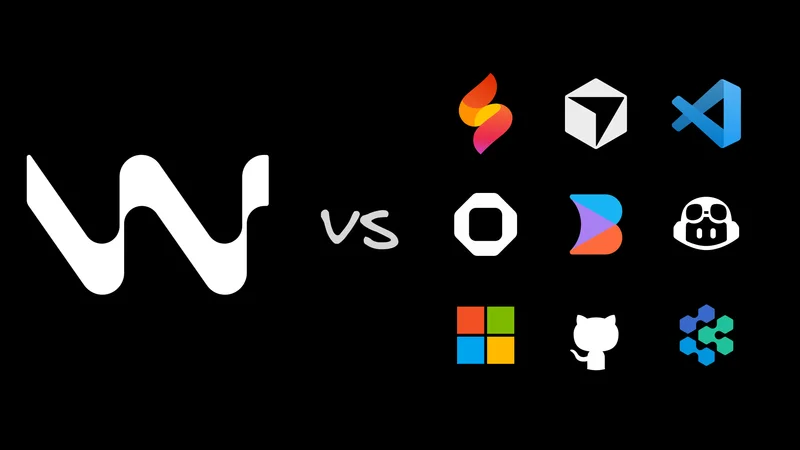
OpenAI offered $3 billion for Windsurf, but the deal ultimately fell apart. The big sticking point was Microsoft's IP-sharing agreement with OpenAI, which would have effectively put Windsurf's technology in the hands of the GitHub Copilot team. CEO Varun Mohan wasn't willing to let that happen, so the acquisition died.
Within hours, Google DeepMind came knocking. By July 2025, Windsurf’s founding team had signed a $2.4 billion acquihire deal to work on Gemini coding agents. Cognition AI, the company behind Devin, picked up what remained: the IDE, the IP, 350+ enterprise customers, about $82M in ARR, and a 250-person team for roughly $250 million.
Then, in March 2026, Windsurf raised its Pro plan from $15 to $20/month and switched from a credit-based model to a quota system. Developers noticed right away, and the forums lit up.
The founding team is now off building something new at Google, and Windsurf itself lives inside a company whose main bet is a different AI coding agent. So if you're wondering what that means for Windsurf going forward, here are the alternatives worth knowing about — grouped by the job you actually need done.
Note: If you want the one tool on this list built around your entire team — not just developers — Builder 2.0 combines parallel AI agents, visual editing, and PR-first collaboration on your existing repo, so designers and marketers can ship alongside engineers without touching code. It's the only AI development environment that treats code review and cross-team contribution as first-class features, not afterthoughts.

Quick comparison table
If you're just skimming, this is the best place to start. The rest of the post unpacks what each of these columns actually means.
| Tool | Category | Best for | Works with existing repos? | Review workflow | Pricing model |
|---|---|---|---|---|---|
Hosted AI IDE | Agentic edits in a familiar IDE | Yes | Normal GitHub flow | Credits/quota | |
Full AI IDE | Large codebases, frontier model access | Yes | Normal GitHub flow | Credits-based | |
Full AI IDE | Speed and real-time collaboration | Yes | Normal GitHub flow | Subscription | |
Builder 2.0 (Recommended) | Repo-native visual IDE | Visual + prompt edits that land as PRs | Yes | PR-first by design | Credits-based |
IDE extension | Teams already on GitHub | Yes | Normal GitHub flow | Subscription | |
IDE extension | Transparency, BYOK, full control | Yes | You manage Git | API costs only | |
IDE extension | Largest context window, free tier | Yes | Normal GitHub flow | Subscription | |
Terminal agent | Deep autonomy, entire feature builds | Yes, file-based | You manage Git | Subscription | |
Terminal agent | Git-native terminal workflows | Yes | Git-commit-per-edit | API costs only | |
Hosted environment | Cloud-first dev, zero local setup | Partial | In-platform | Subscription | |
Hosted environment | Quick MVPs, no-code adjacent | No, browser-based | In-platform | Credits-based |
What is Windsurf?
Windsurf (formerly Codeium, rebranded in April 2025) is an AI IDE built around Cascade, its agentic system for multi-file coding work. In 2025, Cognition AI acquired Windsurf after the founding team took a $2.4B acquihire to join Google DeepMind and work on Gemini coding agents.
What to like:
- Cascade is designed for multi-file agentic work: you describe the feature, and it can go find the right files, write the code, and iterate with you as you refine it.
- Familiar IDE experience that feels a lot like VS Code, so if your team is coming from a conventional editor, the switching cost is pretty minimal
- 350+ enterprise clients are now now under Cognition ownership, with established SLAs already in place.
Tradeoffs to keep in mind:
- The founding team is now at Google working on Gemini, so they’re no longer the ones directly steering Windsurf’s roadmap
- The March 2026 quota change can interrupt autonomous task runs halfway through, especially for heavier users.
- Cascade can get a bit shaky on more complex multi-file work, with documented issues like terminal execution loops, internal errors, and Language Server crashes on mid-size projects.
Works well for:
- Teams already covered by Cognition enterprise SLAs and not in any rush to switch yet
- Developers whose day-to-day work stays mostly in lighter agentic tasks, where Cascade is generally more reliable

Hosted AI coding environments
These tools keep the "describe it, run it" loop nice and tight. Like Windsurf’s hosted experience, they give you a live environment without any local setup to worry about. The tradeoff is that your project usually starts life inside their platform. If you later want to move it into a repo you fully own, that typically takes a more deliberate handoff.
Replit
Replit gives you a cloud-based development setup with basically no local configuration to worry about. The whole environment — runtime, database, and deployment — runs right in your browser. Agent 4 can also take on autonomous full-stack development with built-in browser testing, so going from "describe a feature" to "see a running app" feels fast and surprisingly smooth.
What to like:
- Built-in PostgreSQL, one-click deploy, real-time multiplayer, and support for 50+ languages — all available right in the browser
- No local setup to wrestle with, and the mobile app means you can build and ship from pretty much anywhere
- Agent 4 can handle full-stack autonomous builds and browser testing in the same loop, so it feels much faster to go from an idea to a working app
Tradeoffs to expect:
- Works best for cloud-native projects, but if your setup relies on complex local tooling or hard-to-replicate dependencies, it may start to feel restrictive
- Your project lives inside Replit’s platform, instead of a standard Git repo you fully control, so that can feel a bit restrictive if ownership and portability matter a lot to you
Works well for:
- Rapid prototyping and non-technical builders who want to test ideas fast
- Distributed teams that would rather skip local infrastructure management altogether
Bolt.new
Bolt.new is StackBlitz's browser-based app generator. You tell it what you want to build, and it spins up a deployed full-stack app using WebContainer technology that runs Node.js entirely in the browser, so there’s no server setup to worry about.
What to like:
- From a plain-language prompt, you can go straight to a deployed app without any local setup.
- StackBlitz WebContainers run Node.js right in the browser, so you can skip backend provisioning altogether.
- A great way to quickly find out whether an idea is actually worth building
Tradeoffs to keep in mind:
- What you get is a solid starting point, not production-ready code.
- Platform-first: your project begins on Bolt.new rather than in a repo you already control
Works well for:
- Non-technical founders who want to validate an idea before investing in a full build
- Demos and quick MVPs where the main goal is to prove the idea works, not to polish the codebase
Full AI IDE replacements
These are the closest things to direct Windsurf replacements: full editors with strong AI agent modes, where your code lives in your own repository from day one. Unlike hosted environments, you still control the repo, the review workflow, and the deployment stack. For a deeper look at how these compare as agentic development environments, see our agentic IDE comparison.
Cursor
Cursor is a VS Code fork built from the ground up for AI-first development. In real use, that means its agent mode can handle multi-file tasks with surprisingly little hand-holding: you describe what you want done, and it tracks down the relevant files, writes the code, runs the tests, and keeps iterating. Its tab autocomplete, powered by Supermaven's Babble model (acquired in November 2024), is also one of the fastest in the category.
What to like:
- Most of your existing VS Code extensions work right away, with little to no reconfiguration
- On Pro+ in 2026, you can run up to eight agents in parallel, and if you need tighter control, self-hosted cloud agents let you keep your code inside your own network.
- You can choose from Claude, Gemini, GPT-4o, and Cursor’s own proprietary models — or just use Auto mode and let Cursor pick the best fit for the task.
Tradeoffs to keep in mind:
- Cursor runs as its own editor, so if your team depends on specific VS Code extensions, it’s a good idea to test those dependencies before rolling it out more widely.
- If you lean too hard on frontier models, credits can disappear fast, so in most cases it's smarter to let Auto mode decide when they're actually worth using.
Works well for:
- Experienced developers working in large codebases who want cutting-edge models without giving up most of the VS Code experience
- Teams that are okay switching editors in exchange for one of the strongest agent modes in the category
If you want a more detailed side-by-side look, check out the Windsurf vs. Cursor comparison. If you’ve already ruled Cursor out, we’ve also rounded up the full field of Cursor alternatives.
Zed
Zed is a code editor built in Rust, with GPU-accelerated rendering and real-time multiplayer collaboration built right in. It feels fast and stays smooth even on large files and codebases, without the memory bloat you often run into with Electron-based editors. It’s also open source under the MIT license.
What to like:
- Uses noticeably less memory than VS Code on large TypeScript monorepos
- Real-time collaboration runs on CRDTs, so live pair-programming sessions stay smooth and don’t turn into merge-conflict chaos
- MCP support means Zed belongs in the same conversation as Cursor, Cline, and Claude Code when it comes to connecting external tools, and the Pro plan also adds AI edits with a 200K context window
Tradeoffs to expect:
- A smaller extension ecosystem than VS Code, so you may miss a few niche plugins or workflows you rely on
- If you're on Windows, you'll need either Windows 10 version 1903+ or Windows 11 22H2+.
Works well for:
- Performance-focused developers who are tired of Electron-heavy editors eating up memory on large codebases
- Distributed teams that pair program often and want collaboration built into the editor itself, instead of bolted on afterward
A repo-first workflow that gives your whole team visual editing
At a certain point, a pure code editor can start to feel a little limiting. You can keep routing every change through code and PR review, or you can shift to a workflow where visual editing, AI-generated code, and team collaboration all land in the same PR — and non-developers can contribute without ever touching code. Builder 2.0 is built for exactly that moment.
Builder 2.0

Builder 2.0 is a repo-native visual IDE built for multiplayer coding, with real-time collaboration, parallel agents, and visual editing that shows up as proper Git diffs. Unlike Cursor or Windsurf, it's not just about generating code. It's built to close the gap between your design team and your development workflow, using the repo you already have.

What to like:
- PRs-first by design: every AI or visual edit shows up as a reviewable diff, so you can actually see what changed instead of untangling a giant wall of edits or mystery code
- Parallel agents run in containerized environments, so you can have multiple AI tasks going at once without constantly worrying about merge conflicts
- Visual editing means design and marketing teams can make changes in a browser editor, without ever having to touch the code.
- A "Git for anyone" approach that makes branching and reviews feel much more approachable for non-developers
- Works with your existing repository from day one, so you don’t have to migrate to a new platform or worry about lock-in
Tradeoffs to expect:
- There’s a little more setup here than with a pure code editor, since Builder 2.0 connects to your existing repo and needs some initial configuration.
- The visual editing layer really shines when design or marketing teams are working alongside developers; if you're mostly coding solo, it may not feel as compelling.
Works well for:
- Frontend-heavy product teams where developers, designers, and marketers all need to ship changes together
- Organizations that want the speed of AI-assisted development without giving up the accountability of a PR-first code review workflow
Want your designers and PMs shipping in the same repo as engineering?
Builder Fusion is the only tool on this list where a non-developer can make a real change and open a PR your team already knows how to review. Try Builder Fusion free →
Add AI to your existing editor
GitHub Copilot
GitHub Copilot slips into the IDE you already use, so you don’t have to change editors to get started: VS Code, JetBrains, Visual Studio, and Neovim are all supported. At $10/month for Pro, it’s also one of the more affordable premium AI coding assistants, with enterprise-grade controls available on higher tiers.
What to like:
- Deep GitHub integration: you get PR summaries, code review suggestions, and repo-aware context from your own repositories right out of the box.
- Copilot added a proper agent mode in March 2026, letting you assign issues and multi-file tasks with less hand-holding than earlier versions.
- You also get access to GPT-4o, Claude Sonnet, and Gemini under a single subscription.
- The free tier includes 2,000 completions and 50 chat messages per month, which is enough to use it on real work and see whether it’s worth paying for.
Tradeoffs to expect:
- The agent mode still trails Cursor and Claude Code on complex multi-file tasks, but the gap has narrowed considerably since March 2026.
Works well for:
- Teams that already live in GitHub and want the easiest way to add AI coding help without changing how they work
- Developers who want to try AI coding help for $10/month before committing to a more heavyweight tool
Cline
Cline is an open-source VS Code extension for full agentic coding, with MCP support and bring-your-own-API-key flexibility. There’s no subscription fee, so you only pay your actual API costs, and it shows every file operation before it runs.
What to like:
- Every file read, write, and API call is shown before it happens, so you can see exactly what Cline is doing without any extra setup
- BYOK gives you the flexibility to choose the provider that best fits your setup — OpenAI, Anthropic, Gemini, AWS Bedrock, or even local models through Ollama
- Full MCP support also makes it easy to connect Cline to databases, GitHub, and other external tools.
Tradeoffs to keep in mind:
- It takes a bit more setup than plug-and-play tools since you’ll need to bring and manage your own API keys.
- If you use it a lot in autonomous mode with long-context models, your API bill can climb past what you'd pay for a flat $20/month subscription
Works well for:
- Cost-conscious developers and teams that want clear visibility into what the tool is doing, or need stronger control over data sovereignty
- Organizations that want fine-grained control over which model handles each request
Gemini Code Assist
Gemini Code Assist stands out for having the biggest context window in this category: one million tokens. That means you can work with a huge amount of code at once without constantly trimming things down. The individual tier is also free with a Google account. It’s also worth noting that some of the team behind Windsurf’s strongest ideas — CEO Varun Mohan and co-founder Douglas Chen — now work at Google DeepMind on Gemini coding agents.
What to like:
- One-million-token context window — you can work with entire codebases at once instead of splitting everything into chunks or constantly babysitting context
- Free for individual developers with a Google account, and Gemini CLI also gives you a free terminal tool with up to 1,000 requests per day
- The team behind some of Windsurf’s best ideas is now helping shape Gemini Code Assist, which gives the product a familiar feel if that’s what you liked about Windsurf
Tradeoffs to keep in mind:
- If hands-off, agentic task execution is what you care about most, Cursor still has the edge
- Enterprise pricing is on the pricey side at $75/user/month, and MCP support still relies on third-party extensions.
Works well for:
- Google Cloud and Workspace teams that want a more native, tightly integrated setup
- Developers who liked Windsurf’s context handling and want a free option with an even bigger context window
For a broader look at how the underlying models compare on coding tasks, see our best LLMs for coding breakdown.
Terminal-native agents for deep autonomy
These tools skip the editor completely. You give them a task from the command line, and they dig through your codebase, write code, run tests, and keep iterating on their own. If you already spend most of your day in the terminal and like the idea of handing off whole features end to end, this category is worth trying before you settle on a GUI-based tool.
Claude Code
Claude Code is Anthropic’s terminal-native CLI agent built for handing off entire feature implementations right from your command line. It has also grown remarkably fast for a tool in this category: as of early 2026, it was estimated at $2.5 billion in annualized revenue, and “claude code” hit one million monthly searches in March 2026 — up 20x year over year.
What to like:
- The
CLAUDE.mdfile keeps track of project-specific instructions across sessions, so you don’t have to repeat your tech stack and preferences every time you start a new run - Full MCP support means you can connect Claude Code to your databases, GitHub, external APIs, and custom tools without much setup or friction
- Up to a 200K-token context window on the Pro plan, and up to 1M tokens if you're using the API
Tradeoffs to expect:
- There’s no free tier, so you’ll need at least the $20/month Pro plan to get started, and if you rely heavily on Opus, you may bump into 5-hour session limits.
- Purely terminal-based with no GUI — so if you prefer working in a visual editor, it probably won’t feel like the right fit
Works well for:
- Terminal-first developers who want to hand off entire features from start to finish without leaving the command line
- Teams already using Claude, especially since
CLAUDE.mdhelps carry project knowledge from one session to the next
Aider
Aider is a terminal-based AI coding tool that turns every AI edit into a proper Git commit. It’s free, open-source, and works over SSH. If you care more about keeping AI-assisted changes clean, reviewable, and easy to roll back than you do about having a polished editor UI, Aider is built for exactly that kind of workflow.
What to like:
- Every AI edit lands in your repository as a proper Git commit, which makes it easy to review, compare, or roll back just like any change made by a teammate.
- SSH support also means you can point Aider at code on a remote server and work there directly, without first pulling the entire codebase down to your local machine
- It connects to OpenAI, Anthropic, Gemini, and local models through Ollama, and it even supports voice input.
Tradeoffs to expect:
- It’s terminal-only, so there’s a bit of a learning curve if you’re not already comfortable with Git-heavy workflows
Works well for:
- Senior engineers who already live in Git and want AI edits to fit naturally into the same review process as the rest of their code
- Debugging or refactoring code on remote servers and in production-like environments
Pick a tool built to last, not one in transition
Windsurf is still around, and it’s still shipping updates. But the founding team is gone, the product changed hands, and the price went up. That’s three big signals in a single year, all pointing in the same direction.
The tools whose founding teams are still actively building them — Cursor, Claude Code, Cline, Zed, Builder 2.0 — are just moving faster in 2026 than Windsurf likely will under Cognition’s priorities. That’s not really a knock on Cognition; it’s simply the predictable result of how the company is structured now.
So what would I recommend?
- Use Builder 2.0 if your team wants visual editing, multiplayer coding, and AI-generated PRs on an existing repo — especially if design or marketing needs to work alongside engineering.
- Use Cursor if you want something that feels closest to a drop-in replacement for Windsurf’s IDE experience, while still giving you frontier model access and full VS Code compatibility — the Windsurf vs. Cursor comparison has the full breakdown.
- Use Claude Code or Aider if you do your best work in the terminal and want to hand off full feature implementations end-to-end, with a clear review trail you can actually follow afterward.
- Use Cline if you want BYOK flexibility, open-source transparency, or on-prem model deployment without having to give up the editor you already like.
- Use GitHub Copilot if switching editors just isn’t realistic and you’re already deeply embedded in the GitHub ecosystem.
- Use Replit or Bolt.new if you want to prototype fast in a hosted environment and you're starting from scratch rather than plugging into an existing codebase.
Switching between most of these tools is usually easier than people expect. Most install in minutes, work with your existing editor or API keys, and show you what they're good at within an afternoon. If you're deciding, pick your top two and spend a few hours with each.
If you want the version of this that's already wired up for your whole team — not just developers — try Builder Fusion free →
Frequently asked questions
Q: Is Cursor better than Windsurf right now?
In 2026, generally yes. Cursor’s agent mode tends to be more stable, its VS Code compatibility is stronger, and its Tab autocomplete — powered by Supermaven’s Babble model after the November 2024 acquisition — is still one of the fastest in the category. Its $20/month Pro plan also matches Windsurf’s current pricing. If you want the full breakdown, check out the Windsurf vs. Cursor comparison.
Q: What happened to Windsurf?
Windsurf — formerly Codeium, and rebranded in April 2025 — went through a pretty dramatic shake-up. In July 2025, Google DeepMind acquihired the founding team for $2.4 billion after OpenAI’s $3 billion acquisition attempt collapsed when Microsoft blocked the deal. After that, Cognition AI (the team behind Devin) bought the remaining product, IP, enterprise customers, and team for roughly $250 million. So today, Windsurf operates under Cognition ownership, with Jeff Wang serving as interim CEO.
Q: What is the best open-source Windsurf alternative?
Cline is usually the best open-source place to start. It’s the most full-featured option overall: a VS Code extension with agentic coding, MCP support, and BYOK flexibility across the major AI providers. If you’d rather work in the terminal and want cleaner Git history, Aider is probably a better fit. Zed is open source too and worth a look if raw editor performance matters most to you.
Q: Does Claude Code have a free tier?
No — Claude Code doesn’t offer a free tier. To use it, you’ll need at least a Claude Pro subscription, which starts at $20/month (or $17/month billed annually). If you’re looking for a free terminal-based alternative, Gemini CLI gives you 1,000 requests per day with no credit card required, using Gemini models.
Q: Is Supermaven still a standalone product?
Not really. Anysphere, the company behind Cursor, acquired Supermaven in November 2024. The Supermaven plugins are still maintained, but the team’s attention is now mostly on Cursor. Supermaven’s Babble model powers Cursor’s Tab autocomplete, so at this point it’s basically been folded into the Cursor product.
Q: Which Windsurf alternative works best for large codebases?
If you're working in a large codebase, Cursor and Claude Code are usually the best places to start. Cursor is especially good at keeping project-wide context straight across multi-file work, and its Pro+ plan supports up to eight parallel agents. Claude Code is also a strong pick if you prefer working in the terminal, with a 200K-token context window on Pro and up to 1M tokens through the API for deeper codebase analysis. And if your main goal is getting the biggest context window for free, Gemini Code Assist stands out with a one-million-token free tier for individual users. For teams that want parallel agents working on the same large repo without merge conflicts, Builder Fusion runs each agent in its own containerized environment and lands every change as a separate PR.
Q: Which Windsurf alternative is best for teams that aren't all developers?
Builder Fusion is the clearest pick. It's the only tool in this roundup designed for designers, PMs, and marketers to ship real changes alongside engineers — visual edits land as reviewable PRs in the same repo, so non-developers can contribute without code review breaking down. Cursor, Windsurf, Claude Code, and the rest are all developer-only by design.