Updated September 28, 2026.
AI assistants are getting better at helping people inside the browser, but they still need too much babysitting.
They click the wrong thing. They lose the thread. They can do impressive work, but only if someone keeps nudging them through the interface step by step. The problem isn’t that the web is missing one more way to expose data. It’s that assistants still have to guess their way through software that was built for humans.
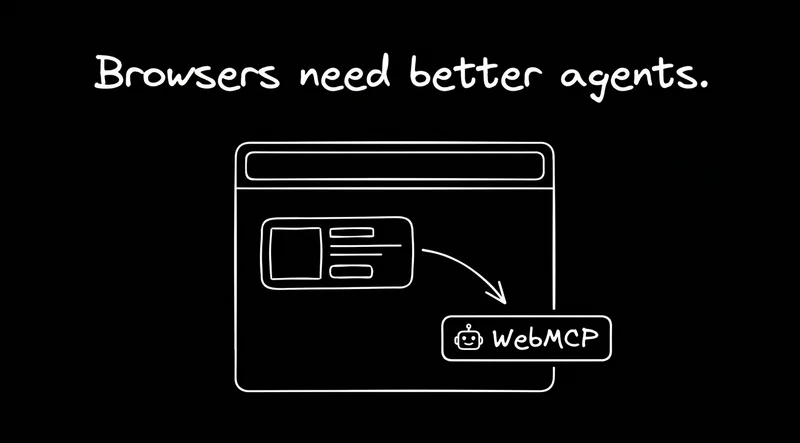
That’s why WebMCP is interesting.
Not because it replaces APIs. Not because every website suddenly becomes an AI endpoint. But because it gives a live website a way to expose structured actions to an assistant that’s already helping a user in the browser. Less brittle clicking. Less UI guesswork. More direct cooperation between the user, the assistant, and the app.
And if that works, the implication is bigger than it sounds: in-browser AI help could start feeling less like a demo and more like a real product experience.
What is WebMCP?
WebMCP is a proposed browser-side standard for exposing structured tools from a live webpage. Chrome describes it as a way for websites to expose structured tools so AI agents can perform actions with more speed, reliability, and precision. The proposal describes those tools as JavaScript functions with natural-language descriptions and structured schemas, exposed from the page itself.
That puts WebMCP in a distinct category.
With backend MCP or APIs, an AI talks directly to a service on the backend. No live page required. That’s still the best fit when an agent needs structured, agent-first access to data and systems.
With browser automation, an agent tries to operate the interface more like a person would: clicking, scrolling, typing, recovering from mistakes, and making sense of what’s on screen. Playwright is built for end-to-end testing web apps, and Playwright MCP extends that model to LLMs using structured accessibility snapshots. OpenAI’s computer-using agent framing is similar: use the graphical interface the way a human would.
WebMCP sits between those two. It gives the page a way to say, “Here are the actions I support, here’s what they do, and here’s how an assistant can invoke them while sharing the same live context as the user.”
In code, that’s a page registering a tool with a name, a description, an input schema, and a function to run it. Because the function runs in the page, it can work with whatever the user is looking at:
The declarative version skips the JavaScript entirely: add toolname and tooldescription attributes to an HTML form, and the form becomes a tool an assistant can call.
It’s still a draft from the W3C’s Web Machine Learning Community Group, not a finished standard. Chrome is testing it in an origin trial starting with Chrome 149, and Microsoft Edge says its implementation is ready for testing. No browser turns it on by default yet.
WebMCP vs MCP vs browser automation
The cleanest way to think about it is this:

Use APIs or backend MCP when an agent needs direct, structured access to systems and data without a live page.
Use browser automation when it needs to operate the same UI a human would, whether for testing, task execution, or full computer use.
Use WebMCP when the user is already in the browser and wants an assistant that can work with the page more reliably than blind clicking and DOM guesswork. The proposal positions it for local browser workflows with a human in the loop, not server-to-server or autonomous use.
Different layers, different jobs.
What WebMCP is actually for
WebMCP is not a replacement for APIs or backend access.
If an agent needs bulk structured data, programmatic branching, or work that doesn’t depend on a live page, backend integrations are still a better fit. WebMCP is for sites that want to cooperate with an assistant inside the live experience.
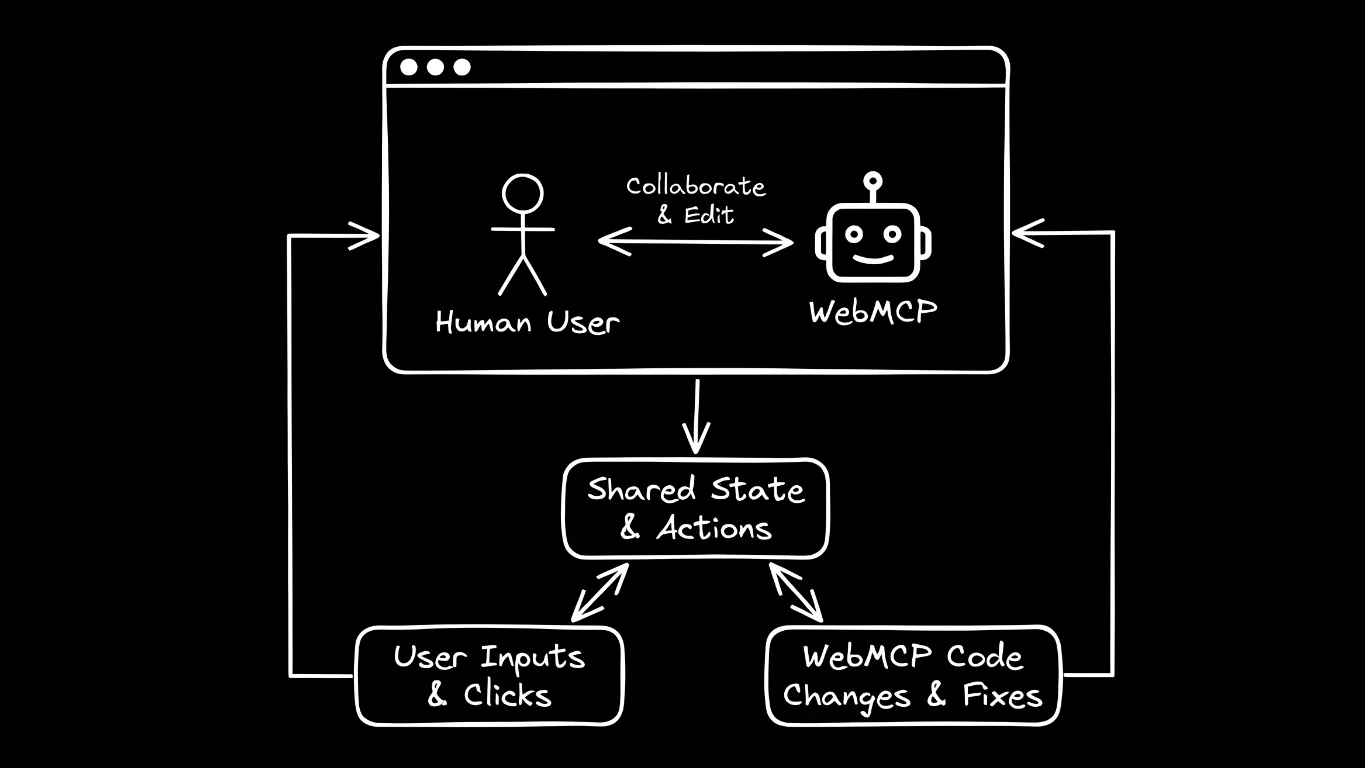
That means less brittle UI fumbling and more shared context between the user, the page, and the assistant. Chrome’s framing leans on speed, reliability, and precision for exactly that reason.
That’s why WebMCP feels more relevant to AI browsers and in-browser assistants than to old-school scraping debates.
Why WebMCP matters for AI browsers and assistants
The bigger shift here isn’t one specific product. It’s the idea that people want help inside the browser, in the middle of what they’re already doing, not only in a separate chat window. AI browsers, agentic IDEs, and in-browser assistants are all pushing in that direction.
The appeal is obvious. The experience is still uneven. These systems can look great in demos and then get brittle in real use, especially when they have to infer intent from messy interfaces and partial context. If you’ve ever watched an AI browser take one wrong turn and confidently build on it, you know the problem.
That’s why WebMCP matters. It offers a cleaner path than making assistants reverse-engineer every site through the UI alone. If a site can expose structured actions and context directly, the assistant has less guessing to do. That doesn’t remove every failure mode, but it does move the interaction away from “computer-use stunt” territory and closer to something people could trust for repeatable tasks.
That matters because the browser already has context assistants usually struggle to reconstruct: the current page, the current session, the state the user is in, and the exact moment they need help. WebMCP doesn’t magically solve trust or permissions, but it does give the site a clearer way to participate instead of forcing the assistant to infer everything from pixels and markup.
Why some product copilots could become redundant
This is the more interesting implication.
If WebMCP works, it probably doesn’t threaten SaaS itself. But it could reduce the need for some in-product copilots, especially the lighter ones that mainly repackage actions a user could trigger through a broader assistant.
A lot of software companies now want their own assistant, and that logic makes sense. If you own the app, building your own AI layer is the obvious move.
But users may not always want your assistant as the main interface.
They may prefer their assistant: the one that already knows their writing voice, their habits, their docs, their tabs, and the rest of their workflow, and that can follow them from app to app.
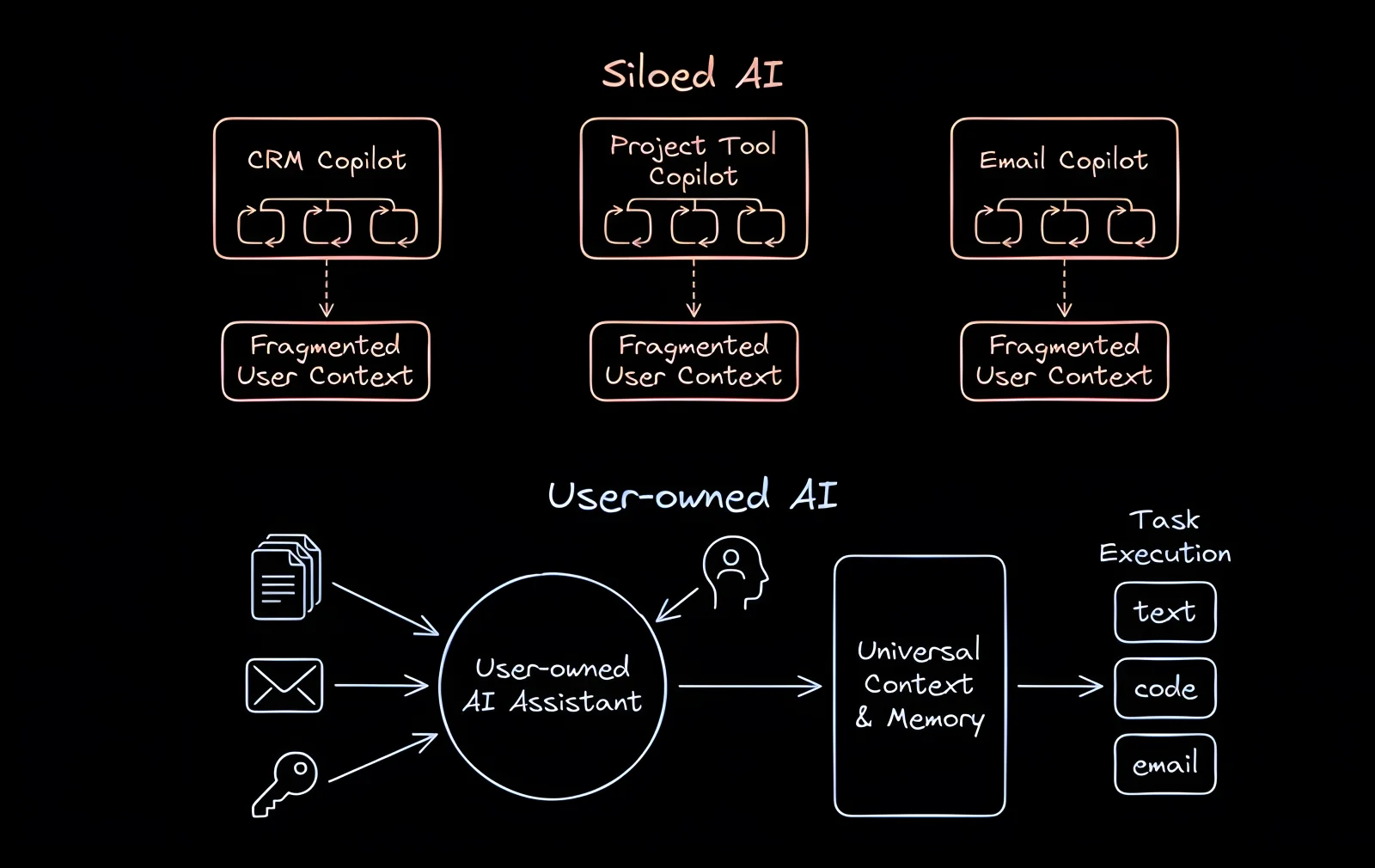
That’s where WebMCP gets strategically interesting. If products expose clean, structured actions to outside assistants in the browser, some “AI sidekick in the corner” features start to look less like a durable moat and more like a convenience layer. Not because product teams stop adding value, but because a cross-app assistant becomes more capable at the exact jobs those thinner copilots were created to handle.
That won’t apply evenly. Products still own deep workflow knowledge, proprietary data, permissions, and backend integrations. Those are meaningful advantages. But the more a copilot depends on generic summarizing, drafting, searching, or clicking around an interface, the more pressure it could feel from a user-owned assistant that works everywhere.
That’s also why this looks more like a product-strategy shift than a product wipeout. The value that survives is the hard part: domain-specific judgment, privileged access, workflow design, and the parts of the product an outside assistant can’t cheaply replicate. The thin chat layer is what gets pressured first.
So no, WebMCP probably doesn’t mean “one protocol to replace SaaS.”
It may mean users rely less on a different assistant in every product, and more on one assistant that can operate across many products.
That shift is narrower than “SaaS gets replaced,” but more plausible—and potentially more important.
WebMCP is not the same as using AI to test human interfaces
This distinction matters, but it doesn’t need much drama.
Sometimes you do want an agent to use the exact interface a person would use. That still matters for QA, end-to-end testing, and computer-use workflows. Playwright and Playwright MCP fit that model, and so does OpenAI’s computer-use tooling.
WebMCP is aimed at a different job: exposing structured actions inside a live app so a person and an assistant can work in the same context more reliably. The human interface is still primary. The assistant just has clearer, safer ways to help inside it.
So browser automation and WebMCP overlap, but they solve different problems.
WebMCP and accessibility
There’s also a more meaningful angle here than “AI shopping assistant finds coupon.”
The WebMCP proposal explicitly includes assistive technologies and frames accessibility as part of the point: giving assistive tools access to web app functionality beyond what traditional accessibility trees expose.
That matters.
If browser-side AI gets better at understanding live websites, and sites expose clearer actions for it to use, the web could become easier to operate for people dealing with dense interfaces, fine motor challenges, or visual complexity. Not as a vague future promise, but as practical help with a task they’re trying to complete right now.
That’s not a side benefit. It’s part of the value proposition.
Traditional accessibility layers can help assistive tools understand what’s on a page, but they don’t always expose the cleanest way to complete a task inside a complex app. Structured actions could help close that gap. That doesn’t replace accessibility fundamentals, but it could make assistive help more practical in software that is technically accessible and still frustrating to operate.
Should developers experiment with WebMCP now?
I think yes.
Not because it replaces APIs. It doesn’t.
And not because there’s one settled integration path. There isn’t. The spec leaves it to each browser to decide how a page’s tools reach an assistant, so real deployments still depend on both browser support and some client layer, such as an MCP server or extension, rather than one universal setup every assistant can consume the same way.
That uncertainty matters for anyone building on it. Permissions, identity, and trust still have to be worked through in the real product, not hand-waved away by the protocol name. But that’s a reason to prototype carefully, not a reason to ignore the direction entirely.
But if your product has a live interface people actually spend time in—especially one with complex or high-friction workflows—WebMCP looks worth prototyping now.
Products like AWS or Google Cloud make the case well. Strong APIs don’t make in-product guidance irrelevant. People still spend real time in those consoles, and they still need help in context. A user-controlled assistant that can act inside the interface is different from handing someone docs and hoping for the best.
Some of this is already shipping. Agent-Native, Builder’s open-source framework for apps that people and agents use together, now registers a signed-in app’s eligible actions as WebMCP tools automatically, so the UI and the assistant call the same code. It loads a polyfill when the browser doesn’t support WebMCP natively. And the /webmcp skill lets your coding agent open an app in its built-in browser and call the page’s tools instead of clicking through the UI.
So yes, WebMCP is worth watching closely and, for the right products, worth testing early.
Not because it will define all agent access.
Because it could make your product easier to use with an assistant, in the place where users already are. And if you want to test that idea in a real UI with real workflows, Builder is a nice place to prototype it and see whether it genuinely reduces friction.
WebMCP may not be what the discourse wants it to be.
But what it actually is may be more useful.