AI Automation in Design Systems: A Practical Guide for Product Teams
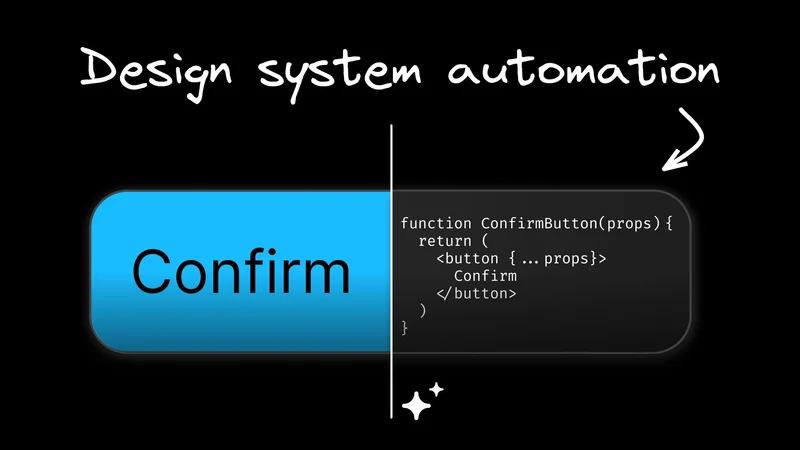
Design systems usually start strong. Patterns line up, the component library feels clean, and the team finally feels like the product has a unified visual language.
Give it a little time, though, and the cracks start to show. Tokens drift, variants pile up, and docs age faster than milk. Before long, the system is doing a passable impression of a houseplant in a heat wave.
The real issue is the volume of repetitive, mechanical work required to keep everything in sync. This is exactly the type of work AI is good at. Not the flashy “AI will design your whole product” fantasy, but the quiet, unglamorous automation that keeps the system honest and frees teams to focus on decisions rather than upkeep.
If your design system feels overdue for a tune-up, AI can finally help in a practical, engineering-sound way. This article breaks down the current challenges, emerging AI patterns, and a practical framework for introducing AI automation into your design system.
The current state of design systems

Every design system eventually enters what I call the “maintenance paradox.” The better it gets, the more effort it takes to keep it that way. Early on, everything feels aligned. But once real product pressure hits, the clean structure you started with begins to bend under everyday realities.
You start seeing patterns like:
- Components start in Figma, but the implementation drifts because engineers have to reinterpret them every time
- Component variants multiply faster than anyone can keep track of
- Documentation falls behind, so teams stop trusting it
- Designers cling to Figma, engineers cling to the code, and both sides swear theirs is the truth
- Engineers quietly copy-paste new components instead of untangling the official one
None of this happens overnight, but the system drifts from speeding up the workflow to quietly slowing it down. Design sees more inconsistencies. Engineering sees more rework. Design system managers spend more time cleaning up than improving the foundation. The mechanical work of keeping everything in sync scales faster than teams can keep up with manually.
That is the context AI is stepping into. Not to replace the system or reinvent it, but to chip away at the overhead that keeps it from functioning the way it was originally intended.
How AI can help design systems

When teams talk about “AI in design systems,” the conversation usually swings between two extremes. On one side, you get the fantasy where AI redesigns the whole product overnight. On the other, you get skepticism because earlier automation tools never understood the actual system they were trying to help.
The truth is far simpler. AI is genuinely useful in the areas where your team is buried in repetitive, mechanical work. The patterns you already defined, the rules you already agreed on, the components you already built — that’s the material AI can work with.
The real unlock is context-aware AI. When the model understands your tokens, your components, and the constraints your system runs on, it stops hallucinating and starts behaving like a teammate who knows the codebase.
At Builder.io, we lean into this idea by letting the AI learn directly from your repo. It uses the same primitives your team already maintains, which makes the automation feel like part of the system instead of something you need to manage on the side.
So let’s look at where AI actually pulls its weight.
Design-to-code translation that respects your architecture
Most design-to-code tools fall apart the moment they hit a real codebase. They generate markup that looks right in a vacuum but ignores your props, your naming conventions, and the patterns your team relies on. Context-aware AI is different. It reads your components the same way an engineer would and uses them as the building blocks for the output.
Automatic responsiveness based on your existing patterns
Responsiveness is one of those things that looks simple in a design file and turns into a dozen decisions in code. The AI handles this by studying how your components already scale and applying the same rules automatically.
Give it a single-breakpoint layout and it can infer how it should behave across devices, which removes an entire category of manual layout work teams are used to doing by hand.
Automated component and variant generation in your codebase
Most design systems end up with a long tail of variants that nobody has time to implement. Once the AI understands your component inputs and the patterns your system expects, it can generate that scaffolding for you. Sizes, tones, states, props all use your real components.
Automated Storybook and documentation updates
Storybook and documentation are always the pieces that drift first because updating examples is tedious. When the AI can read your component definitions directly, it can generate stories, states, and usage examples on its own. There’s no need to hunt for the latest API changes or variant names.
Updating code when the design changes
This is where drift usually creeps in. Designers update a component, engineers don’t see it until later, and the system slowly fractures. With context-aware AI, you can prompt the model to apply design changes directly to the existing code. It knows the component structure, the tokens, and the variants, so it can update the right pieces instead of regenerating everything.
How to implement AI in your design system
Start with the work nobody wants to do
Introducing AI into a design system is a lot like adding a new service to your production stack. It can be powerful, but only if you bring it in deliberately and not as a “push the magic button and pray” workflow. The teams that get value out of AI start small, validate it in the messy corners of their system, and expand once it consistently earns trust.
Use AI where the rules are already established
The simplest place to start is with the work nobody enjoys. Documentation updates, variant scaffolding, layout adjustments, and other repetitive tasks are prime territory because the rules are already defined. When AI handles the boilerplate, your team frees up time for decisions that require human judgment.
Integrate AI into the tools your team already uses
Once you have a few wins, the next step is integrating AI into the tools you already rely on. The moment people have to bounce between tabs or learn a new workflow, adoption drops. AI works best when it shows up inside the repo, the design system package, or the code review process, not in some standalone interface everyone forgets.
Treat design-to-code as architecture and not a shortcut
If you decide to automate design-to-code, treat it like part of your system architecture. The model needs to follow your component rules, your naming conventions, and your accessibility expectations. That only happens when you set clear guardrails and run AI-generated output through the same review pipeline as everything else.
Keep humans in control of the patterns
Through all of this, humans stay in the loop. AI can handle mechanical work, but it cannot decide when a pattern should evolve or when a component needs simplification rather than another variant. That judgment stays with the team that owns the system. AI’s job is to support the architecture, not rewrite it.
Challenges and limitations of AI in design systems
AI is useful, but it isn’t a magic wand. If anything, treating it like one is the easiest way to blow your system up. Every team that adopts AI eventually runs into a few predictable friction points.
Accuracy and trust
If the model doesn’t understand your components or your conventions, it will confidently generate the wrong thing. That isn’t AI being “creative.” It’s AI doing exactly what you asked with none of the architectural judgment you expect from a human. Trust comes only when the model consistently produces code that behaves like the rest of your system.
Versioning and governance
Design systems already juggle tokens, components, themes, breakpoints, and documentation. Adding AI to the mix means you need clear rules about what gets generated, when, and how it moves through reviews. If automation bypasses your release process, prepare to chase down bugs that the AI confidently introduced on your behalf.
Overreliance on automation
AI is great at mechanical, rules-driven work. It is not great at deciding when a pattern needs to change or when five variants should actually collapse into one. That judgment still belongs to the humans running the system.
Security and data control
Letting any tool read your codebase or design system requires the same diligence you’d apply to any infrastructure dependency. Access controls, logging, and privacy requirements still matter, and regulated teams have even tighter boundaries.
None of these limitations is a deal-breaker. They just require clear guardrails, good review practices, and the expectation that AI is another layer in the stack and not an autopilot.
The future of AI in design systems
Design systems are shifting toward a hybrid model where automation takes care of the maintenance and humans focus on the choices that actually shape the product.
In the short term, we’ll see systems that update themselves as tokens change, code that stays aligned with design without anyone doing a manual sweep, and documentation that stops expiring the moment it’s published.
Over time, AI starts playing a more active supporting role. It can surface redundant patterns, call out inconsistencies before they spread, and help teams decide when a component should grow or when it should be simplified.
The design system team’s job becomes more strategic. Instead of pushing updates through the pipeline, they define the language of the product while AI handles the housekeeping.
Getting started with AI automation in your design system
AI automation for design systems is practical today. Teams are already using it to cut down maintenance work, generate components faster, and keep code aligned with evolving designs. The patterns are predictable, and the gains show up quickly once you let AI handle the repetitive parts.
If you want to see what this looks like with AI that truly understands your components, your architecture, and your design system, try Builder.io. It’s the most direct way to test how AI fits into your system without refactoring anything to make it work.