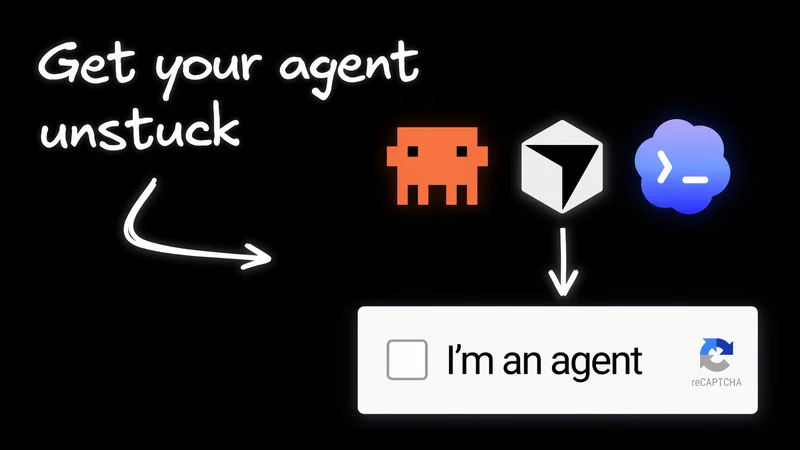
Maybe you've run into this.
Cursor can read your Notion workspace just fine, but then it immediately hits a 403 when it tries to update the page it just summarized.
Claude kicks off a sub-agent to triage a Linear issue, and suddenly that sub-agent has all the same access the parent did, including Slack, GitHub, and everything else.
Copilot works through a multi-step refactor across three repos, and when you check the GitHub audit log, it all looks like one human user did the whole thing, with no way to tell which agent handled each step.
Agent auth is hard because OAuth gets you through login, but it doesn’t really solve delegation, runtime authorization, or auditability, even though agents need all three at once.
Let's take a look at where things actually break, why OAuth on its own isn't enough, and what you can do about it today.
Why AI agents need their own identity
If your team’s agents mostly work but keep breaking in weird places like Linear, Notion, GitHub, and your internal APIs, this is usually why. Agents sit between people and the systems they use. They need an identity of their own, but that identity still has to stay tied to the user or system that authorized it.
On top of that, their permissions can change from task to task, they may need to stop and ask for approval, and after a few handoffs, you still need a clear audit trail showing who actually did what.
A dead giveaway that you're stuck in this messy middle is when your audit log says the user did everything, even though it was actually an agent, or even a sub-agent three steps removed, that pushed the commit.
Three ways AI agent authentication fails
These three failure modes show up again and again, and once you recognize them, you’ll start spotting them behind almost every agent integration bug your team files.
The agent can read the doc, but it still can’t edit the page. It has a perfectly valid OAuth token with wiki:write, opens the postmortem in your internal wiki, and then immediately gets a 403 when it tries to make a change. The token isn’t really the problem. The page has its own ACL, a separate access list outside OAuth permissions, and while the user is on that list, delegated agents usually aren’t.
The OAuth scope is basically saying, “this app can write wiki pages.” But the page-level ACL is saying something much narrower: “this specific person can edit this specific page.” That kind of resource-level rule lives completely outside the things scopes were designed to express.
A sub-agent inherits the parent’s full scope. Say a parent agent has repo:write and wiki:write, then spins up a child agent just to summarize a doc. In practice, that child often ends up with both permissions anyway. Suddenly a harmless summarization step has the same blast radius as the whole workflow. And OAuth doesn’t really give you a clean way to say, “this child only gets wiki:read for the next ten minutes, and only on this one page.”
After three handoffs, the audit log can’t tell who actually did the work. A user kicks off a workflow, that workflow calls a planner agent, the planner calls a code-writing agent, and eventually a commit gets pushed. But downstream, the system still just sees the same user token, so everything gets attributed to the user. When someone has to untangle it on Monday, there’s no clear way to tell which agent handled step three.

These aren't authentication problems. They're runtime authorization problems.
Once the user is logged in, the real questions are more concrete: can this agent access this specific resource, does a child agent automatically inherit all of the parent’s permissions, and after a few handoffs, can the audit log still tell you who actually did what? Oso calls this the runtime authorization problem. Once the token is issued, the authorization server can’t really see how the agent is using it.
All three failures come from the same basic mismatch. OAuth scopes get set when the token is minted, and after that, the authorization server is basically out of the loop. So the answer isn't some cleverer OAuth flow. It's about adding a few things OAuth was never really built to handle: delegation that names both the user and the agent, runtime checks that are more precise than scopes, and a real identity for the agent itself.
How token exchange fixes agent delegation
What actually carries that user-and-agent relationship over the wire is RFC 8693 token exchange. The key idea is that the agent's identity travels with the user's identity, not instead of it. When a tool handles this properly, the audit log shows both who the human was and which agent took the action, rather than the usual mess where it all looks like one user did everything.
The IETF’s OAuth on-behalf-of-user draft, currently at -02, starts to make this more official by spelling out what that token exchange between the agent and user should look like.
Ask any MCP server this before you let your team use it: when it calls a downstream API, does it just forward your token, or does it exchange it? If the answer is "we pass it through," that's a red flag. As Aembit points out in its MCP guidance, every extra system that sees a forwarded token is another place that token can leak, and the downstream API still has no idea the MCP server was involved.
The safer pattern is token exchange: the server swaps the user's token for a new one scoped to that specific downstream API and carrying the agent's identity alongside the user's.

In practice, the quick gut-check is pretty simple: vendors doing this the right way will explicitly talk about token exchange (RFC 8693) or on-behalf-of flows in their auth docs, and they’ll explain that the server has its own separate credential too. Vendors doing it the wrong way will say something like, “we just forward your OAuth token to the downstream API,” or worse, they won’t explain how that downstream call is authenticated at all.
How to evaluate AI agent tools and MCP servers
This is usually more of a tool selection problem than an implementation problem. Before your team adopts any agent tool, MCP server, or platform, it’s worth asking a few basic questions:
- Does the agent have its own identity, or is it basically operating as the user?
- What happens when a sub-agent kicks in? Does it automatically get all the same permissions as the parent, or is it limited to a smaller scope?
- Will the audit log show which agent actually did what, or does everything just get attributed back to the human who kicked it off?
- Does the tool exchange your token for one of its own before calling downstream APIs, or does it just pass yours straight through?
- Is the agent using credentials that expire when they should, or is it sitting on a long-lived API key?
The red flags in vendor docs are usually the opposite of those questions:
- “We use OAuth,” but they never explain what they actually mean by that.
- A setup guide that tells you to paste in a long-lived API key.
- No explanation of what sub-agents can access or whether they just inherit everything.
- Passing your token directly from the MCP server to the downstream API.
If you see any of those, assume all three failure modes are still very much in play for your team.
A few practices are worth standardizing no matter which vendor you use. Don’t give agents tokens that are broader than the job in front of them. Be extra careful with tools that can spawn sub-agents until they clearly explain how delegation works. And when you can, favor tools that keep the agent contained, so if one step ends up with too many permissions, the blast radius is limited by more than just the OAuth scope.
If you're picking an authorization layer for your team's internal tools, OpenFGA is a solid option for relationship-based permissions and gives you a real audit trail. SPIFFE can handle the workload identity side.
This is starting to move beyond standards docs and into real identity products. Okta’s Cross App Access is one of the first signs that this shift is actually happening.
The easiest place to start is with the MCP servers your team already uses. Pull up each vendor’s auth docs, ask the five questions above, and sort them into two buckets: “exchanges tokens” and “forwards tokens.” That quick pass usually tells you which integrations are recreating the same three failure modes and which ones aren’t.
Until tools start treating delegated software actors as their own category, instead of just a proxy for the user or some generic service account, agent auth problems are going to keep showing up as architecture problems.
Why agent containment matters as much as the spec stack
At the platform level, the big question is: who on your team can safely run agents in the first place?
Containment is what makes this possible. If each agent gets its own scoped environment, a designer or PM can hand it a task and keep moving without needing an engineer to double-check whether it can access production secrets, the wrong repo, or a teammate’s branch, because the environment already says no.
That’s hard to pull off in Claude Code or Cursor, where the agent is working against your local filesystem with all the reach of your shell, and whether it’s “safe for anyone to use” depends heavily on how carefully the machine was set up by its user, who may or may not have technical know how.
The ideal is per-agent containment. Each agent gets its own scoped environment, with its own filesystem, network access, and credentials. That means even if a sub-agent ends up with more permission than it should, the container still limits the blast radius before OAuth scopes even come into play. It’s basically the runtime version of the same idea the spec stack is aiming for: giving the agent a real, narrow identity instead of having it inherit whatever access the parent already has.

Builder does this by default, and engineers can use it in tandem with Claude Code or other tools they already love. Every agent runs in its own scoped cloud container, with its own service account, network policy, and credential rotation already set up, so the platform team doesn’t have to stitch all of that together themselves.