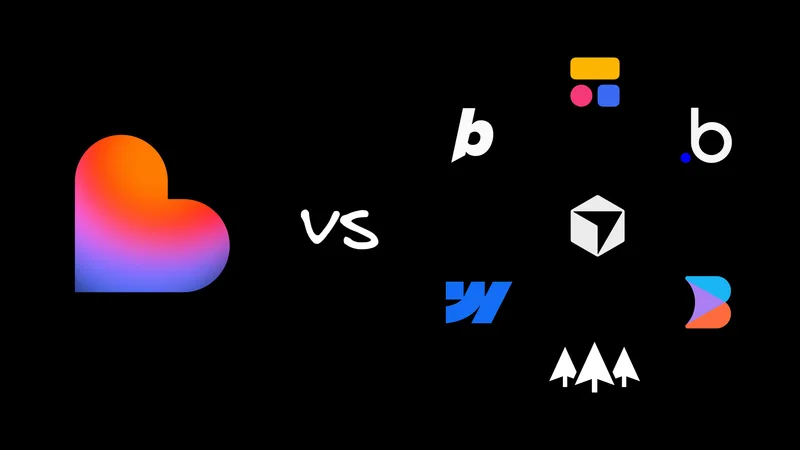
For AI coding, Lovable nails the blank canvas phase.
The loop is addictive. You prompt, get a running app, iterate, and use visual tools to polish the rough edges. It's one of the fastest ways to go from shower thought to working demo.
Usually, if you're looking for a Lovable alternative, it's because you succeeded at Lovable. Your prototype worked, people are using it, and now you've got that specific engineering anxiety about how to scale it without hitting the low-code ceiling.
So, here's some options for when you grow out of Lovable, or want a tool that can do the same thing with a different workflow. I've grouped the options by the job you need to get done.
Quick comparison table
If you're skimming, start here. The rest of this post adds context to these columns.
| Tool | Category | Best for | Can start from an existing repo? | Review workflow | Pricing model |
Hosted AI app builder | Fast prompt-to-demo loop plus visual edits | No | Two-way sync after project made in Lovable, default-branch-first | Credits-based | |
Hosted AI IDE | Lovable-like speed if you're comfier reading code | Yes | Git is optional | Tokens/usage-based | |
UI generator | Fast UI scaffolding for React/Next.js | No | Normal repo/PR handoff | Credits-based | |
Hosted agent + workspace | Agent builds + runs apps in a hosted workspace | Yes, but not native workflow | Collaboration in workspace, Git optional | Usage-billed | |
Repo-native visual IDE | Visual + prompt edits that land as PRs | Yes | PR-first by design | Credits-based | |
Visual app platform | Ship quickly inside a platform | No, platform project | Platform workflow | Subscription tiers | |
Portal builder | Portals and business apps on top of data sources | No, platform project | Platform workflow | Subscription | |
Site builder | Marketing sites with AI assist | No, platform project | Platform workflow | Subscription | |
Visual web builder | Pro-grade visual web building with versioning | No, platform project | Visual branches | Subscription | |
Internal tools builder | CRUD and admin tools fast | No, platform project | Platform workflow | Subscription | |
File-driven agent | Agent help without a terminal-first workflow | Yes, file and repo based | You manage Git | Usage/subscription | |
Agentic IDE | Move fast in a real repo where you own the code | Yes | Normal GitHub PR flow | Subscription |
What is Lovable?

Lovable is a hosted, AI-driven builder that focuses on a tight feedback loop. You prompt, see a running app immediately, iterate, and then use visual tools to handle the last mile of UI polish.
On the backend, they offer Lovable Cloud. This is a managed backend that abstracts away the primitives like database, auth, storage, and edge functions. They also include a GitHub integration so you can eventually own the code.
What to like:
- The path from a blank page to a live, shareable demo is fast.
- Visual editing makes the tool approachable for team members who might not code.
Tradeoffs to expect:
- Lovable optimizes for greenfield work. If you've got an existing repo, you're starting a fresh project next to it instead of working inside it.
- You can't start a Lovable project from an existing GitHub repo. Once connected, Lovable syncs both ways, but it only syncs GitHub changes back into the editor if they're on the default branch.
- If you outgrow the platform, "exporting" is step one. You still have to take over the environments, CI, deployments, and future refactors.
Works well for:
- Solo prototyping and early-stage teams that prioritize speed over a rigorous full-repo workflow.
Hosted, Lovable-like loops
These are the tools that keep the "prompt to running app" loop tight, with a more code-forward feel than a classic visual builder.
Bolt.new

Bolt.new is one of the strongest contenders in the "prompt to running app" space if you want Lovable-style speed without ever opening a terminal.
What to like:
- The browser-first workflow is genuinely fast.
- You get significantly more code visibility than you do with typical black-box visual builders, thanks to StackBlitz's history as a cloud IDE.
- Most exact 1:1 alternative to Lovable with slightly better Git integration.
Tradeoffs to expect:
- It feels less like a visual builder and more like an in-browser IDE.
- The token-based pricing can introduce some anxiety if you're the type to iterate twenty times on a single feature.
Works well for:
- Developers and technical founders who want the velocity of Lovable but feel naked without a code editor in front of them.
v0 by Vercel

v0 is a solid choice when you aren't looking for a "platform" but a way to accelerate your raw UI scaffolding velocity.
What to like:
- The generation speed for UI and component scaffolds is impressive and keeps you in the flow state.
- It's ideal for teams that already have strong opinions on where their code lives and need the raw materials.
- Integrated Vercel environment means deployment offers a lot of bells and whistles.
Tradeoffs to expect:
- Less mature code editing features.
- Some lock-in to the Next.js/shadcn/Vercel way of building apps.
- You're still on the hook for the standard engineering work required to wire up your backend data, harden it, and deploy it (albeit via Vercel).
Works well for:
- React and Next.js teams that want to fast-forward through the initial UI drafting phase and merge the output directly into a real codebase.
Replit Agent

Replit Agent is a strong choice when you want a fully hosted environment where an agent can build and run apps immediately, keeping your entire workflow contained within that online workspace.
What to like:
- The hosted workspace abstracts away almost all local configuration headaches.
- It's fantastic if you want the "online IDE" experience to be the product itself.
Tradeoffs to expect:
- Collaboration is workspace-centric, which feels different if you prefer a PR-first workflow.
- In my testing, Agent runs felt slower than the other options when churning through multi-step work.
- There's a lot more complexity here than Lovable. Expect a learning curve.
Works well for:
- Builders who want that instant online IDE experience and are happy to keep projects inside a hosted dev environment for longer.
A repo-first workflow that lets you scale beyond the prototype
If you already have a repo, this is the fork in the road.
Do you want the tool to own the project and sync later, or do you want every change to land as a normal PR from day one?
The demos are easy. The hard part is everything that makes software shippable: branches, reviews, CI, environments, and predictable iteration.
Builder

Builder keeps the Lovable-style loop, but your repo stays the source of truth. You get a hosted dev environment, a visual editor, and changes that land as reviewable PRs.
What to like:
- Diffs that look like code. They fit right into your existing GitHub reviews and CI pipelines.
- A containerized dev environment. You get a working preview instantly without losing a day to local setup hell.
- It respects your code. The AI aims for minimal, surgical diffs instead of rewriting your entire file.
- A "Git for anyone" approach. The power of Git is all there, but it's automated, so you spend your energy reviewing PRs instead of memorizing CLI flags.
- A deep visual editor that goes beyond prompt-only generation.
Tradeoffs to expect:
- You're working on real software, so you still need to manage your own environment variables and secrets responsibly.
- Builder isn't your hosting provider. The preview environment is strictly for building and reviewing, not for serving production traffic.
Works well for:
- Teams with an established repo and design system who want AI speed without breaking their code review culture.
- Developers who are outgrowing the constraints of sandbox tools and want a safer bridge to professional workflows.
Ship inside a platform
These options are platform-first: you build and ship inside their hosted runtime and workflow.
That's great if you want an all-in-one product, but if your end game is repo-native, plan for constraints around code export and portability.
Bubble

Bubble earns a spot here because half the time, people asking for "AI code gen" want a mature visual platform that lets them ship. Sometimes the best way to write code is to not write it at all.
What to like:
- The all-in-one workflow handles the boring stuff: build, preview, and publish, so you don't have to glue services together.
- It's got a serious track record for powering MVPs and small businesses that make money.
Tradeoffs to expect:
- Moving off Bubble later is a rebuild, not an export.
Works well for:
- Founders and lean teams who care more about speed-to-MVP than owning the underlying stack.
Softr

Softr is the pragmatic answer when you need a client-facing portal or business app sitting directly on top of Airtable or Google Sheets data.
What to like:
- It creates a fast path to shipping portals and lightweight business apps.
- SoftrAI generates the initial app skeleton from a prompt, and Ask AI handles natural language queries against live data.
- It works best when your app relies on standard workflows and permissions, not complex custom UI or heavy logic.
Tradeoffs to expect:
- If you anticipate needing deep UI customization, verify the constraints early instead of assuming flexibility.
Works well for:
- Small teams that want to ship a portal without the overhead of standing up a dedicated app stack.
Webflow AI

Webflow makes this list because a significant number of "AI app builder" searches are people looking to build high-quality marketing sites.
What to like:
- It's the standard for marketing sites.
- The Webflow AI Assistant can generate sections and copy, and it can even spin up CMS Collection items from prompts to save you from manual entry.
- This is a great choice when your deliverable is content and design instead of complex application logic.
Tradeoffs to expect:
- The Webflow code export feature outputs static HTML, CSS, JavaScript, and assets. Be aware that it doesn't include dynamic parts like the CMS, ecommerce, user accounts, or form submission processing.
Works well for:
- Teams shipping marketing pages and content-heavy experiences.
Nordcraft

Nordcraft is sneakily one of my favorites on this list. The team is basically reinventing how people build the web.
It's a pro-grade visual builder that feels less like "drag-and-drop" and more like "HTML, CSS, JS, but with a UI."
It fits when you want versioning and previews, and you still want the mental model to map to web code.
What to like:
- It sticks to web standards closer than most. It feels less like magic black boxes and more like a different skin for the real work you already do.
- The runtime engine is open source, which is a surprisingly rare hedge against the "what if they disappear?" fear of platform lock-in.
- The visual workflow feels like software development, not moving rectangles around a canvas.
- It fits better than Webflow if you're the type of person who stays up at night worrying about semantic markup and construction.
Tradeoffs to expect:
- If your end game is a strict repo-first engineering setup, treat Nordcraft as a powerful creative studio instead of your permanent home address.
Works well for:
- Design-forward teams who want to build web experiences without the "hand-holding" limitations of standard site builders.
- Folks betting on the future of the web.
UI Bakery

UI Bakery is a strong contender when you need to ship internal tools without the overhead of a full frontend project. It fits best when you need to put a UI on top of existing services or databases and want to skip straight to the logic.
What to like:
- The happy path for admin panels, dashboards, and internal CRUD apps.
- Ideal when you value prebuilt, reliable patterns (tables, forms, auth) over bespoke UI engineering.
Tradeoffs to expect:
- It's not trying to replicate the Lovable loop. It solves a different problem set.
Works well for:
- Teams that need to build internal interfaces on top of existing data sources.
For when you're ready to learn engineering
This category helps you move beyond writing code and into shipping it. It covers the ecosystem of a real repository, including environment setup, build pipelines, automated testing, deployments, and the code review process.
Claude Cowork and Claude Code

Claude Cowork is a newer entry for anyone who wants the capability of Claude Code without committing to a terminal-first workflow.
In my opinion, it's a great way for newcomers to learn the ins and outs of development.
It can give you agentic help across your repos and handle terminal commands and file operations for you.
What to like:
- It offers genuine file-driven collaboration with an agent.
- It's easier to bring non-engineers into the loop because the workflow focuses on "review this change" instead of "run these commands."
Tradeoffs to expect:
- It's not a hosted app-builder loop. You remain responsible for the runtime, build process, and the work of shipping software.
- Git still matters. Cowork can handle the editing, but it doesn't replace the necessity of branches and PRs.
- You need to learn from first principles. The tool is wildly powerful, but ask questions along the way, or else you're gonna get lost fast.
Works well for:
- Teams that want an agent to help edit code and docs, without turning every contributor into a CLI power user.
Cursor

Cursor is a strong next step when you're ready to work in a real repo and want an agentic editor that can help with multi-file changes.
What to like:
- It shines when you want help editing code, not a hosted preview loop.
- A strong fit when you already have a repo and want to accelerate your day-to-day engineering workflow.
Tradeoffs to expect:
- You're in the repo. You own the build, tests, deploys, and all the normal engineering responsibilities.
Works well for:
- Developers who want to move fast in a real codebase.
If you’re invested in using the best agentic IDE for developers, check out our comparison.
Keep the Lovable speed, but avoid the throwaway prototype
If you're chasing that specific rapid iteration loop, Bolt.new and v0 are the closest functional equivalents. They're great for staying in the flow.
But if you're thinking about code ownership and long-lived workflows, you might want to start with your architecture in mind.
My recommendations?
- Use Builder when you want visual and prompt-driven iteration on a real repo, with PR-first diffs.
- Use v0, Bolt.new, or Replit Agent when you're okay with a project living its life as just a prototype.
- Use Webflow or Nordcraft if you want to bet on serious visual platforms for websites.
- Use Claude Cowork/Code or Cursor when you're ready to level up and become a software developer in earnest.
Speed matters, but only if the code makes it into production.