How to Create Free, On-Brand LinkedIn Carousels
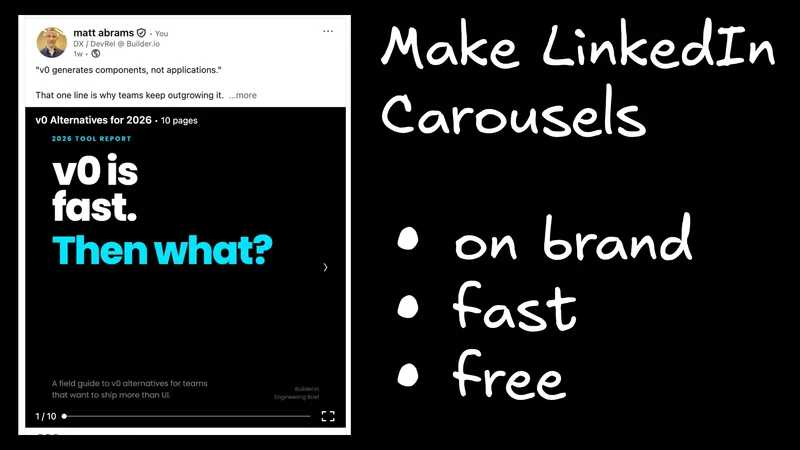
LinkedIn carousels (PDF "documents") are one of the highest-performing native formats on the platform — and one of the most annoying things to actually produce. The constraints break every normal slide tool: they have to be 1:1 or 4:5, every frame has to read like a billboard on a phone screen at arm's length, and the whole set has to stay on-brand across 8–10 slides. Your options today are Canva (manual and slow), generic AI deck tools (off-brand, wrong aspect ratio, very "slide-deck-brained"), or a designer (slow and expensive).
Here's a faster path: open the Agent Native Slides template, point it at your design system, drop in the source material you want the carousel to be about, and prompt it. Free.
This is a concrete example of our take on cloneable, agent-native software — instead of bending a generic SaaS app to your brand, you clone a small, focused template and wire it into your own context.
The 4 steps
1. Open the Agent Native Slides template

Easiest path: open the hosted version at slides.agent-native.com and start in the browser.
Prefer to run it locally? One command:
More on the template and how it's wired together in the Agent Native Slides template page and the getting started docs.
2. Sign in to Builder for free credits (or bring your own Anthropic key)

In the agent panel, click Connect Builder.io. You'll get free credits to use Claude (Opus/Sonnet) and free hosting — no API key juggling. This is the recommended path for most people.
If you'd rather use your own quota, paste an Anthropic API key instead. Both paths are covered in the onboarding & API keys docs.
3. Point it at your design system (or design inspiration)

Drop a link or file into the chat that defines what "on-brand" means for you. Anything works:
- A link to your design system docs
- A Figma URL
- A brand PDF or one-pager
- A GitHub repo
- Screenshots of carousels you like
The agent uses these as style reference only — colors, typography, spacing, rendering technique. It will not copy scenes or content from them.
Then tell it the rules LinkedIn actually cares about, in plain English:
Use a 1:1 aspect ratio for every slide. Use billboard typography — one big idea per frame, large type, minimal supporting text. Stay on-brand using the design system above.
This is the part every generic AI deck tool gets wrong. Lock it in once.
4. Drop in the source material and prompt the carousel

Paste the link or document the carousel is about — a blog post, an internal memo, a podcast transcript, a PDF, anything. Then prompt it. A copy-pasteable starting point:
Turn [this article] into a 7-slide LinkedIn carousel. 1:1 aspect ratio. Billboard typography — one big idea per slide, max 12 words on screen. On-brand using the design system above. Slide 1 is a hook. The last slide is a CTA.
From there, iterate conversationally:
- "Make slide 3 bolder."
- "Swap the color scheme to the secondary palette."
- "Tighten slide 5 to 6 words."
- "Add a slide between 4 and 5 with the key stat."
The agent and the canvas update live. Export to PDF, upload to LinkedIn as a document, done.
Why this works
This isn't "a slide app with AI bolted on the side." The agent and the UI are one system, both reading and writing the same deck against your real brand context. Because the whole thing is an open template, you own the tool: fork it, hard-wire LinkedIn-specific defaults (aspect ratio, typography rules, your brand tokens, your footer), and you've solved this problem permanently for your team.
That's the agent-native shape — small, cloneable, opinionated apps wired directly to an agent and to your context. The carousel tool is one example. You can build the next one yourself in an afternoon. More on the why in The future of SaaS is cloneable.
Try it
- Make a carousel now: slides.agent-native.com
- Read the deeper why: The future of SaaS is cloneable
- Build your own template: Agent Native docs