AI Agent vs Chatbot: Key Differences and Examples
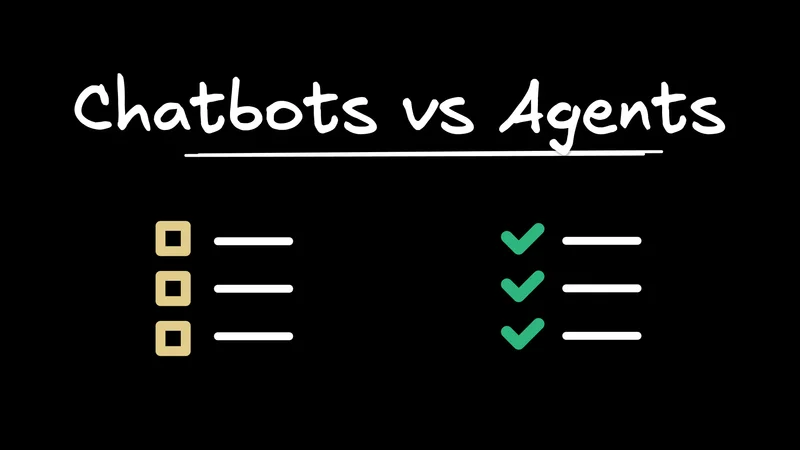
What is the difference between an AI agent and a chatbot? A chatbot responds to prompts. An AI agent can pursue a goal, choose steps, use tools, and complete work.
That short answer is useful, but it misses the thing you usually care about when you are evaluating software: can the AI actually do the job, or can it only talk about the job?
In most software, the progression looks like this: a chatbot answers questions, and an AI agent can operate parts of the workflow.
This article starts with the practical AI agent vs chatbot comparison. Then it shows what the next level of AI agents looks like: agent-native architecture, where the product is built so humans and agents can operate the same underlying capabilities.
What is the difference between an AI agent and a chatbot?
A chatbot is a conversational system. It receives a message and returns a response. It may answer questions, summarize information, draft text, retrieve documentation, or guide a user through a simple support flow.
An AI agent is a goal-directed system. It can break a request into steps, inspect context, use tools, take actions, and adapt based on the result. In a product context, the difference is whether the AI can move the workflow forward instead of only talking about it.
| Dimension | Chatbot | AI Agent |
|---|---|---|
Primary behavior | Responds to user messages | Pursues a goal through steps |
Typical output | Answers, summaries, drafts, suggestions | Completed actions or prepared work |
Autonomy | Low; waits for each prompt | Higher; can plan and continue within bounds |
Context | Uses chat history or pasted information | Reads task context, product state, and tool results |
Tools | Optional or narrow | Core to execution |
State changes | Rare or indirect | Can create, update, route, schedule, publish, or delete |
User role | User asks and interprets | User delegates, supervises, and approves |
For example, in an email product, a chatbot can summarize a thread or draft a reply. An AI agent can find the relevant messages, classify them, apply labels, archive low-value items, draft responses, and ask for approval before sending.
In analytics software, a chatbot can explain what a chart means. An agent can change the query, apply filters, generate a new chart, save the dashboard, and share it with the right team.
That is why "chatbots respond, agents act" is directionally right but incomplete. A weak agent can still be little more than a chatbot with tool calls. A strong agent needs meaningful product actions, relevant state, and safety rules.
So if the difference is that clear, why do so many SaaS products call something an agent when it still behaves like a chatbot?
Why many SaaS AI agents still feel like chatbots
Many SaaS AI agents still feel like chatbots because they are added beside an existing application rather than designed into the workflow. The product was built for humans clicking through screens, then an AI sidebar was added later.
That pattern creates a ceiling. The AI can answer questions about what is visible. It can summarize a page, draft a message, explain a setting, or suggest a next step. But when the user asks it to complete the actual workflow, it often stalls.
The limitation is usually architectural, not just model quality. The common reasons are easy to spot:
- Action access: The AI has a small set of helper tools, while the real product actions are buried in UI-specific code, internal endpoints, admin-only flows, or services that were never designed for delegated execution.
- State: The AI may know the conversation, but not the object the user is working on, the selected record, the active workflow step, or the changes that already happened elsewhere.
- Safety: The product relies too much on prompts. Real agents need product-level constraints: permissions, previews, approval gates, audit logs, rollback paths, and policy checks.
- Workflow continuity: The AI can handle one request, but it cannot keep working across a multi-step workflow until the goal is complete or blocked.
- Drift: The UI can do one set of things. The public API exposes another. The AI tool layer exposes a third. Each surface works until the product changes, then they drift apart.
This is why a product can market an "AI agent" while users experience it as a chatbot. The name changed, but the software did not give the AI enough product capability to act.
Chatbots still have a clear role. They are good for support triage, documentation lookup, onboarding, lightweight drafting, and conversational discovery. They are especially useful when the correct output is information rather than a durable product change.
The problem is category confusion. If a user asks, "What does this setting do?", a chatbot is enough. If a user asks, "Update these accounts, notify the owners, and prepare the renewal plan," they expect an agent.
There is one more term that often gets mixed into this conversation: copilot. It is worth separating because a copilot can be much more useful than a chatbot without becoming a full agent.
AI Copilot vs. AI Agent: Where copilots fit
An AI copilot assists a person inside a workflow. An AI agent can execute a workflow, or prepare it for approval, through tools and product actions.
You can think of a copilot as the middle stage between chatbot and agent. A chatbot is mostly conversational. A copilot is contextual and assistive. An agent is operational. A writing copilot may suggest edits. A coding copilot may autocomplete a function. A sales copilot may draft a follow-up email. These are useful because they keep you directly in the loop.
An agent goes further. It can research the topic, change the code, update the CRM, run checks, prepare the next step, and ask for approval when judgment is needed. The point is not that agents are always better. The point is that some jobs need chat, some need assistance, and some need delegation.
Once you start building for delegation, the hard question changes. It is no longer just "Is this a chatbot, copilot, or agent?" It is "Is the product actually built for an agent to operate it?"
The next level for AI agents: Agent-native architecture
Agent-native architecture is the next level because it stops treating the agent as a feature bolted onto the side of the product.
An agent-native application is built so humans and AI agents can operate the same product through shared actions, data, permissions, and context. You may use screens, buttons, forms, and review flows. The agent may use natural language and tool calls. But both paths work inside the same application model.
That is a different bar from adding a chatbot or exposing a few tools. If the user can archive, approve, publish, reschedule, assign, merge, refund, or invite, the agent should be able to reach the same operation with the same permissions and safeguards.
That usually comes down to five architectural principles:
- Agent UI parity: Anything meaningful the UI can do, the agent can also do through the same product capability. The agent is not screen-scraping buttons or using a weaker side-channel.
- One shared action model: The UI, agent, API, and automation layer call the same actions instead of four slightly different implementations that drift over time.
- Shared state, data, and context: If you are looking at a customer, thread, chart, or task, the agent can understand that context and change the same underlying state.
- Protocol-ready by design: The app is built so agents and other tools can reach its capabilities through standard interfaces, not just one custom chat integration.
- Governed execution: The agent acts inside the product's permission, approval, logging, and review model. It can be powerful without bypassing the rules that make the product trustworthy.
That is why agent-native is the next step after basic AI agents. A normal agent can use tools. An agent-native app gives the agent a real product to operate, while still giving humans a real product to use.
Bad AI apps put the agent in a sidebar. Good AI apps make the sidebar the agent.
Over time, applications an agent can fully operate will have a clear advantage over applications where AI can only talk about the work.
How to get started with agent-native architecture
You do not need to rebuild the whole product at once. Start with one workflow where delegation would obviously help, then make that workflow agent-native from end to end.
- Pick a workflow users already repeat. Good candidates are triage, scheduling, reporting, routing, drafting, approvals, or cleanup work.
- List the product actions inside that workflow. In email, that might be search, label, archive, draft, and send. In analytics, it might be query, filter, visualize, save, and share.
- Turn those actions into shared capabilities. The UI should call them. The agent should call them. Any API or automation surface should call them too. This keeps behavior consistent and reduces drift.
- Give the agent the state it needs. If the user is looking at a record, thread, dashboard, or task, the agent should not need the user to restate everything the app already knows.
- Build the review path into the product. Some actions can run automatically. Some should show a preview. Some should require approval. The important part is that the product owns those rules, not just the prompt.
This is the shift from "AI feature" to agent-native application. Instead of adding a smarter text box, you are designing the product so the human and the agent can work through the same system.
Start with open source agent-native templates
You can build those primitives yourself: shared actions, shared state, shared permissions, review flows, and agent tools. Or you can start from an open source template where the architecture is already in place.
That is what agent-native templates gives you. The templates are cloneable agent-native apps with a real human interface, real actions for agents, and one application model underneath both.
If you want to build an agent-native app today, you do not have to start from a blank text box or bolt AI onto an old workflow. You can clone a template, inspect how the UI and agent share capabilities, and adapt it to the workflow you care about.
Build for agents, not just conversations
The AI agent vs chatbot distinction starts with behavior. Chatbots respond. Copilots assist. Agents act.
But for software teams, the distinction eventually becomes architectural. If the AI cannot reach the product's real actions, state, permissions, and approval paths, it will keep behaving like a chatbot no matter what the feature is called.
Agent-native architecture is the next level. It gives the agent a real product to operate and gives humans a real interface for supervision, review, and collaboration.