Loom made async video sharing easy. Record your screen, get a link, drop it in Slack, move on.
Teams never really loved Loom as much as they endured it. But that was before Atlassian bought the app, slowed development to a crawl, and jacked up the price. Speaking of which, starting in August, Loom's per-seat price climbs again, this time from $10 to $18 a month, an 80% jump. And that's on top of a free plan that caps recordings at five minutes and your library at 25 videos.
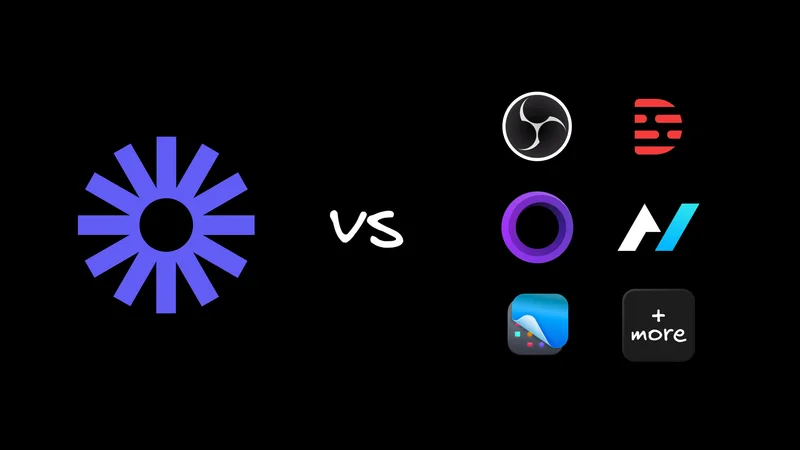
So you're here for a Loom alternative, probably because the math stopped working or the free tier ran out. The good news is that screen recording is a crowded space now, and plenty of tools run the Loom loop as well or better; some for free, some open-source.
I looked at the ones people keep recommending and reviewed them below, each with a plain "best for" so you can jump to the one that fits.
If you'd rather watch than read, here's a quick look at Clips, the free and open-source option on the list.
Quick comparison table
If you're skimming, start here. The rest of this post adds context to these columns.
| Tool | Best for | Free tier | Standout feature | Open source |
|---|---|---|---|---|
polished screen recordings on macOS | No (paid) | Automatic zoom and pan | No | |
Transcript-based editing. Talking head videos. | Yes | Edit video by editing text | No | |
Quick Mac screenshots and clips for internal use | Trial | Best-in-class annotation | No | |
Free, open-source recording. Developers flows and debugging. | Yes (self-host) | Browser debug capture, editing agent | Yes | |
simple, free, self-hosted recording | Yes | Instant sharing, self-host | Yes | |
Polished creator videos | Trial | Auto-cut and auto-layouts | No | |
B2B sales teams | Yes | AI video agent, CRM sync | No | |
A generous free plan | Yes | Distraction-free recording | No | |
AI summaries and SOPs | Yes | Auto step-by-step guides | No | |
Advanced capture and streaming | Yes | Multi-source live capture | Yes |
What is Loom?

Loom is the tool that made async screen recording mainstream. You hit record, capture your screen and camera, and get a shareable link the moment you stop. Most people you work with already know how to make and watch one.
What to like:
- Dead-simple capture and instant share links.
- A huge install base, so recipients rarely need instructions.
- Solid integrations with Slack, Gmail, and the tools teams already use.
Tradeoffs to expect:
- The free plan caps recordings at five minutes and your library at 25 videos.
- Starting in August, the paid seat jumps from $10 to $18 a month, an 80% increase.
- Editing and AI features have evolved slowly since the Atlassian acquisition.
Works well for:
- Teams that want the most established record-and-share app and don't mind the new price.
The best Loom alternatives in 2026
The best Loom alternative depends on your use case. Screen Studio wins for macOS polish, Descript for transcript-based editing, CleanShot X for quick Mac captures, and Agent-Native Clips for developers who want an open-source recorder with browser debug capture. Tella and Vidyard cover polished creator and sales videos, and Cap, Vmaker, Kommodo, or OBS Studio round out the free and open-source end. Here's each one in detail.
Screen Studio, best for macOS polish

Screen Studio produces cinematic recordings almost automatically, with smooth zoom and pan that follow your cursor.
What to like:
- Demo-quality output with near-zero editing.
- Automatic motion that makes a routine walkthrough look designed.
Tradeoffs to expect:
- macOS only.
- Paid, with no free tier.
Works well for:
- Mac users making product demos and launch videos.
Descript, best for transcript-based editing

Descript turns your recording into a transcript and lets you edit the video by editing the text. Delete a sentence in the doc and the matching footage disappears.
What to like:
- Editing by transcript makes cleanup fast, even for long videos.
- Filler-word removal and voice tools keep the audio tight.
- A free plan to start.
Tradeoffs to expect:
- It's more of an editor than a quick-record tool, so simple clips carry a learning curve.
Works well for:
- Podcasts and longer tutorials where audio quality matters.
CleanShot X, best for quick Mac screenshots and clips

CleanShot X is the Mac capture tool power users reach for. Screenshots, scrolling capture, short recordings, and GIFs, all with markup that's a step above the rest.
What to like:
- Fast screenshots, scrolling capture, and short screen recordings or GIFs.
- Best-in-class annotation, plus handy touches like hiding desktop icons before a capture.
- Shareable links through CleanShot Cloud that drop straight into a conversation.
Tradeoffs to expect:
- macOS only.
- Cloud sharing needs a paid subscription on top of the one-time app price.
- Tuned for quick capture, so it's a weaker fit for long async videos.
Works well for:
- Mac users who mostly send quick, well-annotated screenshots and short clips.
Agent-Native Clips, best free and open-source recording. Best for developers and bug reports.

Agent-Native Clips is an open-source, self-hostable take on Loom built for people who work alongside AI agents. Everything it captures gets transcribed, summarized, and made searchable.
What to like:
- Captures browser debug and console context as you record, which turns a screen recording into a proper bug report.
- An agent can edit any of it, from trimming a recording to rewriting a summary.
- Calendar-synced meeting notes and Fn-hold voice dictation, all in one open-source app.
Tradeoffs to expect:
- No public pricing. You host it yourself, so it's free to run but on your infrastructure.
- Built for developer workflows, so it's less of a fit for pure marketing video.
Works well for:
- Developers and agent-driven teams doing bug reports, code reviews, and handoffs where the context around the video matters as much as the video.
You can try Agent-Native Clips at clips.agent-native.com or fork the template and run it yourself.
Cap, runner-up for best free and open-source recording

Cap is an open-source screen recorder with instant sharing that feels close to Loom, and you can self-host it for full control of your data.
What to like:
- Open-source and free, with a familiar record-and-share loop.
- Self-host option that keeps recordings on your own infrastructure.
Tradeoffs to expect:
- A younger product, so fewer team and polish features than the paid tools.
Works well for:
- Creators who want the Loom experience without the lock-in.
Tella, best for polished creator videos

Tella is the recorder that edits for you. It hosts your video and hands back a share link the moment you stop, with downloads up to 4K.
What to like:
- Auto Cut removes mistakes, filler words, and silences on its own.
- Auto Layouts add zoom and framing so a plain screen share looks produced.
- Recording and sharing feel as fast as Loom.
Tradeoffs to expect:
- No permanent free plan. You get a seven-day trial, then it's around $13 per user per month.
- Per-seat pricing adds up for larger teams.
Works well for:
- Founders and creators who want good-looking videos without learning an editor.
Vidyard, best for B2B sales teams

Vidyard leans into revenue work, pairing screen recording with the analytics and automation that sales teams live on.
What to like:
- Viewer analytics and CRM integrations built for outbound.
- An AI video agent that generates and personalizes outreach videos.
- A free tier for basic recording.
Tradeoffs to expect:
- The features that justify it sit behind paid plans.
- It's more than you need for quick internal clips.
Works well for:
- B2B sales and revenue teams that track and act on who watched what.
Vmaker, best for a generous free plan

Vmaker is the pick when your main complaint about Loom is the free-tier ceiling.
What to like:
- A genuinely usable free plan.
- Distraction-free recording that hides notifications.
- Built-in editing.
Tradeoffs to expect:
- Fewer standout features than the specialists on this list.
Works well for:
- Anyone who wants a solid free all-rounder without the five-minute wall.
Kommodo, best for AI summaries and SOPs

Kommodo pairs unlimited free recording with AI notes, so a single walkthrough becomes a documented process.
What to like:
- Unlimited free recording.
- AI meeting notes and automatic step-by-step guides (SOPs).
Tradeoffs to expect:
- The broad feature set can feel like more than you need for quick clips.
Works well for:
- Marketing, sales, product, and design teams turning recordings into reusable collateral.
OBS Studio, best for advanced capture and streaming
OBS Studio is the free, open-source workhorse for people who want total control over capture and live streaming.
What to like:
- Free, open-source, and endlessly configurable.
- Multi-source capture, scenes, and live streaming in one app.
Tradeoffs to expect:
- A steep learning curve.
- No built-in hosting or share links, so you handle the output yourself.
Works well for:
- Advanced users and streamers who want to control every pixel.
What is the best free Loom alternative?
For a completely free Loom alternative, Kommodo and Vmaker offer the most generous hosted plans, while Cap, OBS Studio, and Agent-Native Clips are open-source and free to self-host. Kommodo is the easiest for teams that want AI notes, and Clips is best if you want full data control.
Free plans always come with trade-offs, so read the fine print. Hosted free tiers tend to cap storage, add a watermark, or limit export quality. Self-hosted open-source tools remove those limits, in exchange for you running the app. If you just want to stop hitting Loom's five-minute wall, Kommodo's unlimited recording is the fastest fix. If you care more about owning your data, an open-source option is the better long-term home.
Is there an open-source Loom alternative?
Yes. Cap and OBS Studio are the best-known open-source screen recorders, and Agent-Native Clips is an open-source, self-hostable option built around AI agents. Clips adds browser debug capture and an editing agent that Cap and OBS don't offer, which makes it the standout for developer workflows.
Self-hosting buys you three things: privacy, because recordings stay on your infrastructure; no vendor lock-in, because the app can't sunset a feature you rely on; and the freedom to fork and change the code. Cap gives you the closest Loom-style experience, OBS gives you the most raw capture power, and Clips gives you the deepest AI and developer context. Pick based on which of those matters most to your team.
How to switch from Loom
To move off Loom, download your existing recordings first, then pick a replacement that fits your main use case, recreate any important embeds with the new tool's links, and keep your Loom account active until the whole team has moved so old shared links keep working.
A staged rollout beats a hard cutover. Start by recording your next few videos in the new tool while Loom stays live in the background. Import or re-embed the handful of videos that people still reference, and let the long tail age out on Loom until you're confident nothing breaks. Teams that switch this way rarely lose a link, and the migration ends up feeling like a habit change.
Frequently asked questions
What is the best free alternative to Loom?
Kommodo and Vmaker have the most generous hosted free plans, with Kommodo offering unlimited recording. If you want open-source and full data control, Cap, OBS Studio, and self-hosted Agent-Native Clips are free to run yourself. Your pick depends on whether you value convenience or ownership more.
Is there an open-source Loom alternative?
Yes. Cap and OBS Studio are the most established open-source screen recorders, and Agent-Native Clips is an open-source, self-hostable option. Clips goes further with browser debug capture and an AI agent that can edit recordings, transcripts, and notes, which Cap and OBS don't provide.
What is the best Loom alternative for teams?
It depends on the team's main job. Vidyard fits sales teams that need analytics and CRM sync, Kommodo suits teams documenting processes with AI notes and SOPs, and Tella works well for creator-heavy teams that share polished videos. Match the tool to your primary workflow.
What is the best Loom alternative for developers?
Agent-Native Clips. It's open-source and self-hostable, and it captures browser debug and console context alongside the recording, with an agent that can edit the output. That makes it well suited to bug reports, code reviews, and handoffs where the technical context matters.
Why are people switching from Loom?
Three reasons come up most: the free plan is limited to short recordings and a small library, the paid seat rises from $10 to $18 a month in August, and the editing and AI features trail newer tools. Reddit threads on the topic now outrank many vendor pages, which says a lot about the demand for alternatives.
The bottom line
There's no single best Loom alternative, because the right pick tracks what you're recording. My recommendations:
- Reach for Tella or Screen Studio when polish is the point.
- Use Vidyard for sales, or Kommodo when you're documenting processes.
- Pick Descript when editing and audio quality matter most.
- Choose Cap, Vmaker, or OBS Studio when free or open-source is the priority.
If you're a developer or on a privacy-conscious team, take Agent-Native Clips for a spin. It's open-source, self-hostable, and it captures the browser debug context most recorders throw away, which turns a screen recording into a proper bug report. Record your next handoff with it and see how much context you've been leaving on the table.