Introducing Agent-Native Design: An Open-Source Figma Alternative
The mock got approved on a Tuesday. Everyone in the review nodded, somebody said, "Ship it," and the ticket picked up a green checkmark.
Three weeks later, you open staging on your phone. The card title wrapped to three lines, pushing the price off the bottom edge. Nobody had designed the empty state, so it rendered as a bordered grey rectangle. And at 320 pixels, the filter bar stacked into a column of buttons that ran off the screen.
None of that was in the file. None of it could have been. Because a polished mock is still a mock, and the gap between the file and the shipped screen is where most of the work lives.
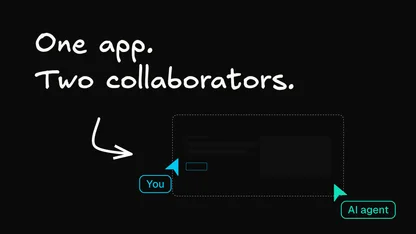
Agent-Native Design closes that gap by changing what a design is. It's a free, open-source, agent-native Figma alternative where the artifact you produce isn't a picture of a screen — it's the screen. You describe what you're making, the agent writes self-contained HTML with Tailwind styling and Alpine interactions, and you refine it by talking to it. Attach your design system, and it generates in your design system, not in a generic AI house style. What you review is a real page in a real browser, and what you export is the same source the preview rendered.
There's no install and no signup wall. You can design for free right now, or clone the source at github.com/BuilderIO/agent-native and run the whole thing yourself.
How it works
Three steps, and none of them involve a vector canvas.
1. Describe
Tell the agent what you're making — a landing page, a product UI, a brand direction, an interactive prototype. Plain English, the way you'd brief a teammate.
2. Generate
The agent produces complete, self-contained HTML with Tailwind styling and Alpine interactions. Not a screenshot of a component library, and not a one-shot code dump you have to babysit — a working document that renders in the preview iframe and exports as-is.
You can start from several directions at once, compare them side by side in the app, then keep refining the strongest. And if you've attached a design system, every one of those directions is already built from your components and tokens — see below.
3. Refine
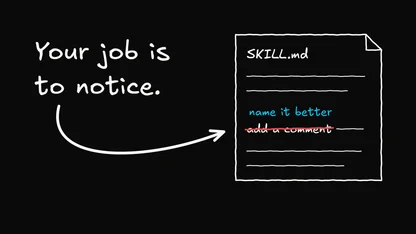
This is where it stops feeling like a generator. Adjust common design variables with tweak controls when you know exactly what you want, or hand the structural work back to the agent: make the headline bolder, try a warmer palette, make the hero layout more editorial, generate three variations of this. Each instruction edits the underlying HTML — copy, layout, colors, spacing, interactions.
Because the preview renders from the same HTML the agent edits and the export uses, there's no translation layer between what you approve and what you hand off.
It works from your design system
This is the part that matters most, and it's the biggest step forward here.
Most AI design tools generate something that looks plausible and nothing like your product. You get a purple gradient, a font you don't use, spacing that came from nowhere, and a component that resembles your button without being it. Then somebody spends a day translating it back into your actual system.
Agent-Native Design works from a design system you attach, powered by Builder's Design System Intelligence (DSI). DSI indexes your components, icons, and design tokens, then maps them so the agent generates against the real thing. You can point it at:
- A Builder project is already connected to your app.
- A public repository URL, which Builder indexes for components and documentation.
- A package registry entry, public or private, with a token for private packages.
- Figma files and markdown docs are uploaded directly, plus optional instructions telling the agent how your system is meant to be used.
Once a design system is indexed, you can browse the components and tokens it found, search for them, and remove anything you don't want the agent to reach for. Generation then starts from your primitives instead of inventing new ones, so the first draft is already on-brand, and the handoff is a much shorter conversation.
That's the difference between an AI that draws something in the shape of your product and one that designs with your product's actual parts.
The prototype is the artifact
Every other tool in this category rebuilds Figma's canvas. Agent-Native Design changes the deliverable.
Responsive behavior comes from real CSS breakpoints in a single document, so the 320-pixel filter bar either works or visibly doesn't, three weeks earlier than staging would have told you. Interactions execute, so forms submit, state changes, and navigation goes somewhere. Empty states exist because you can actually click into them.
When you're ready to hand off, export HTML, ZIP, or PDF. The design records behind it are SQL-backed, so you can customize and extend the app itself rather than filing a feature request.
Where it isn't the right tool
Worth being straight about this, because the honest version is more useful than a pitch.
It isn't vector-native so that it won't replace Figma for illustration or icon authoring. Components are duplicated HTML rather than instances of a canonical master, and there's no mature library or variable-governance workflow yet. If your job is running a design system for a large org, Figma's lead there is real, and it isn't close.
Standalone HTML plus Alpine output is a prototype format. A handoff still has to translate it into your framework, though, translating from working code beats translating from a rectangle.
And it's web-first. Much of the design work is for native apps, and native platforms don't use CSS as their layout language. If that's your job, staying on Figma is the correct answer.
Why open source? Because seat pricing got expensive
The other reason people look for a Figma alternative shows up on the invoice.
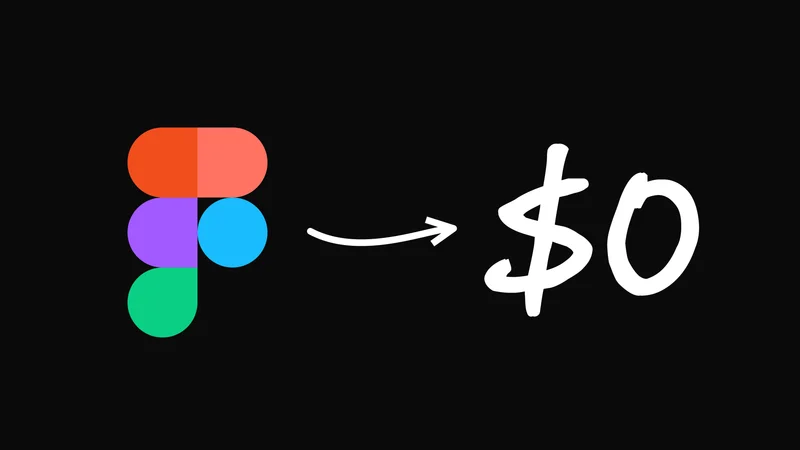
On Figma's own pricing page, Professional runs $16 a month for a Full seat, $12 for a Dev seat, and $3 for a Collab seat. Organization jumps to $55, $25, and $5 billed annually. Enterprise goes to $90, $35, and $5. Most roundups still print the older $45 and $75 figures for Organization and Enterprise, which undersells the current math by a wide margin.
Agent-Native Design is MIT-licensed and free. Use the hosted version, or fork the repo and run it on your own infrastructure, on your own terms, with no seat count deciding who gets to open the file. This is the same argument we made in The future of SaaS is cloneable: the tools you use every day shouldn't be rentals you can be priced out of.
Built on Agent-Native
Agent-Native Design isn't a conventional app with an AI feature bolted on. It's built on Builder's Agent-Native framework, where every capability is modeled as a unified Action, and the human UI and the agent run through the same code path.
That's why conversational editing works with the real source rather than a parallel representation. The app is self-documenting, the built-in agent can read its own schema, and it can safely modify the application to add features or fix bugs. The same framework powers Builder's other open-source apps for analytics, forms, and video.
If you want the longer version of why that architecture matters — and what changes when the agent and the UI stop being two separate products — this breakdown of agent-native architecture is the piece to read next.
Other Figma alternatives worth knowing
If Agent-Native Design isn't the shape of the problem you have, these are the tools that came up most across the Reddit and Hacker News threads I went through. All pricing was verified against the vendor's own page on August 6, 2026.

The mature open-source Figma replacement. Free and fully featured for up to 8 team members; self-hostable; paid tiers capped at $175 per month—no mobile app.

macOS-native with a $120 one-time license you keep permanently. Mac-only, and the one-time license removes the web app and collaboration.
A free desktop editor that opens and saves Sketch files on Windows. Routinely called open source, it's free but proprietary, owned by Icons8.
Design straight to a published site, with the best animation tooling here. Your site lives on Framer's hosting, and there's no meaningful code export.

Design against your real registered React components, so designs can't drift from what the code renders. Needs an existing codebase and a developer to wire it up.

Deliberately low-fidelity wireframes, flowcharts, and clickable prototypes for early structural work.
Also worth a look: Axure for complex conditional prototypes, Balsamiq for rough wireframes, UXPin for code-backed components, Rive for interactive animation, and Pixso as a close Figma clone.
Frequently asked questions
Is Agent-Native Design really free?
Yes. It's MIT licensed and 100% free, hosted or self-hosted. The source lives at github.com/BuilderIO/agent-native.
Can it use my own design system?
Yes, and it's the feature to try first. Attach a design system, and Builder's Design System Intelligence indexes your components, icons, and tokens so the agent can generate from them. Sources include a connected Builder project, a public repo URL, a public or private package, or Figma files and markdown docs uploaded directly.
Can AI replace Figma?
Not entirely, and the line falls in a specific place. Generating several directions in minutes, producing responsive layouts that behave correctly in a browser, and turning a comment into an executed change are all real today. Vector authoring, canonical component systems, variable collections with modes and aliases, and library governance remain Figma's. A Practical Guide to AI Prototyping goes deeper into where the current generation helps.
How much does Figma cost in 2026?
As of August 6, 2026, Starter is free. Professional is $16 per month for a Full seat, $12 per month for a Dev seat, and $3 per month for a Collab seat. Organization is billed at $55, $25, and $5 annually. Enterprise is $90, $35, and $5.
Does Adobe still own Figma?
No. Adobe agreed to acquire Figma for about $20 billion in 2022, but the companies terminated the deal in December 2023 after antitrust pressure from UK and EU regulators. Adobe paid a $1 billion break-up fee, and Figma went public on the NYSE in July 2025 under the ticker FIG.
What should I do about my existing Figma files?
Export everything before you touch a new tool, and expect any Figma import to be semantically lossy — vector networks, boolean operations, masks, and prototype interactions break first. Move one low-stakes project end-to-end before committing, and leave the design system for last. Plenty of teams run a hybrid permanently.
Try it
The fastest way to find out whether this fits is to describe one screen you're working on right now and see what comes back in the browser.
Open Agent-Native Design, or read the source at github.com/BuilderIO/agent-native, fork it, and run it yourself. Issues and pull requests welcome.