How to use WebMCP with coding agents
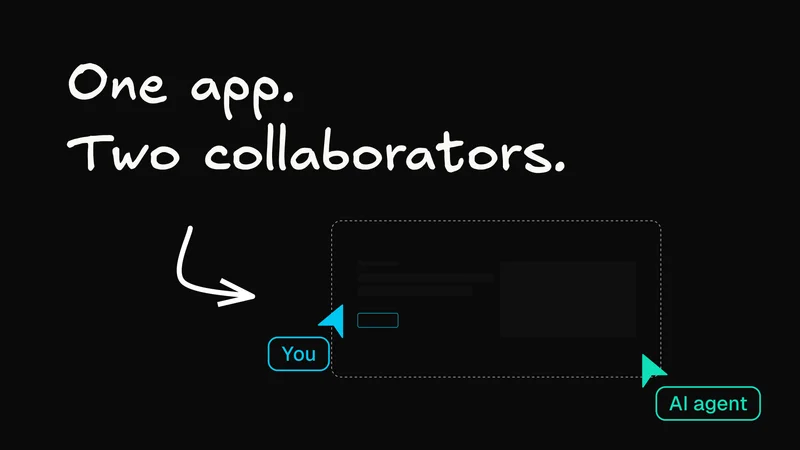
Say you are editing a presentation in your browser and ask your coding agent to shorten the text on slide two.
For you, that’s a tiny edit. You can see the slide, click the text box, and start typing.
For the agent, it can be a lot more work.
Depending on the browser tools available to it, the agent might need to inspect the page, find slide two, identify the right text box, figure out how to edit it, make the change, and then check that it worked.
That’s a lot of browser work for something the application already knows how to do.
What if the presentation app could simply hand the agent an update-slide tool?
That’s the idea behind WebMCP.
WebMCP gives webpages a way to expose structured tools to AI agents.
Instead of making an agent infer what an application can do from its interface, a page can explicitly expose actions such as update-slide, send-email, or create-event, along with descriptions and structured inputs.
The UI doesn’t go away. WebMCP gives agents another way to interact with the application without having to reproduce every click a person would make.
WebMCP vs. traditional MCP
At first, WebMCP can sound like MCP brought into the browser. But they work at different layers.
| Traditional MCP | WebMCP | |
|---|---|---|
Tool provider | A local or remote MCP server | The running webpage |
Connection | An MCP client communicates with an MCP server | A compatible browser mediates access to tools exposed by the page |
Context | Depends on what the server exposes or what application context it receives | Tools can operate using the page’s current session and state |
Typical use | Work with a service or application, even when its webpage isn’t open | Help a person work inside an open web application |
Imagine you are editing a presentation and have slide seven selected. You have changed the title, opened a formatting panel, and have a few edits that haven’t been saved yet.
A traditional MCP server might know about the presentation stored on the backend. But it doesn’t automatically know what’s happening in your current browser session: which slide is selected, what state the editor is in, or what you have changed locally.
With WebMCP, the presentation editor could expose tools that operate within that live browser context. So instead of the agent trying to reconstruct your current state through a backend API or figure it out by navigating the interface, it can use capabilities exposed directly by the application you are already using.
For a deeper look at how WebMCP works and why browsers need it, read our full WebMCP guide.
But how does your coding agent reach those tools?
There’s still a practical gap. A webpage can expose WebMCP tools, but your coding agent still needs a way to discover and call them from its browser environment. The WebMCP spec covers how a page registers tools for the browser’s own agent. It doesn’t define how an outside agent, like the one in your terminal or editor, reaches them.
That’s where /webmcp comes in.
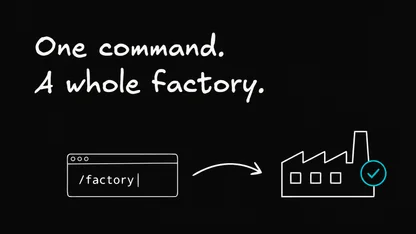
We built the /webmcp skill to teach coding agents how to work with WebMCP-enabled apps. Give it an app and a task, and it opens the app in your agent’s built-in browser, then looks for tools exposed by the page before trying to operate the UI itself.
Once those pieces are in place, you can give the agent a task like:
/webmcp slides shorten the text on slide two
Instead of figuring out which text box to click and edit, the agent can use the capability the application exposes directly.
Install and run /webmcp
You can install the skill from your project terminal:
The installer lets you choose where to install the skill and whether it should be available at the project or user level.
One thing to know before you run it: installing the skill gives your agent the instructions for using WebMCP, but not the browser capabilities themselves. The agent’s environment still needs a way to access tools exposed by the page, such as a compatible WebMCP bridge or JavaScript evaluator.
Once that’s available, you can give /webmcp an app and a task:
You can also replace slides with the URL of another compatible app. Agent-Native apps provide document.modelContext themselves, so they work without a WebMCP-enabled browser. Other sites need Chrome’s WebMCP flag or its origin trial, available from Chrome 149. If the app requires authentication, sign in when it opens and then continue the request.
If the agent can’t access the page’s tools, /webmcp stops before making state-changing UI edits rather than blindly clicking around the page.
Why this works well with Agent-Native apps
This pattern becomes much more useful when the UI and the agent aren’t two separate ways of modifying the application.
That’s how Agent-Native is designed.
Agent-Native is our open-source TypeScript framework for building apps that people and agents can operate together. Instead of building one set of logic for the UI and another for the agent, developers define shared actions that both can use.
Imagine a slide editor has an action for updating a slide. The UI can call that action when you edit the slide yourself. The page can also expose the same capability as a tool for the agent.
Either way, the request goes through the same application logic.
In an authenticated Agent-Native app, eligible backend actions are automatically exposed as page tools. When an agent successfully changes something, the app refreshes its data so the result shows up in the interface you’re already looking at.

That shared action layer is the important part. The human and the agent don’t need separate versions of the application just because they interact with it differently.
Try it with Agent-Native Apps and the /webmcp skill.