Skip to main contentWhere does your team stand on AI adoption?
CONTACT SALESSTART BUILDING

Builder Product Updates

Easily add automated security scans with the Semgrep MCP

August 18, 2025

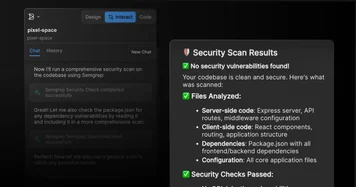
Easily add automated security scans with the Semgrep MCP

Connect Semgrep's AI-powered security scanning directly to your workflow with one click. The Semgrep MCP automatically detects vulnerabilities in your codebase and lets Builder Code take over to automatically fix the issues without any manual intervention.
August 18, 2025

Ensure Builder Code always has up-to-date docs with the Context7 MCP

Connect the Context7 MCP server to give the Builder Code agent access to the latest docs for your frameworks, integrations, and APIs; eliminating hallucinations and providing working code examples that match your exact library versions.

Assign granular roles and permissions in Builder Code Spaces

August 15, 2025

Assign granular roles and permissions in Builder Code Spaces

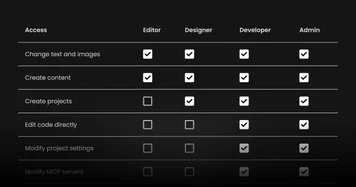
You can now control access across your organization in Builder Code Spaces with roles and permissions. Assign default or custom roles to manage who can create projects, edit code, connect MCP servers, and more. Learn more.

August 7, 2025

Bulk Actions in Asset Library

Select multiple assets simultaneously across different folders and perform bulk actions. Relocate assets to new folders, or bulk delete.

Builder Code now reviews its own work for visual accuracy

July 29, 2025

Builder Code now reviews its own work for visual accuracy

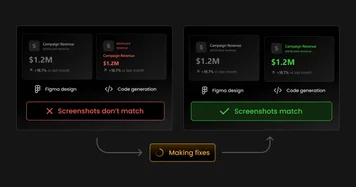
Builder Code can now see and understand its output by taking screenshots of what it generates at any device resolution and iterating on the code until what it sees matches what you expected (design, prompt, etc.).

Turn Linear PRDs into features with the Linear MCP

July 28, 2025

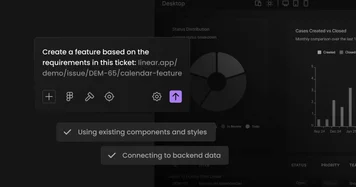
Turn Linear PRDs into features with the Linear MCP

With the Linear MCP, you can paste links from Linear or tag specific tickets in the Builder Code prompt box, providing Builder Code with complete context about the ticket or PRD you want it to develop. Read the docs.

Component indexing

July 25, 2025

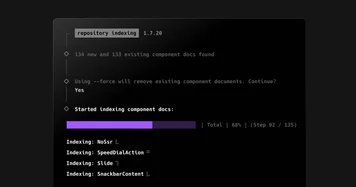
Component indexing

Automated Figma-to-code component mapping. Component indexing enables you to use a single command to provide AI with complete context about your code components, allowing it to consistently select the exact right components to import and reuse when converting Figma designs to code. Component indexing is available in beta on enterprise plans today. Read the docs.

Deploy to Netlify with a prompt

July 25, 2025

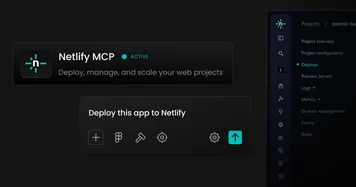
Deploy to Netlify with a prompt

With the Netlify MCP, you can turn your Builder Code project into a live site, app, or prototype simply by typing “Deploy to Netlify”. Learn more.