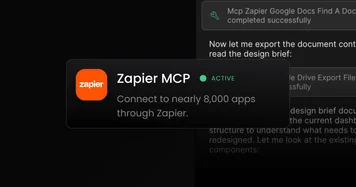
Zapier MCP
Connect to Google Docs, HubSpot, and 8,000 other apps. Missing an integration in our MCP library? Use the Zapier MCP to tap into 8,000+ pre-built connections and workflows, from Google Docs to HubSpot and beyond.
Connect to Google Docs, HubSpot, and 8,000 other apps. Missing an integration in our MCP library? Use the Zapier MCP to tap into 8,000+ pre-built connections and workflows, from Google Docs to HubSpot and beyond.
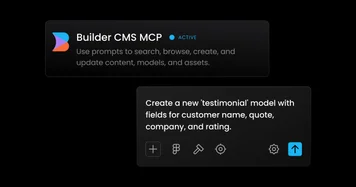
Connect Builder Code to Builder Content with the Builder CMS MCP server to access your content directly with Builder Code’s AI. Use prompts to search, browse, create, and update content, models, and assets. All without leaving your workflow.
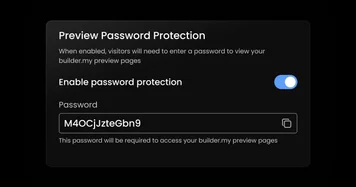
Now Builder Code Pro customers can password protect the builder.my preview links Builder Code generates from a project/branch.
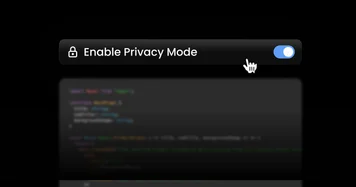
Keep your code fully local with client-controlled encryption and end-to-end encrypted chats, ensuring Builder never stores or sees your full codebase. This is designed for enterprises that require maximum data privacy.
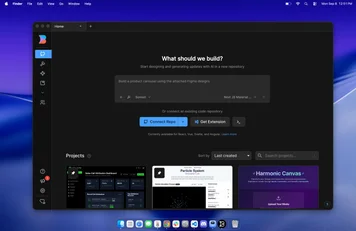
Install the Builder.io app for your MacOs or Windows computer. Easily launch Builder as a desktop app, better connect to your local code, and access enhanced enterprise security features. Download Builder Desktop

Share your invite link with a friend! When they sign up and upgrade to a Builder Code Pro plan, you will both instantly earn 200 bonus agent credits. Try it now at https://builder.io/app/projects
Bonus credits don't count against your monthly AI limits and are used first when running AI tasks.
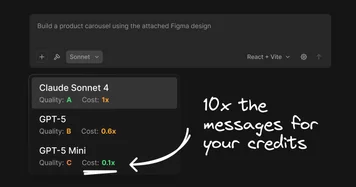
Now you can switch between Sonnet, GPT-5 and GPT-5 Mini while using Builder Code. Switching to a lower cost model uses a fraction of the credits, so you can create and iterate up to 10x more with GPT-5 Mini.
Using the Notion MCP in Builder Code, you can now copy a URL from Notion, paste it into Builder Code to give the AI context of everything in the doc, no more manual copy / paste workflows so you can go from a Notion doc to a built-out app in minutes.