Dennis Yang, a PM at Chime, writes a PRD in markdown, opens a terminal, and types claude. Twenty minutes later, the PRD is a running prototype. He shares a screen recording in Slack. The team is already discussing refinements based on something real.
The signal is clear. PMs who describe what they want in plain English and turn that into working software have an edge over PMs who only spec and delegate. Claude Code, Anthropic's AI coding agent that runs directly in your terminal, is the tool making this real.
PMs have always understood the "what" and "why" of product decisions. Now, with AI coding tools, you can own the "how" too. This post covers Claude Code setup, six PM workflows worth learning, the limitations worth knowing, and how to scale from solo prototyping to team-wide collaboration with Builder.io.
What is Claude Code and why should product managers care?
Claude Code is Anthropic's AI coding agent that runs in your terminal. It reads and writes files, executes commands, and creates git commits directly in your codebase. For product managers, it turns plain English descriptions into working prototypes, analyzes data from CSVs, generates documentation, and connects to PM tools like Linear, Jira, and Slack through MCP integrations.
This matters because of how product management is changing. Aakash Gupta, whose Product Growth newsletter reaches 850K+ subscribers, put it this way: the PM who understands the user problem, frames the right prompt, and evaluates whether the output solves it has an edge.
Claude Code gives PMs a faster path from insight to working software. It operates as an agent in your codebase. It reads your project structure and makes changes across multiple files. You describe what you want, and it figures out how to build it.
Cursor is the other major AI coding tool PMs are adopting. Both serve similar workflows. Claude Code's terminal-first approach and deeper MCP integration make it stronger for document processing, codebase exploration, and PM tool automation.
For a detailed comparison, see Cursor vs Claude Code: The Ultimate Comparison Guide.
How do you install and set up Claude Code?
Install Claude Code by running a single command in your terminal (the command-line interface on your computer). You need a Claude Pro subscription ($20/month) or Max plan (from $100/month for heavy usage). Once installed, run claude in any project directory and create a CLAUDE.md file to give the AI persistent context about your product.
Here's the setup process:
1. Install Claude Code
On Mac or Linux, open Terminal and run:
On Windows PowerShell:
The native installer auto-updates in the background, so you'll always have the latest version. For full installation details, see the official Claude Code setup guide.
2. Start your first session
You'll be prompted to authenticate with your Anthropic account on first use.
3. Create a CLAUDE.md file
CLAUDE.md is a markdown file that lives in your project root. Claude Code reads it at the start of every session, so it knows who you are, what the product does, and what matters. Think of it as a briefing doc for your AI pair.
For a complete guide to writing effective CLAUDE.md files, see The Ultimate Guide to CLAUDE.md.
4. Learn the modes
Press Shift+Tab to cycle through permission modes. The two that matter most for PMs:
- Plan Mode: Claude reads your code and creates a plan without making any changes. Use this for exploration and analysis. Perfect for understanding an unfamiliar codebase safely.
- Default Mode: Claude reads, writes, and executes. Use this when you're ready to build.
Claude Code has a context window, the amount of conversation and code it can hold in memory at once. When it fills up, responses get less accurate. For context management, use /clear between unrelated tasks and /compact to summarize long sessions. Keep the context window below 60% capacity for best performance.
What can product managers build with Claude Code?
Product managers can use Claude Code to turn PRDs into working prototypes, explore unfamiliar codebases safely using Plan Mode, analyze product data from CSVs, automate documentation (Jira tickets, status reports, release notes), synthesize user research, and connect to PM tools like Linear, Jira, and PostHog through MCP integrations.
Six Claude Code use cases deliver the most value for PMs.
PRD-to-prototype pipeline
Write a PRD in markdown, then prompt Claude Code to build a working prototype from it. The workflow Dennis Yang uses daily at Chime, described in the introduction, goes from spec to running prototype in a single session.
Codebase exploration
Switch to Plan Mode and ask questions about your codebase without risk of changing anything. Try prompts like:
PMs get answers grounded in the actual code, always up to date.
Data analysis
Upload CSVs and ask Claude Code to analyze product funnels, estimate feature impact, or build matrices. Try this:
PMs using AI coding tools report doing this kind of analysis in under a minute. If you've ever spent an afternoon wrangling pivot tables, you'll appreciate the speed difference.
Documentation automation
Draft PRDs, generate Jira tickets, compile weekly status reports from project data, and process meeting notes. Try this prompt:
Claude Code reads your project files and generates documentation that matches the actual code.
User research synthesis
Feed multiple interview transcripts or survey responses and have Claude Code extract common themes, pain points, and opportunity areas. Synthesis that used to take a full day now takes a few minutes.
MCP integrations for PMs
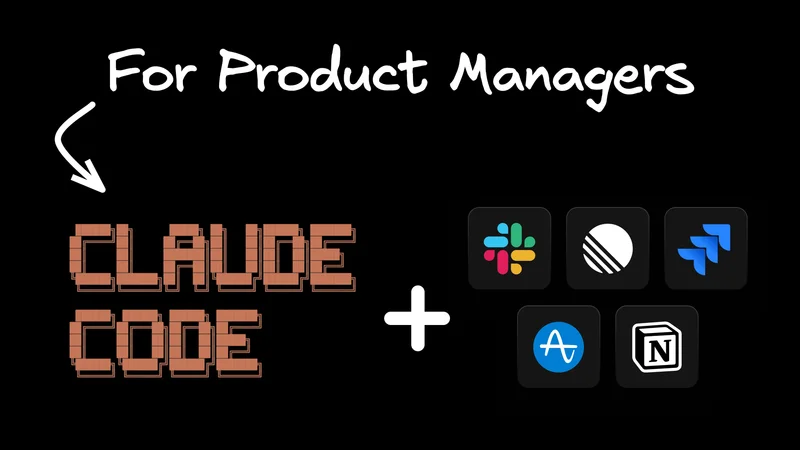
Connect Claude Code to Linear, Jira, Notion, Slack, PostHog, and Amplitude via MCP servers. Auto-generate tickets from PRDs, publish docs, pull analytics data directly into your workflow. Alan Wright, a PM who documents his AI workflow experiments at alaniswright.com, reports going from "hours of investigation to documented ticket in minutes."
The highest-value MCP servers for PMs are Linear or Jira (ticket generation), Notion (documentation), and PostHog or Amplitude (analytics). See Anthropic's MCP documentation for setup details.
Where does Claude Code fall short for product managers?
Claude Code handles complex work well in experienced hands. The friction points below are specific to how product managers use it. Most are learning curves worth knowing upfront.
Complexity ceiling
Simple PM workflows deliver immediate value. Complex multi-file changes require deeper Claude Code knowledge: context management with /clear and /compact, prompt scoping, and understanding how your codebase is structured. The initial burst of progress is real. What follows is a learning curve, and the PMs who push through it by learning how Claude Code thinks (scoping tasks tightly, managing the context window, using Plan Mode for exploration) get significantly more value.
MCP reliability
The integrations that make Claude Code powerful for PMs are also the most fragile part of the setup. Alan Wright found that "MCP servers frequently disconnect and require re-authentication." Expect some friction when setting up and maintaining MCP connections. This improves with each platform update.
Editing requires codebase awareness
AI output gets you 80% of the way fast. The last 20% is where coding literacy matters: reviewing changes against your team's conventions, spotting logic that conflicts with other parts of the codebase, catching edge cases. For PMs, the practical workflow is generating with Claude Code and reviewing with engineering. The editing itself is where PMs build codebase understanding over time.
Solo tool limitation and no persistent memory
Claude Code runs on your machine, in your terminal. Each session starts fresh, and there's no built-in way to share progress with designers, show a preview to stakeholders, or hand off cleanly to engineering for review.
The CLAUDE.md file helps persist context between sessions. It requires manual upkeep, and it's the best workaround available. For PMs who work in teams, this isolation is the gap that Builder.io addresses.
Scaling from solo PM to full team with Builder.io
Builder.io is an agentic development platform that extends what Claude Code starts into a team-wide workflow. PMs can tag @Builder.io in Slack to request changes, approve plans directly from Slack, and share live preview URLs with stakeholders. It integrates natively with Jira and Linear for ticket-to-PR automation, and supports role-based collaboration where PMs verify changes visually before developers review and merge.
Claude Code is great for the individual PM. Product management, though, is a team activity. The limitations above (isolation, no sharing, no previews, no collaboration) are exactly what Builder.io addresses. One collaborative workspace, AI agents that ship production code via pull requests, and your entire team in the loop.
Slack-native workflows
Tag @Builder.io directly in any Slack channel. Describe what you want changed. The agent creates a plan, shows it in Slack for approval, and implements it. Plan mode is visible and approvable right from Slack, so you never have to leave the tool your team already lives in.
Jira and Linear integration
Assign tickets directly to the Builder bot. It reads requirements, creates a branch, starts implementing, and opens a PR. PMs verify changes visually before engineering reviews the code.
Role-based collaboration
PMs and designers propose and verify changes in a visual workspace. Developers review and merge production code via PRs. The handoff becomes a clean review-and-merge workflow where everyone sees the same thing.

Parallel agents
Run multiple agents simultaneously, each in its own cloud container. Batch-assign five tickets, grab coffee, and review the PRs when you get back.

Shareable previews
Every branch gets a live preview URL. Share it with stakeholders, designers, or QA. Anyone on the team can see exactly what changed, on any device, with zero local setup.
Claude Code is where a PM prototypes and explores. Builder.io is where the whole team collaborates and ships production code.
FAQ
Q: Can product managers use Claude Code without coding experience?
A: Yes. Claude Code accepts plain English prompts and generates the code. No terminal or coding experience is required to get started. PMs who understand basic concepts like files, folders, and git will get more value. Non-coders have built full web applications with AI coding tools, though they report needing exhaustive context and careful error checking.
Q: How much does Claude Code cost for product managers?
A: Claude Code requires a Claude subscription. The Pro plan costs $20/month and covers most PM use cases. The Max plan starts at $100/month and provides 5x or 20x more usage for heavy daily use. There's no separate charge for Claude Code itself.
Q: How does Claude Code compare to Cursor for product managers?
A: Both are strong AI coding tools for PMs. Claude Code runs in the terminal and excels at document processing, codebase exploration, and MCP integrations. Cursor runs as a full IDE with a more visual interface. If you're comfortable in a terminal, start with Claude Code. If you want a visual editor, try Cursor.
Q: What are the best MCP servers for product managers?
A: The highest-value MCP servers for PMs are Linear or Jira (auto-generate tickets from PRDs), Notion or Confluence (publish documentation), PostHog or Amplitude (pull analytics data), and Slack (communication workflows). MCP servers frequently disconnect and require re-authentication, so expect some setup friction.
Start building
Claude Code gives product managers direct access to their codebase. PRDs become prototypes. Code exploration happens in plain English. Data analysis takes minutes.
The limitations are real (complexity ceiling, MCP reliability, solo-tool isolation), and the productivity gain for well-scoped tasks is worth it.
PMs who frame the right prompts, evaluate AI output critically, and scope tasks tightly have an edge. That's the shift YC is betting on.
Start with Claude Code for individual exploration and prototyping. Install it, create a CLAUDE.md for your product, and try exploring your codebase in Plan Mode.
When your whole team is ready, Builder.io puts PMs, designers, and engineers in one workspace with Slack-native workflows and live previews.