Using one agent to ship a feature feels like a superpower.
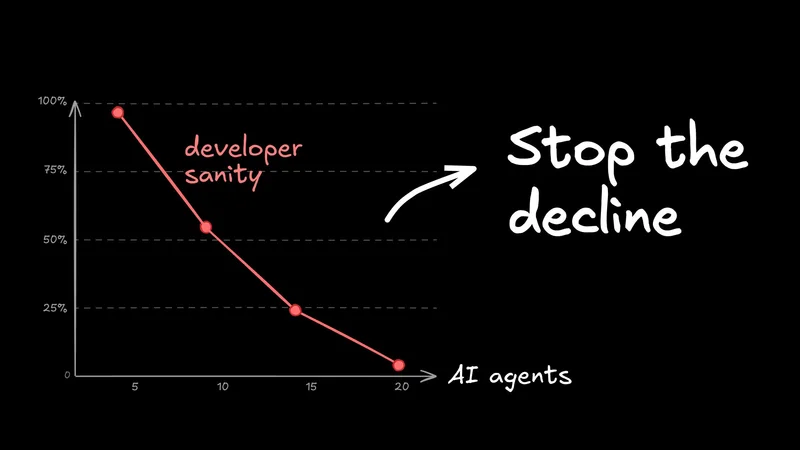
But using multiple agents? That feels less like a superpower and more like your head's gonna explode. Once you have one bot on tests, one on code, and one on docs, you stop being a developer and start being a sysadmin for your agents.
Technically, you're getting more done. Ideally, you shouldn't be miserable doing it.
Let's look at what breaks in multi-agent workflows and how you can get your sanity back.
Problem 1: Context fragmentation
You've probably already experienced something like this: You're shipping a full-stack change. You have two agents running in the background while you're deep in the weeds debugging an API issue.
Then, something somewhere pings you that it's done.
Clicking the notification doesn't take you to the right place, so you start the "Alt-Tab Dance," jumping between VS Code windows, terminals, and browser tabs to figure out what's on fire.

By the time you figure out which agent needs you and why it needs you, you’ve lost five minutes just rebuilding your mental context. This gets way messier when you're working across multiple projects with multiple windows open for each one.
And in local-first setups, your laptop's uptime also becomes a dependency. If you have to restart or your computer sleeps while you're getting the kids from school, everything comes crashing down.
Solution: Unified task status surface
You need a single view that binds each run to its task, branch, and current state. When a task finishes, the notification should be actionable ("The tests on the auth-refactor branch failed"), not a mystery ("Error: 1").
To mitigate this today, you have to be disciplined about your environment. Don't just open a new tab; use a terminal multiplexer like tmux or zellij and name your sessions (e.g., feature-auth:tests vs bugfix-404:logs). Use strict VS Code Workspaces to keep contexts separate. Use separate desktops if your OS supports it, and try a window manager.
If your laptop is becoming a bottleneck, consider investing in more always-on hardware or using remote servers.
But honestly, even with a perfect setup, you're still going to be spending a lot of mental effort juggling things and re-opening closed windows when resuming work each morning.
Problem 2: Local resource collisions and process sprawl
Let’s say you’re feeling ambitious. You queue up three agents to clear out a bug backlog while you grab lunch. When you come back, it’s a disaster zone: one run crashed because it couldn't bind to port 3000, another failed on a database lock, and the third timed out because your CPU was pinned at 100%.

This isn’t about bad code; it’s about shared custody of your laptop. Parallel runs compete for the same finite resources—ports, filesystem states, auth tokens, and memory.
And if you're using MCP to connect tools? It gets heavier. Each tool often spawns its own server process. Suddenly, "one agent" is actually five processes in a trench coat, all eating your RAM.
Isolated execution environments
The fix is per-run isolation. Stop letting agents run wild in your main OS. Use Docker containers or DevContainers to give each run its own sandbox with its own filesystem and network namespace.
If you can't do full containerization yet, you need a strict "port plan" (e.g., Agent A gets 3000, Agent B gets 3001) and aggressive cleanup scripts to kill zombie processes when a run dies.

At the end of the day, isolation stops the port conflicts, but it doesn't download more RAM. If you run even just three heavy containers, your MacBook isn't going to love it.
Problem 3: Git collisions and isolation lifecycle
Here’s a classic: You ask an agent to "just quickly update that shared utility function" while you keep working on your feature branch. The agent commits, you pull, and boom—your local environment explodes.
Now you have merge conflicts in files you didn't even touch, and your tests are failing for two different reasons at once.
The problem is that git wasn't really designed for three different entities typing in the same folder at the same time. A git checkout can only be on one branch, and when one agent checks out a new branch, all agents are affected.
Branch isolation strategy
To fix this, stop treating your main repo folder as a communal workspace. Use git worktrees. They let you check out multiple branches into separate folders from the same repo.

Give every agent run its own worktree (or a full clone if you don't mind the disk usage). This keeps their messy intermediate states far away from your clean working directory.
That said, worktrees come with a lot of overhead. You can still hit stale branch checkouts, agents hitting the wrong folder, and occasional .git lock edge cases if you're not careful about cleanup and maintenance. In my experience, agents get really confused about them.
Separate checkouts solve a lot of this, but then you have to manually clone, install dependencies, and paste env vars every time you want to spin up a new agent. And when you're done with a clone, you need to clean it up.
Problem 4: Reproducibility drifts across many agents
We’ve all been there. You run a prompt on your tricked-out desktop: "Analyze these logs." It works perfectly because you have jq and awk and a specific version of Python installed.
Then you try it on your laptop, and it implodes.
Now multiply that frustration by every engineer on your team. One person has a fully-loaded MCP tool belt; another has a vanilla install. The agent starts hallucinating because you're asking it to use tools that change under its (metaphorical) feet.
Codify your environment
You need to stop relying on "it works on my machine." If a tool isn't explicitly defined in the repo, assume it won't exist for the agent.
Start by scripting your setup process (and actually running it in CI). But the real move is to use DevContainers or Docker. Hard-code your tools, versions, and binaries into a config file. This way, every agent run starts from the exact same baseline, whether it's on your laptop, your coworker's desktop, or a cloud runner.
Of course, the trade-off is overhead. Maintaining Dockerfiles isn't free, but it's cheaper than spending three hours debugging why awk behaves differently on macOS vs Linux.
Problem 5: No reliable issue-to-PR control plane
It starts small. You launch an agent on a bug, get distracted, and launch another agent on a feature. Suddenly, you have three branches, two half-finished PRs, and no idea which terminal tab holds the fix for production.
It affects teams, too, since code is cheaper and faster than ever to produce. Two engineers start agents on the same bug without realizing it. A third person is fixing it manually. You’re all burning tokens and time, only to find out later that you’ve done the work three times over.
Status is scattered across Slack, Jira, GitHub issues, and local terminals, and nobody knows what's actually happening.
Shared orchestration board
This one's a bit tougher to solve. But essentially, you need to glue your issue tracker to your agent runner. Don't rely on humans to manually update tickets (we're terrible at it).
Use some kind of shared tracker, and when an agent picks up a ticket, it should auto-mark that ticket as "In Progress," link the branch, and draft the PR. Practically, this looks like using the Linear or Notion MCP server and having a rule in your repo that tells the agent it needs to update the board as it works.
That said, relying on agents to deterministically update statuses gets really messy really fast. Agents are only slightly more reliable than people on this one.
A better solution: An integrated AI agent orchestrator
By now, you’re probably nodding along because you’ve felt every single one of these pains. They all stem from the same root cause: trying to manage distributed, concurrent AI workflows on a fragmented local setup.
Here's how we've designed Builder to work around these pains.
Visual workflow continuity
Builder unifies visual designing, dev servers operating, code editing, agent chat, and git workflows (including PRs) into one surface.
Instead of bouncing between a Figma file, a VS Code window, and a chat interface, you can inspect the current state, request a fix, review the resulting diff (both in code and visually), request review, and submit a PR all from one place.
It doesn't magically remove all context switching, but it definitely reduces the frantic tab choreography when you have several agents active at once.
Plus, when the notification goes off, you actually know which tab to go to.
Cloud execution and environment isolation
Your laptop has a battery life, and you have a bedtime. Your agents shouldn't.
Builder defaults to cloud execution because asynchronous work is way more reliable when it’s decoupled from your local machine. You can still run locally if you need to debug, but the default is "get it off my localhost."
This means every run gets its own clean container. It spins up, does the work, and automatically cleans up after itself. No more zombie processes eating your RAM or fighting for ports. And no more git frustration; everything syncs back to GitHub (or whatever provider you want) automatically.
Plus, since it’s running in the cloud, you can fire off agents from Slack, Jira, Linear, or GitHub, and even check the progress from your phone while you step away from the keyboard.
Reproducible tool surface
Builder treats reproducibility like CI/CD: define it once, run it everywhere.
MCP standardizes the tool interfaces (the "plug"), and shared Builder environments standardize the connectivity (the "socket"). Teams define a setup once—env vars, test validation, skills/rules/commands—and every run inherits that same baseline.
This doesn't mean your code won't fail (it is still code, after all). But when it does fail, you spend your time debugging the logic, not wondering why jq is missing or why your coworker is on a different version of Node.
And more importantly, this unlocks the Builder workflow for your whole team. PMs, designers, and marketers can all prototype ideas with real code and even make PRs.
Issue-to-PR control plane visibility
Builder treats your issue tracker and your coding environment as the exact same thing.

Imagine a Kanban board where the cards actually do the work. In-progress tasks signify agents running. When you open a PR from Builder, the card moves. You get instant visibility into all the agents you (and your team) have open.
Plus, you can manage who's supposed to be reviewing what from inside the app, before anything gets PR'ed. All right people can interact with real code before any of it becomes an official engineering ask.

AI orchestration at scale
Multi-agent coding feels like magic at first, but without proper orchestration, it quickly becomes a chaotic mess of broken builds and merge conflicts.
Treat your workflow like a systems engineering challenge, not just a prompt engineering one. Build for visibility, isolation, and reproducibility from day one so you don't burn out trying to manage your own bots.
When you get that foundation right, the productivity gains stick.
And when you need a tool that does it all for you, try Builder.