The 12 Best Notion Alternatives in 2026
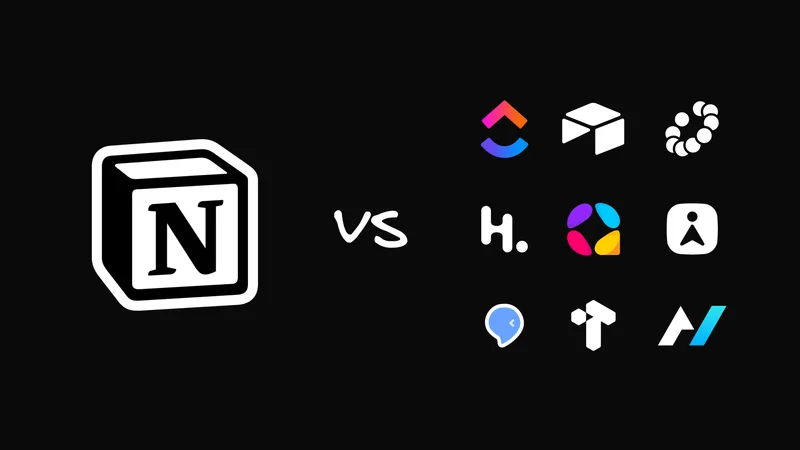
I've been obsessed with collaborative writing tools and personal knowledge management for roughly a decade, starting as an early Notion beta tester in 2016.
Notion got popular because it made collaborative documents super flexible. From the same set of blocks, you can make wikis, project trackers, editorial calendars, databases, CRMs, or even a frankly alarming attempt to contain your whole company in a single sidebar.
But that flexibility is also what makes it tough to replace. The right alternative to Notion depends on what you actually do inside it today.
I’ve tried to keep that nuance in mind when picking these alternatives. At one point or another, I’ve used every app on this list. Some for days, some for weeks, and some for years.
And most recently, I’ve been building my dream content app, a free, open-source Notion replacement that takes the best parts from each of the workflows listed below. I’m writing this article, in part, as ongoing research for that project, and I wanted to share the results with you.
The best Notion alternatives at a glance
| Tool | Best for | Local-first | Ownership | AI approach | Starting price |
|---|---|---|---|---|---|
External-agent workflows | Yes | Open source; self-hostable | UI and agents share product actions | Free self-hosted; hosted pricing TBD | |
Open-source Notion replacement | Yes | AGPL desktop/core; self-hostable | Hosted AI; paid private/local AI | Free; Pro from $10/user/month annually | |
Documents that become apps | No | Proprietary cloud | Action-taking AI; read/write MCP | Free; Pro from $12/Doc Maker/month annually | |
Private object-based knowledge | Yes | Source-available client; open sync protocol | Early API/MCP ecosystem | Free; paid from $4/month | |
Visual Markdown with coding agents | Yes | GPL; self-hostable | Several external agent tools | Free; no hosted plan published | |
Personal knowledge management | Yes | Proprietary; offline-first | Built-in AI; MCP connectors | Free; Pro from $9.99/month annually | |
Local files and customization | Yes | Local Markdown; proprietary app | Plugins and external tools | Free for all uses | |
Structured capture and workflows | No | Proprietary; Markdown/JSON export | AI commands; local API and MCP | Free; paid from $8/month | |
Visual research and learning | Yes | Proprietary | Research AI; CLI/MCP access | From $8.99/month annually | |
Maintained team knowledge | No | Proprietary | Detects drift; drafts reviewed fixes | From $10/user/month annually | |
Operational databases | No | Proprietary | AI acts on structured workflows | Free; Team from $20/collaborator/month annually | |
Project execution | No | Proprietary | AI across tasks, docs, and chat | Free; paid from $7/user/month annually; AI extra |
How I chose these Notion alternatives
I looked for products that replace a job people genuinely hire Notion to do, not twelve that resemble it in screenshots.
For each option, I asked:
- Writing and documents: Is long content pleasant to create, edit, and share?
- Structured information: Can it help me make sense of complex information through databases, properties, views, links, or other structures?
- AI and agent access: Can in-app AI take actions, and can an outside agent understand the workspace and safely take action inside it?
- Ownership and portability: Are files local, exportable, offline-capable, or self-hostable?
- Collaboration: Is it for one person's thinking, a team's knowledge, or both?
- Maintenance burden: Does maintaining it become a job in and of itself?
- Migration and realistic price: What happens when the free plan meets a real workflow?
Notion is the baseline. A replacement should earn the disruption of a migration by doing at least one of these jobs meaningfully better, and not merely by adding another chat box.
1. Agent-Native Content: Best for letting AI work in the same docs and databases you do

Agent-Native Content is the free, open-source Notion replacement I'm building for people who want AI to do more than sit in a sidebar and chat about their docs.
Most AI tools can summarize a page, draft a paragraph, or suggest a next step. Then you still have to copy the answer back into the real workspace, update the table, move the project forward, and remember what changed. Agent-Native Content is built around a different promise: if you can do something in the workspace, the agent can do it too.
That means you can be working in a doc or database while the agent works in the same place: cleaning up a page, updating a table, organizing source material, creating a new database, or building a view from the information you already have. For example, you could say: “Turn these customer interview notes into a database of feature requests, group them by theme, add a priority field, and make me a view that only shows the requests mentioned by three or more customers.” Instead of a summary you have to rebuild by hand, you get the actual database, right there in the workspace, where you can review what it did and fix anything you don’t like.
The workspace also shouldn’t only contain things you typed by hand. Agent-Native Content is being built to work with the files, tables, and databases you already use, with broader connections to email, calendars, Slack, GitHub, and Linear still in development.
The tradeoff is maturity. This is the newest tool on the list, and it doesn’t have Notion’s decade of polish, templates, integrations, or enterprise muscle yet. But if you want an open-source Notion-style workspace where AI can actually work on the same documents and databases you do, this is the one I’d try first.
What to like
- Open source, self-hostable, and free to clone and run.
- Local Markdown/MDX alongside Notion-like documents and databases.
- AI can work in the same workspace as you, not just answer questions about it.
- A clear path toward content powered by real sources, not just whatever you manually typed into the app.
Tradeoffs
- It's early, with fewer mature templates, integrations, and administrative surfaces than Notion.
- Broader source connectivity is still under development.
Start here: try Agent-Native Content and see what it feels like to work in docs and databases that an AI agent can actually help shape. If you’re a developer, the open-source framework is ready to clone, self-host, adapt into your own Content app, or contribute to directly.
2. AppFlowy: Best for a direct open-source Notion replacement

AppFlowy is the conventional answer to "I like Notion, but I don't want my workspace to depend entirely on Notion." It has familiar pages and databases, plus offline use, self-hosting, and more control over where data lives.
In plain English, AppFlowy is free to use, and much of the product can be inspected, modified, and self-hosted. Its desktop app and core code use the AGPL license, which means modified versions need to keep the same open license when distributed. The native app stores data locally and works offline, AppFlowy Cloud can be self-hosted, and it imports Notion workspace exports, Markdown, and CSV. That makes it a practical migration candidate rather than an ideological alternative that expects you to start life over with an empty sidebar.
The database model is solid but currently narrower than Notion's. Its documented shared-data views are grid, Kanban board, and calendar. For plenty of editorial calendars and project trackers, that's enough; if you depend on a specific gallery, timeline, or heavily relational workflow, test the app before you move.
AppFlowy's AI story needs one distinction, too. The hosted product includes drafting, rewriting, Q&A, and database autofill. Its private Vault Workspace can run AI locally without transferring workspace data—but that private AI path is a paid product, not an automatic property of ordinary free self-hosting.
What to like
- A close Notion-style combination of pages, databases, and collaboration.
- Offline-capable desktop use and self-hostable cloud infrastructure.
- Notion, Markdown, and CSV import paths.
Tradeoffs
- Its documented database-view vocabulary is narrower than Notion's.
- External-agent access is less central to its pitch than offline use and self-hosting.
AppFlowy has a free plan. Pro starts at $10 per user per month when billed annually, and it offers macOS, Windows, Linux, iOS, and Android apps plus hosted and self-hosted web surfaces.
3. Superhuman Docs (formerly Coda): Best for turning documents into lightweight applications

Superhuman Docs, formerly Coda, is for teams whose documents already behave like lightweight applications. Coda became Superhuman Docs in mid-2026.
Think of an editorial calendar with approvals, a hiring tracker with forms, a team hub with buttons, or a small internal tool someone can actually run. Connected tables, formulas, buttons, automations, forms, and Packs turn a collaborative document into that kind of working system—more deliberately than most PKM apps.
Its new AI direction also makes it surprisingly relevant to this list. The rebuilt Docs AI, currently in beta, can draft and edit pages, create tables, change columns, bulk-update rows, build views, run formulas, and resolve comments. Through the Superhuman Docs MCP, external clients like ChatGPT, Claude, and Cursor can read and write documents, tables, and rows.
That makes Superhuman Docs one of the more interesting team options here. It’s not trying to be a private local knowledge vault; it’s trying to make the collaborative document itself more programmable. If your Notion workspace is mostly team trackers, approval flows, and little internal tools, that may matter more than whether the product feels like a classic notes app.
What to like
- Tables, formulas, buttons, automations, forms, and Packs can turn a document into a working system.
- Docs AI takes concrete actions beyond drafting prose.
- Read/write MCP access lets an external agent participate in the workspace.
Tradeoffs
- Its power and density mean more setup than a simple notes workspace.
- It's a proprietary cloud service, not a local-files or self-hosted alternative.
- Exports can carry content out, but not the behavior of a live system: formulas, buttons, automations, and Packs still need rebuilding. Test a representative workflow before migrating.
Superhuman Docs has a free plan. Pro starts at $12 per Doc Maker per month annually; editors and viewers stay free. It runs on the web and mobile, and a native Mac app launched with the new product. A Windows desktop app is still in development.
4. Anytype: Best for private, encrypted, offline knowledge

Anytype came close to the knowledge system I wanted—close enough that every remaining hoop became impossible not to notice.
Its object model is unusually pure. Queries can display typed people, meetings, tasks, books, and projects as lists, grids, Kanban boards, calendars, or graphs without flattening them back into unrelated pages.
Anytype pairs that model with local-first, offline-first architecture: encrypted spaces, user-controlled keys, and local-network device sync. It imports Notion, Obsidian, Markdown, HTML, text, and CSV, and exports Markdown or the more structured Any-Block format.
When I used it, it felt like a visual interface over a typed knowledge vault, not another pile of blank documents. It was one of my last serious PKM systems before building my own tooling in this space, but I repeatedly negotiated with the interface to do things that should've been faster, clearer, and safer.
One licensing caveat: Anytype isn't simply open source. Its sync protocol is MIT-licensed, while the client and middleware use the noncommercial Any Source Available License 1.0. Commercial self-hosting requires a separate grant. It also doesn't yet have a mature built-in consumer AI assistant, though a developer-preview local API and community MCP work point toward external-agent access.
What to like
- Local-first, encrypted workspaces with ownership and privacy at the center.
- Object types make repeated kinds of information more consistent.
- Multiple views expose the same underlying objects in different relationships.
Tradeoffs
- Its object vocabulary takes adjustment and can introduce more ceremony than expected.
- The client is source-available for noncommercial use, not conventionally open source.
Anytype has a free plan, with paid memberships starting at $4 per month. It runs on macOS, Windows, Linux, iOS, and Android, though import/export and several advanced views remain desktop-oriented.
A quick sidenote for developers wanting strongly typed schemas for personal knowledge and agent memory
My frustration with tools like Anytype—that feeling of being really close to what I needed, but not quite consistent or usable enough for an agent to have a “typesafe” documentation experience—led me to build a full-fledged CLI alternative.
Bowerbird is a type system for schema-enforced Markdown. Basically, it audits YAML frontmatter and uses it to store real information, accessible to both people and agents.
I use it every day with agent like Codex and Claude Code to do everything from journaling, task management, and idea writing to giving agents a durable, queryable memory for the plans we’ve made.
It’s too headless and developer-oriented to earn a real spot on the list, but if you’re interested in giving your agents some deterministic structure beneath them, check it out and feel free to leave me some feedback in the repo.
5. OpenKnowledge: Best for a visual Markdown workspace shared with coding agents

OpenKnowledge takes your local markdown, however you have it organized, and gives it a visual application. You get a rich editor for Markdown and MDX in while Codex, Claude Code, and Cursor work on the same underlying files in their normal ways.
The editor felt smooth when I tried it. Components, frontmatter, backlinks, graph/wiki views, Mermaid, LaTeX, media, and embeddable HTML make it richer than a bare Markdown window. The files stay ordinary, Git remains available, and the project is GPL-licensed, local-first, and self-hostable.
It's brand-spanking new, having launched publicly in mid-2026 and moved through early versions at a brisk pace.
Visually, it looks pretty much exactly like Obsidian… but without all the plugin bloat. This could be a positive or negative, depending on how deep you like to go.
In actually using OpenKnowledge, the agent workflow felt a bit clunky. Starting the OK server, invoking the skill, and reaching the correct page sometimes left the agent unsure how to establish the expected state. It feels very close to a workflow I’d use every day, but just a bit more hassle than I expected for “file viewer over local files.”
OpenKnowledge isn't currently a Notion-style relational database replacement. It has tables, frontmatter, backlinks, and rich visualizations, but not mature linked databases with board, calendar, gallery, and timeline views. For agent-heavy work, I’d also want firmer typing than suggested properties alone provide. (But I will say, it works perfectly in concert with Bowerbird, mentioned above.)
What to like
- Local Markdown/MDX remains the source of truth beneath a visual editor.
- Several coding-agent tools can work on the same knowledge base.
- GPL licensing, self-hosting, and Git compatibility provide a strong ownership story.
Tradeoffs
- It's extremely new, with setup and navigation rough edges.
- It’s not currently a relational database replacement.
- The collaboration story is just Git.
OpenKnowledge is free and self-hostable, with no published paid hosted plan. Its native desktop app is for Apple Silicon Macs; Linux, Windows, and Intel Macs can use the CLI-served local web app. No mobile app is documented.
6. Capacities: Best for object-based personal knowledge management

If Agent-Native Content and Bowerbird didn't exist, Capacities is what I'd use as my daily driver. It’s, in my opinion, the best single-player personal knowledge management tool. It’s focused, calm, and rather polished for what it does. The team making the tool is communicative, sticks to their roadmap, and doesn’t try to hyperscale.
Capacities turns an object-based model into a coherent personal workspace. Writers, researchers, and world-builders can track characters, places, sources, books, people, projects, and daily notes without flattening them into generic pages. Dashboards, collections, linked properties, and smart queries make retrieval feel intentional rather than archaeological.
In other words, it’s surprisingly hard to truly lose your information once it’s written into Capacities.
Pro adds context-aware AI, rewriting, summarization, auto-tagging, property autofill, OCR, smart queries, calendar integrations, and MCP connectors. Those connectors let external tools search, read, create, and update objects—a meaningful step beyond "chat with my notes."
What to like
- The best object-based personal knowledge experience on this list, with easy daily capture.
Tradeoffs
- The best experience requires the Pro plan. Queries, a paid feature, make the app worth using, in my opinion.
- It's proprietary, not self-hostable, and stores data in its own local application database rather than ordinary Markdown files.
- It's intentionally a personal knowledge system, not a broad team operating system. Collaboration is weak on purpose.
- Agentic AI capabilities are *just now *getting much better, with the release of an MCP server and full API. Expect some growing pains.
The free Basic plan includes unlimited objects, custom object types, sync, offline support, and import/export. Pro starts at $9.99 per month annually. Capacities runs on web, desktop, and mobile platforms.
7. Obsidian: Best for local files and endless customization

Obsidian is still the obvious choice for people who want their knowledge in ordinary local Markdown files—and who are willing to assemble their ideal system around those files.
Its strengths are real. Notes stay readable without Obsidian, while backlinks, properties, graph views, Canvas, an official CLI, and a huge plugin ecosystem support specific workflows. First-party Bases adds table, list, card/gallery, and map views over Markdown properties, with formulas, filtering, sorting, and grouping.
The tradeoff is that the system can become yours in every sense, including maintenance. Plugins use different conventions and can interact unpredictably; after an update, the person who assembled the vault is usually the person debugging it.
For some people, that flexibility is the entire point. For others, a workspace that needs regular tending becomes another project competing with the thinking it was meant to hold.
The core team promotes strong community ideas into polished official features. Obsidian remains very good, even when I wish it would break more with its past.
What to like
- Local Markdown gives you durable, portable files.
- Bases, backlinks, Canvas, and plugins support deeply customized systems.
- No first-party AI is imposed on the vault; you choose the external tools or plugins.
- You truly can do anything you want, provided you have enough grit and endurance.
Tradeoffs
- Building the perfect vault can become a second unpaid career.
- Plugin combinations can become inconsistent, slow, or fragile.
- Paid Sync supports shared vaults, but collaboration isn't Notion-style live co-editing.
- Collaboration is just Git.
The Obsidian app is now free for all uses, including commercial use. Optional Sync costs $4 per user per month annually, and Publish costs $8 per site per month annually. It runs on macOS, Windows, Linux, iOS, and Android.
Screenshot: A real working vault with a Base embedded in a project note—not the graph alone, which has suffered enough marketing labor.
8. Tana Outliner: Best for structured daily notes and configurable AI workflows

Tana Outliner turns rapid daily capture into connected information through configurable in-app workflows.
Its central idea is the supertag: an outline node becomes a person, meeting, task, article, or project with consistent fields and views. In Tana's terminology, those nodes become typed objects for searches, tables, workflows, and automations.
Tana has kept changing, but its best ideas still give me the stomach-dropping realization that almost anything is possible. In its early days, I used it to build a workflow where adding a research tag to an outline bullet triggered n8n, sent the idea to Perplexity, and returned the research inline to Tana—all without me leaving the page. It's still one of the coolest things I've built inside a content app.
At the time, Tana was janky and less polished than its ideas deserved. For a structured PKM, I'd still point you to Capacities for its calmer interface.
For agentic workflows these days, I tend to prefer starting with an external agent acting on the content system. Tana exposes a local read/write API and MCP while its desktop app runs, but its signature strength remains workflows configured inside Tana.
Worth a look if you like new ideas in the space. It’s definitely the most opinionated app on the list.
What to like
- Supertags turn daily notes and outlines into structured, reusable knowledge.
- AI commands and automations can produce extraordinarily fluid in-document workflows.
- Its internal model is very consistent: all bullets can be pages, queries, databases, or whatever you need at any point. Makes it easy to iterate even while it can feel daunting to learn.
Tradeoffs
- Its graph/outliner model and system-building vocabulary have a real learning curve.
- The product changes frequently, so its workflows and polish can shift under you.
- Its signature workflows still begin inside Tana, even though its local API and MCP now support external tools.
Tana Outliner has a free tier. Annual-billed Plus starts at $8 per month and Pro at $14, with web, desktop, mobile, Markdown, and JSON export.
9. Heptabase: Best for visual research and learning

Heptabase is a visual research environment for arranging sources, notes, and conclusions into an argument you can see.
Heptabase is easiest to understand by picturing the work: placing a paper beside its highlights, clustering related claims, and noticing the missing connection because you can see the argument spread across a surface. If your thinking is clearer in a linear outline or sidebar, that spatial model may feel like extra ceremony instead.
Its core model is cards on whiteboards: PDFs, highlights, transcripts, notes, and sources become spatial material to connect and synthesize. Backlinks plus Readwise and Zotero integrations strengthen the workflow; AI chat—and an AI tutor on higher plans—works over that corpus.
Its hosted MCP principally exposes cloud-synced context, while the local Heptabase CLI can read and edit the local database while the desktop app runs: useful for agent-assisted research, not a general agent workspace.
What to like
- Whiteboards make relationships among sources, notes, and claims visible.
- Strong PDF, highlight, backlink, and visual synthesis.
- AI shaped around research and learning, not generic chat.
Tradeoffs
- It's overkill for a shared wiki, task tracker, or operational database.
- It's proprietary and has no general personal free tier.
- Spatial research isn't a general replacement for every Notion workspace.
Heptabase Pro starts at $8.99 per month annually, Premium at $17.99. It offers macOS, Windows, Linux, iOS, and Android apps.
10. Slite: Best for team knowledge that stays current

Slite is for teams whose problem isn't a lack of pages but a wiki that falls behind: the support answer changes in Slack, a process changes in Linear, a pull request changes the product, and the old handbook page still sounds authoritative.
According to Slite's documentation, its Pro agent watches connected sources including Slack, Linear, GitHub issues and pull requests, and source code. When it detects that kind of drift, it drafts a proposed correction and routes it to a human owner for review. That review step matters: people can inspect a source-backed change before it becomes company knowledge. It doesn’t silently rewrite the handbook at 3 a.m.
Connected sources can answer questions with citations and verified knowledge, making Slite sharper than Notion for trustworthy onboarding, policies, processes, product knowledge, and documentation.
Notion can hold a beautiful wiki; Slite is more opinionated about the unglamorous work required to stop that wiki from rotting.
What to like
- Proactively detects documentation drift and drafts fixes for human review.
- Answers use connected work sources with citations and permissions.
- A focused knowledge base needs less architecture than Notion.
Tradeoffs
- It’s not strong for personal PKM, custom relational databases, or project execution.
- The maintenance agent is a Pro feature rather than part of the entry plan.
- Its proprietary workspace offers a weaker ownership and exit story than local-file tools, so test the export path with a representative knowledge base.
Slite Basic starts at $10 per user per month annually; Pro, which includes the agent, starts at $20. It offers web, desktop, mobile apps, and a browser extension.
11. Airtable: Best for structured databases and operational workflows

Airtable is for when the database is the product—when records, linked data, forms, interfaces, permissions, automations, and reporting run the operation. If you've wondered why you wouldn't simply use Notion, this is the answer: Airtable starts where Notion's database feature stops, modeling customers, inventory, campaigns, applicants, production schedules, or editorial work as connected records with purpose-built forms, views, and interfaces.
At scale, Airtable adds grid, form, gallery, timeline, Gantt, Kanban, and calendar views; tailored interfaces; permissions; and automations. Notion databases are excellent furniture around documents. Airtable expects linked data to carry workflow.
Its AI follows that model. Airtable Omni can answer base questions, analyze information, create or edit records, tables, fields, interface elements, and automations. That said, it can't currently create or modify traditional views or Interface Designer pages. Paid-plan AI fields can retrieve, analyze, classify, or generate information one cell at a time.
What to like
- Linked records, forms, views, interfaces, permissions, and automations.
- One data model can serve several workflows and audiences.
- AI works on structured records rather than only summarizing prose.
Tradeoffs
- It's weaker for writing and personal knowledge than Notion.
- CSV export preserves records, but not the working system built around them: interfaces, automations, attachment behavior, and the full linked workflow don't come along for the ride.
- Per-collaborator pricing and higher-tier limits can get expensive across a team.
Airtable has a free plan. Team starts at $20 per billable collaborator per month annually. It runs on web, macOS, Windows, iOS, and Android, though some interface and AI work remains desktop-oriented.
12. ClickUp: Best for serious project execution

ClickUp is for teams that turned Notion into project management and eventually needed stronger ownership, dependencies, statuses, dashboards, reporting, and automation.
It includes documents, chat, whiteboards, and goals, but centers execution: work has an owner, state, due date, and dependency, with fewer chances to hide inside a beautifully formatted strategy page. Custom statuses, workload views, Gantt charts, dashboards, automations, and portfolio reporting make it a rigorous project operating system.
My compact verdict: ClickUp feels like the Microsoft Teams version of Notion, and I mean that both positively and negatively. Positively: breadth, organizational controls, and one product willing to contain the entire workday. Negatively: density, visual noise, and the vague sense that the tool would like to become your employer.
ClickUp Brain can create tasks, subtasks, documents, lists, dashboards, and other workspace items from task, Doc, or Chat context. It's separate from the base subscription: the $7 Unlimited plan doesn't include these agent features.
What to like
- Strong controls: dependencies, statuses, dashboards, goals, and automations.
- Documents, whiteboards, chat, and tasks live together.
- Better than Notion when work must move predictably through many owners.
Tradeoffs
- The useful Brain and agent capabilities cost extra.
ClickUp has a free plan, and Unlimited starts at $7 per user per month annually. Brain AI currently starts at $9 per user per month annually, while the broader Everything AI tier starts at $28. ClickUp runs in the browser and on macOS, Windows, Linux, iOS, and Android.
Which Notion alternative should you choose?
Start with the pain you want to stop, not whichever landing page contains the largest number of glowing gradients. A tool can be excellent and still be wrong for the particular Notion job you're trying to replace.
- “I’m tired of AI that summarizes things I still have to build myself.” Agent-Native Content is the early option built around AI working in the same docs and databases you do. Tana Outliner is stronger for workflows that begin inside the knowledge graph; Superhuman Docs combines an in-document actor with external read/write MCP access.
- “I want files I control and a clearer ownership story.” Obsidian is the durable Markdown choice, AppFlowy is closest to Notion's familiar shape, Anytype adds private object-based structure, and OpenKnowledge puts a visual editor beside coding agents.
- “Our documents keep turning into little internal tools.” Superhuman Docs is the natural fit. Choose Airtable instead when connected records, forms, permissions, and automations are the real center of the work.
- “My personal knowledge system has become more maintenance than thinking.” Capacities is the polished, calmer option. Heptabase is for people who understand research spatially; Obsidian is for people who actively want an extensible system of local files.
- “Our team knowledge keeps going stale.” Slite is built around detecting drift and proposing reviewed fixes.
- “Notion is too loose for serious project execution.” ClickUp is the direct answer when work needs owners, dependencies, reporting, and fewer places to hide.
The future of Notion alternatives isn’t one bigger workspace
Notion made flexible collaborative workspaces normal. The alternatives that matter most are becoming more specific: personal knowledge, visual research, maintained documentation, operational databases, project execution, or workspaces that agents can use responsibly.
The question isn’t only whether an app has AI. It’s whether the AI can do the work where that work already lives—update the table, organize the source material, leave a visible result you can review—and stay inside the permissions you set. That's the direction I'm building toward with Agent-Native Content: useful structure, durable ownership, familiar database surfaces, and agents that can work from outside the app without a flimsy second-class interface.
It's early, and it may currently be trying to solve too many parts of the problem at once. If a more mature, specialized tool already solves the job in front of you, choose that one.
But if you want to help shape a workspace where people and outside agents can work through the same product rules, you can try Agent-Native Content, explore the source on GitHub, tell us what would make it useful in your real work, or contribute directly. Contributions are welcome.
Frequently asked questions
What’s the best free Notion alternative?
“Free” means two different things here: a hosted plan you can use without paying, or software you can run yourself without paying the product maker. Obsidian is free for local Markdown notes. AppFlowy's free plan is closer to Notion. OpenKnowledge is free and self-hostable. Agent-Native Content is free to clone and run yourself, while its hosted pricing is still TBD.
What’s the best open-source Notion alternative?
AppFlowy is the most conventional open-source Notion replacement. OpenKnowledge is better if local Markdown and coding-agent compatibility matter more than Notion-style databases. Agent-Native Content is younger and agent-forward, with a shared action layer for its interface and external agents. They solve different problems.
Which Notion alternatives let AI take action rather than only chat?
It depends where you want the work to begin. Tana Outliner excels at workflows inside the knowledge graph. Slite proposes updates to team documentation for review. Superhuman Docs combines an in-document action-taking assistant with external read/write MCP access. Agent-Native Content is the early option where outside agents and the interface actually share the full list of product capabilities.
Is there a self-hosted Notion alternative?
Yes. Agent-Native Content and AppFlowy can both be self-hosted. OpenKnowledge also runs locally and is self-hostable, though not yet a relational-database replacement. Anytype offers self-hosting and local-only modes, but its client uses a noncommercial source-available license rather than a standard open-source license; organizations should review the terms carefully.
What’s the best Notion alternative for personal knowledge management?
Capacities is my favorite polished single-player PKM. Obsidian is better for local Markdown and customization. Tana Outliner is strongest for structured daily capture and workflows. Heptabase is distinctive for visual research and learning; Anytype adds private, local-first object structure.
Can I migrate my Notion workspace to these tools?
Sometimes—but “supports Notion import” doesn’t mean every relation, formula, attachment, comment, permission, and database view arrives intact. AppFlowy, Anytype, Superhuman Docs, Obsidian, and others provide import paths. Test the messiest representative slice you have, especially if databases and relations matter. Migration quality is a product feature, not a checkbox.
Should I actually leave Notion?
Maybe not. If Notion already fits your team and you mainly want writing help, summaries, or search, its own AI may be the simpler choice. Consider leaving when ownership, portability, a more specialized workflow, or outside agents that can safely work with your content matters enough to justify a migration. Test one real workflow before moving the whole workspace.