Designing Generative UI in an Agent-Native World
If you caught any of the buzz around Google’s recent announcements about "improved AI Mode" for search, it’s official: Generative UI has officially entered the mainstream.
The promise sounds incredible: an application that completely throws out rigid, boring sitemaps and instead morphs, shifts, and builds custom workspaces on the fly based on whatever you type. Imagine asking an app to compare your quarterly sales alongside a flight itinerary, and watching it magically assemble the perfect dashboard for that exact moment.
But what does it all mean for designers? Especially in a world where, let's be real, AI sucks at making good design.
First, let's get on the same page about the terminology.
What is Generative UI?
At its core, Generative UI (often called GenUI) is a design pattern where parts of a user interface are dynamically generated, selected, or rendered by an AI agent at runtime.
Unlike traditional graphical interfaces that rely on hardcoded sitemaps and static templates, a generative interface adapts instantly to the user's specific context and intent.

Instead of just returning text or markdown inside a chat bubble, the AI uses structured data to assemble live, functional application surfaces like forms, interactive charts, and custom dashboards.
By mapping an AI's tool calls directly to functional UI components, the software shifts from a static wrapper into a fluid workspace built on demand.
The big problem with Gen UI
But if you talk to anyone actually trying to build this dream right now using pure text-to-code generation, they’ll tell you the reality is a bit of a nightmare. It’s incredibly slow and painfully fragile.

When an app tries to generate brand-new code, custom CSS, and data architecture from a completely blank canvas every single time you hit "enter," the user experience breaks. You're stuck staring at a loading spinner for 30 seconds, then end up with a clunky, half-broken layout that may or may not work on mobile.
It turns out that inventing software from scratch on the fly is a really great way to break UX.
Think in primitives, not pages
To be fair, the engineering world isn’t blind to this. Dev teams are already using tools like Vercel’s AI SDK to basically tell the the AI, "Hey, don't write raw HTML from scratch; just pick from this list of hardcoded React components we already built, and then fill them (hydrate them) with data."
But the design world is lagging way behind. We’re still spending our days in Figma wireframing hundreds of static, beautifully polished, edge-case page templates meant for human coders, completely missing the fact that the primary user of our design systems is about to be an AI.
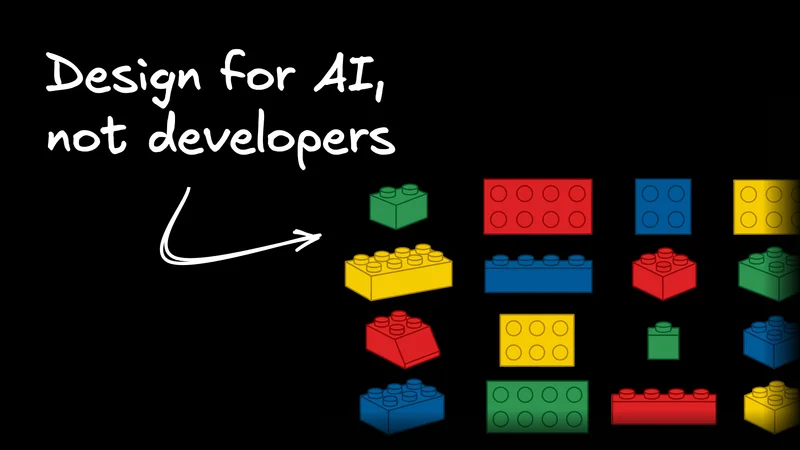
Because the actual future of Generative UI (and UI in general) is text-to-hydration, where, instead of an AI agent trying to invent a UI on a blank canvas, its primary job will be to instantly arrange, toggle, and pipe real-time data into a flexible, hyper-modular "kit of parts" that I like to call elastic primitives. (You might just call it a fancy design system.)

This completely upends our day-to-day workflow; we have to stop thinking about fixed 1200-pixel desktop grids and start designing the literal rules of elasticity. Your job shifts to building perfect components, like an isolated metric card, a data table, or an audio player, while defining the exact auto-layout constraints, responsive behaviors, and spatial guardrails so that the component looks stunning no matter how a chaotic AI decides to stack them together.
Write out your design “taste” so AI can read it
And AI really is a chaotic user of your design system.
When you hand off your designs to developers, they have a lot of unspoken shorthand and innate "taste." When you give a dev a design system, you don't have to write a 10-page essay telling them not to overlap a card component onto a header, or to avoid cramming five dense line graphs into a tiny sidebar. They just know better. (Well, usually.)
But when you hand that exact same component library to an AI agent? It has literally zero intuition. If you don't give it hyper-explicit rules, it will gladly grab your gorgeous, pixel-perfect primitives and stitch them together into a cluttered, unusable mess that violates every basic rule of visual hierarchy.
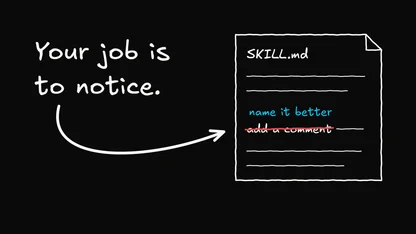
This means we have to overhaul how we document our design systems. We need to stop writing casual, fluffy prose meant for people and start translating our design philosophy into highly structured, machine-legible metadata. (Which AI can definitely help us do.)

In practice, you’ll be spending less time tweaking individual layouts and more time explicitly teaching the machine why, when, and how to deploy specific visual patterns. You’ll find yourself writing programmatic guardrails into your component properties, explicitly defining things like exactly how much visual compression a container can take before it must collapse, or dictating that a complex analytics chart should only appear if the user is comparing more than three specific data streams over time.
By baking your taste directly into the component's API schema, you ensure the AI plays by your rules. This keeps the user experience polished even when you aren't there to oversee it.
Globally cascading design
Stepping into this new world means we have to stop thinking in isolated frames or linear user flows and start thinking like frontend developers. We need to look at our products through the lens of global variables, dynamic states, and relational inheritance.
In the old days, if you changed a button style or a card layout, it just updated a static template or a few specific screens. In an agentic, Generative UI world, when you modify an elastic primitive, you are dynamically altering the structural DNA of what the AI can build across the entire application ecosystem instantly.
Every rule you tweak cascades globally. This changes how the machine responds to thousands of different user prompts simultaneously.

Thankfully, we aren't just shouting these rules into a void. Modern design tooling is making this level of deep, code-level control possible. Tools like Figma’s MCP server or Builder’s Figma-to-code features bridge the gap, turning design tokens and components into active, site-wide context, syncing your visual edits directly into production code.
It shifts design from a passive style guide to a living conversation with the codebase. By mastering this app-wide system loop, we make sure that the software of tomorrow doesn't start from an unpredictable, chaotic text box. Instead, it starts with predictable, beautifully synchronized templates that give both human users and AI agents a safe, gorgeous playground to interact inside.
It’s time to design in code
If all of this systemic, global synchronization logic sounds a little intimidating from the comfort of a Figma canvas, here’s the biggest secret: you don't have to build all of this in Figma. It’s time to step out of the static vector sandbox and start designing directly in code using today’s AI tools.
While Figma is still the undisputed king for sketching out an initial concept from scratch, trying to force it to mimic dynamic, live data and machine-legible constraints is fragile, to say the least. But luckily, the painful "designer-to-developer handoff" is basically dead these days, if you let it be, because AI allows you to bridge that gap yourself.
Designing in code forces you to practice coarse-grained design. Instead of obsessing over changing one isolated edge or pixel at a time, you're interacting with the entire system at scale.
When you work with an AI visual design tool like Builder, which is built to give designers a visual handle on real code primitives, or use other AI agents like Claude Code, you can spin up dynamic environments that act like a supercharged, living Storybook.
You can instantly see all your elastic primitives sitting side-by-side, watching how they dynamically resize, break, and interact with each other in real-time as you flex the screen.

Basically, you get to see the actual finished product immediately. And from there, you can adjust its rules on the fly by talking to the AI, moving pieces around, and observing how your brand logic holds up in the wild.
The bet we’re making: Open-source good design taste
So, where can you put all this into practice? Hopefully, first, your own team’s codebases. These are conversations to start having with your team sooner than later.
But if you wanna flex your generative UI design muscles a little bit sooner, we’ve been heads-down building the Agent-Native Framework here at Builder. All open-source, all free, and very much wanting your contributions as a designer.
Basically, we got tired of seeing AI shoved into a clunky, disconnected sidebar chatbot that can't actually touch the app it lives in. We wanted to see highly polished, predictable visual primitives and UX that already works in SaaS married to powerful AI orchestration to supercharge daily work.
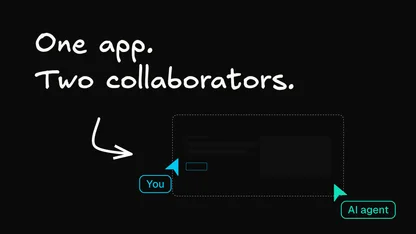
In an agent-native architecture, the human interface and the AI agent are completely unified under one single, shared database state and action model. Because every single component a human can click in the UI is bound to the exact same underlying tool call that the agent can execute, the AI never has to generate slow, fragile code from scratch; it just hydrates your beautifully designed, existing primitives in milliseconds.
While our team has spent months building out the heavy-duty backend pipes, state engines, and data coordination loops for cloneable templates like Mail, Content, Calendar, Analytics, and Slides, we’re the first to admit that the backend is only half the battle.
The ultimate success of an agentic world doesn't depend on how smart the LLM is; it depends on exceptional, human-centered product design. We’re officially inviting the design and product community to jump into our open-source repositories, clone these templates, ruthlessly critique our user flows, and help us contribute back to an ecosystem where AI makes software infinitely more adaptive without ever making it ugly.
Feel free to join our Discord, try out some templates, and read more about Agent-Native.
Let's stop designing static screens and start building the open, fluid future of the web together.