Your company probably doesn’t ask you whether you actually want to use AI anymore.
Maybe the mandate came in an all-hands, a message from your manager, or even a new line in your performance goals. Use more AI. Move faster. Ship more.
The length of the workday didn’t change. We’re just… expected to do way more with it now. And a lot of times, that’s happening without adding more people on your team. Or worse, after losing people.
And somehow, we all got “use AI or lose your job” loud and clear.
So, how do you actually get better at using AI to get things done? And what if everyone else is moving faster? What does that make you?
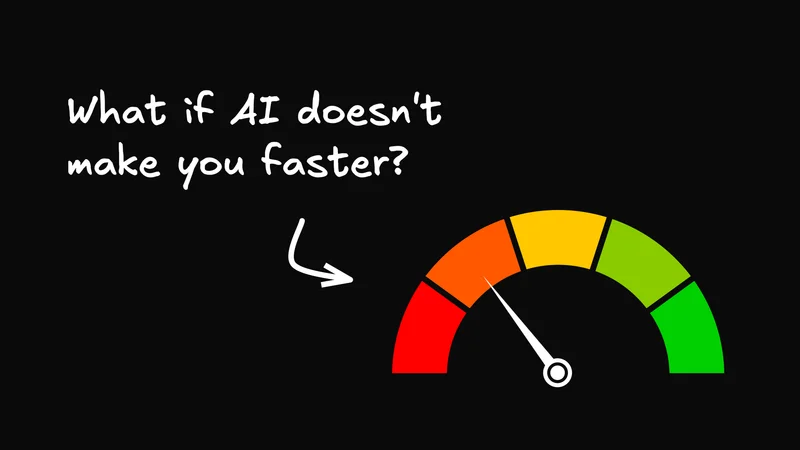
What if AI isn’t making you faster?
So, you open the AI tool. And often, what happens is you get a pretty useful answer in 30 seconds flat. Or a first draft in 5 minutes. Or it helps you see a way into something you’ve been stuck on all morning.
Awesome, right?
But then… your afternoon somehow doesn’t actually get any shorter. You still have to find the right source, check the claims, rewrite the weird parts, move everything into the real system, get access, find reviewers, explain what changed, and go back to the AI with new context.

The work didn’t disappear. It moved into supervising the AI.
That might explain why the time savings don’t always feel like time savings. In a 2026 Workday study, 85% of active AI users said AI saved them time. But nearly 40% of those savings disappeared into correcting, rewriting, and verifying its work.
And that work takes real mental effort. In BCG’s 2026 AI at Work survey, 41% of regular AI users said it had increased their mental strain.
Meanwhile, the expectations keep going up. In Microsoft’s 2025 Work Trend Index, 53% of leaders said productivity needed to increase. And 80% of workers and leaders already felt like they didn’t have enough time or energy to do their jobs.
So that’s the trap. Your company sees faster output and raises its expectations. You absorb the new work of checking, deciding, coordinating, and proving that you’re keeping up.
Maybe we’ve been measuring the wrong thing.
Right now we’re asking: How fast did the AI give me an answer?
But we should be asking: How long did it take us to get to a trustworthy outcome, in the place where the work actually is?
Here’s all the work AI leaves for you
Let’s test this with an ordinary feature launch.
You’re launching next Thursday. Product details are in a brief, customer evidence is buried in call notes, the latest language is in the brand guide, and important corrections are scattered across conversations and the launch calendar.
You gather what you can, paste it into an AI chat, and ask for the plan, article, email, and campaign copy. A minute later, you have a pretty good-looking launch package.
But look at the whole launch, not just the writing:
| Your responsibility | What the AI did for you | What you still had to do |
|---|---|---|
Understand exactly what changed in the product | Summarized the brief and notes you pasted into the chat. | Find the current sources, notice missing or conflicting context, and confirm what is actually launching. |
Decide how to explain the feature to customers | Suggested positioning, headlines, and key messages. | Decide which promise is true, useful, and approved. Reconcile product facts, customer evidence, and brand guidance. |
Create the launch plan, article, email, and campaign copy | Drafted the article, email, campaign copy, and a launch plan. | Check every claim, rewrite the weird parts (most of it), fill the gaps, and decide which drafts are good enough to become real artifacts. |
Put each launch artifact into the team’s real systems | Returned the finished-looking text inside the chat. | Create or update the shared documents, campaign, and publishing surfaces where your team actually works. |
Get the plan and copy approved by product, PMM, brand, and legal | Suggested a review checklist or the kinds of people who might need to review. | Find the actual reviewers, get the right permissions, explain what changed, route each artifact, and track the responses. |
Resolve reviewer feedback and update every affected launch artifact | Revised a draft when you copied the feedback back into the chat. | Gather feedback from different places, resolve conflicts, update every affected artifact, and preserve why the decision changed. |
Assign owners, update the tasks and launch calendar, and confirm readiness | Proposed a timeline and task list. | Assign owners, update the real tasks and calendar, confirm readiness, and take responsibility for whether the launch is actually done. |
The pattern is pretty clear. The AI is strongest in the middle, where the work looks like summarizing, planning, and drafting. You still own almost everything before and after: finding the truth, turning output into shared work, coordinating people, and carrying the result to done.
That doesn’t mean the AI failed. It generated what you asked it to generate.
The problem is that your job wasn’t to generate a launch. Your job was to get a launch all the way to done.
So, improve the AI you already have with better prompting
The first thing to try is obvious: get better at using the AI you already have.
For our feature launch, give it a small packet of authoritative sources: the current product brief, exact availability and plan details, approved customer evidence, the brand guide, and the real launch date. Tell it to flag missing or conflicting information instead of smoothing over the gaps.
Then give it the whole assignment—not just “write a launch article.” Name the audience, every artifact you need, the tone, required and forbidden claims, and what “done” means. Ask it to cite the source behind important claims and return output that fits the next step: a claims table, a launch plan with owners and dependencies, and separate drafts for the article, email, and campaign copy.
That will give you a stronger, easier-to-check first draft. But you still have to maintain the source packet, decide what the company should say, move the artifacts into the real systems, manage reviewers and permissions, resolve feedback, and update the tasks and launch calendar.
Better AI practice can shrink the work, but it can’t connect the whole workflow by itself.
Connect more tools, sure, but then you have to become an engineer
Better prompts only get you so far. The AI still can’t see the product brief, update the launch calendar, create tasks, or collect feedback unless you give it access to the tools where that work lives.
So you try Claude Cowork or ChatGPT Work, with apps, plugins, and connectors for your docs, conversations, tasks, and calendar. This really can make the launch easier: the AI can find more context and handle some repeatable handoffs without all the copying and pasting.
But every connection creates new questions. Which source wins when two disagree? Whose account is the AI acting through? What can it change? What happens when a permission expires, an automation runs twice, or the AI says it finished something it didn’t?
Someone still has to authorize the connections, maintain the instructions, debug failures, prevent duplicate actions, and verify the result. Often, that someone is you.
A technical power user can build a killer personal workflow this way. But someone responding to an AI mandate shouldn’t have to become an integration engineer to get the promised productivity boost.
You’ve escaped copy-paste hell only to maintain a little software system of your own.
Your AI needs to work where your launch lives
The problem with our feature launch wasn’t that the AI couldn’t write. It was that the AI and the launch were happening in two different places. And you had to carry everything between them.

The AI’s work didn’t flow into the launch. Its plan needed to become a shared document, its article needed to move into the CMS, and its tasks needed owners and deadlines on the team’s board.
The launch didn’t flow easily into the AI, either. When the date, product details, legal guidance, or positioning changed, you had to bring that context back to the AI and then update everything it had already produced.
You became the sync layer.
So what would actually help? The AI needs access to the current sources, a real place to put what it creates, and a way to keep that work current as decisions change. It needs to act with the right permissions and leave changes people can see, review, and undo.
Developers have had a version of this for a while. Coding agents work inside repositories, where they can read the current files, change the real thing, and put those changes in front of a person to test and review. I’ve written more about why that makes AI feel so different for developers.
What would it look like to give the rest of us that same advantage?
Run the launch where the work lives
That’s the idea behind agent-native software: real apps where people and agents work on the same things together.

In Agent-Native Content, for example, your team’s briefs, positioning, customer evidence, drafts, feedback, and decisions live together as real shared pages and databases. Your coworkers and the agent work on those same artifacts as the launch changes.
The larger Agent-Native suite applies that model to other work: Content for documents and databases, Slides for presentations, Analytics for dashboards, and Clips for recordings and transcripts.

Now let’s run the same launch again. You still decide what the company should promise and whether the work is ready. What changes is how much you have to carry between the AI, your coworkers, and the systems where the launch lives.
This is the standard Agent-Native is building toward.
| Your responsibility | What normal AI did for you | What Agent-Native adds |
|---|---|---|
Understand exactly what changed in the product | Summarized the brief and notes you pasted into the chat. | Works from the team’s designated product sources and can bring new details into the shared launch workspace as they arrive. |
Decide how to explain the feature to customers | Suggested positioning, headlines, and key messages based on the context you supplied. | Works with current product facts, customer evidence, brand guidance, and prior team decisions together—not just whatever made it into one chat. |
Create the launch plan, article, email, and campaign copy | Drafted the launch package as text inside the conversation. | Creates and revises real, shared launch artifacts inside apps built for that specific kind of work. |
Put each launch artifact into the team’s real systems | Returned finished-looking output for you to move somewhere else. | The article is already a document in Content, the presentation is already in Slides, and the launch plan is already a shared artifact. The agent works on those things directly instead of handing you text to relocate. |
Get the plan and copy approved by product, PMM, brand, and legal | Suggested a review checklist or the types of people who might need to approve it. | Lets reviewers work on the shared artifact itself, with comments, permissions, and change history attached to the work. |
Resolve reviewer feedback and update every affected launch artifact | Revised one draft when you copied the feedback back into the chat. | Can apply an approved decision across affected artifacts and keep the new guidance available to the team and future agent work. |
Assign owners, update the tasks and launch calendar, and confirm readiness | Proposed a timeline and task list. | Uses authorized actions to update shared records and leave a visible trail of what changed, what completed, and what still needs attention. |
That’s a different division of labor. Instead of carrying context, output, and feedback between systems, the system handles more of the movement and coordination.
You still decide what’s true, choose the positioning, resolve disagreement, approve consequential actions, and take responsibility for what ships.
The agent carries more of the work between decisions. The team keeps the judgment and taste.
How to respond to an AI mandate tomorrow
Pick one recurring workflow and map the whole thing, including everything before the prompt and after the answer. Ask what the AI genuinely removed, what it made easier, and what it merely moved into checking, copying, coordinating, or maintaining tools.
Improve the easy parts first: give the AI better sources, make the assignment specific, and ask it to flag what it doesn’t know. But if the remaining problem is that the AI can’t see the current work, act in the right systems, or keep up with team decisions, that isn’t a prompting failure. It’s a workflow problem.
Bring that evidence to whoever owns the workflow: here’s what AI does, here’s what we still carry by hand, and here’s what would actually create capacity.
Then try running that workflow in an Agent-Native app. Start with one real piece of work and see how much less context, output, and coordination you have to carry yourself. The apps are free and open source, work with ChatGPT Work or Claude Cowork, or come with managed AI when you connect a Builder account.
Don’t measure AI adoption by how much output the model produced. Measure it by how much trustworthy, accountable work your team no longer had to carry by hand.