Build an agentic software factory, starting with one bug
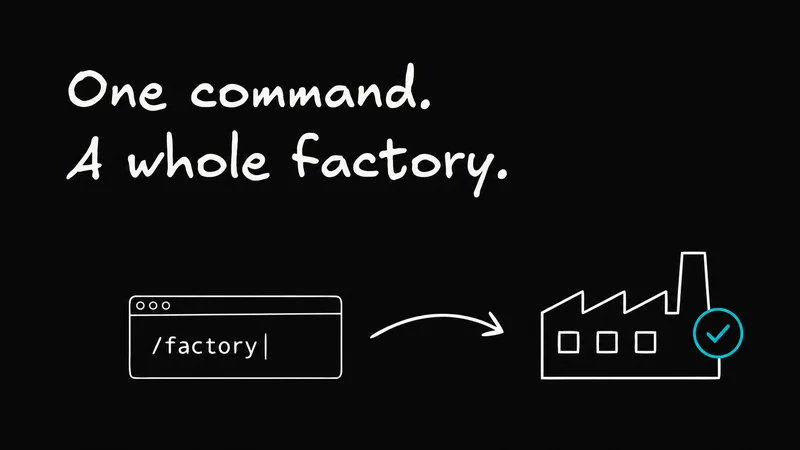
Let's build an agentic software factory from skills and an AI subscription. We'll start with one bug and build a process we can use on the next hundred.
The factory is a repeatable workflow for your coding agent: pick up a bug report, reproduce it, make a fix, and hand you a tested PR to review.
Along the way, we'll give the agent somewhere reliable to test, make its changes easy to review, and set up a feedback loop that catches the problems it misses.
If you already use a coding agent, you've probably done most of these steps yourself. You find a report, explain the problem, point the agent at the code, and check what comes back. We'll turn that routine into something you can run again without having to explain the whole process each time.
We use a larger version of this workflow to maintain Agent-Native, our free, open-source framework and collection of apps. Here's a walkthrough of that setup. You can follow the article without watching it; we're going to build up to the useful parts one at a time.
Start with one bug, but build for the next hundred
The first bug gives us a way to check the factory itself. Can it understand a report, reproduce the problem, fix it, and show us enough evidence to review the change? Once that works, we can give the same process another report.
Imagine a report like this:
I moved a card below another card. It looked right, but after I refreshed, it went back to its original position.
That's a useful first input. We know what the person did, what happened, and what they expected. The order should survive a refresh. We can try that before and after a change and compare the results.
“The editor feels weird” needs a follow-up conversation. Which editor? What were you trying to do? Your factory needs to recognize when it has enough information to work and when it should ask for more.
Choose one report from a repository you maintain. Keep it small enough that you understand the behavior and can judge the fix. We'll reuse the instructions for investigating, testing, and reviewing it. The report is the part that changes next time.

Give your agent somewhere it can actually test
Before we hand over the bug, let's make sure the agent can run the product.
An experienced teammate knows how to get past the awkward login flow, which database has useful test data, and which error in the terminal can be ignored. A fresh agent session has to discover all of that. If the setup depends on things people remember, you'll end up teaching the same lessons on every issue.
I've written about this as agent experience: make the environment understandable and usable by an agent arriving without your team's history. That work pays off every time you start another session.
A good starting point is a preview deployment for each change, using something like Netlify or Vercel, connected to a separate test database with representative data. Give it the same kinds of records, relationships, and permission cases the real product has. An empty database won't tell you much about a bug that only appears on a board with existing cards.
The agent also needs to sign in as a test user with the right permissions, open the affected screen, and see browser errors and server logs. Write down the commands and setup steps in the repository so the next session can repeat them. If you prefer to run everything locally, that's fine too. The useful property is that the agent can get from a clean checkout to the behavior it's meant to test.
For our card-order bug, “the app builds” isn't enough. The agent needs a board it can edit, a working save path, and a way to reload the saved state. Otherwise it may fix what it can see in the code and never find out whether the original problem went away.
This is also where trust starts to become practical. In Lauren Tan's talk about working with coding agents, verification, good skills, and architecture that agents can work with are part of the answer to trusting more agents. We can start applying that idea with one: give it a reliable way to check its own work, and give ourselves a way to check the result.
Install the skills and pick your first issue
The Factory skills package up the recurring work: collecting feedback, investigating issues, following PRs, and looking back at what went wrong. They're reusable instructions for your coding agent, so we don't need to write a giant prompt for every bug.
From your repository, run:
Select Factory and your agent client. Your agent will need access to the repository, the feedback source you choose, and the environment we just set up.
Start with /factory to configure the workflow. For this first pass, choose one feedback source, one repository, and a narrow class of work: reproducible bugs that can be fixed and checked without a product decision. Keep a person responsible for approving and merging the resulting changes.
Then try a dry run:
Read what it selects and why. If it turns “the order resets after refresh” into “redesign the board,” narrow the scope. If it can't find the affected page, add that context. If the expected behavior is ambiguous, resolve it before asking for a patch.
Those corrections belong in the shared configuration or instructions when they'll help on future issues. We want the next run to benefit from this one.
Run the bug through the factory
Once the dry run makes sense, have the factory work on that issue and prepare a PR for review. The skills carry the process; your request can stay short:
Give each fix its own Git worktree. A worktree is another working directory for the same repository, with its own checked-out branch. That lets one agent work on the card-order bug while another change is in progress elsewhere. Vishwas's Git Worktrees Explained Simply is a useful walkthrough if you haven't used them before.
For our example, the reproduction must include the refresh. Moving the card successfully only checks half of the report. The agent should change the order, reload the page, and see whether the saved order survived.
If it can't reproduce the failure, have it show what it tried and what information is missing. Perhaps the report depends on a particular permission, browser, or existing record. That gives you something useful to investigate before any code changes.
Once it can show the failure, it can work backward to the cause. The interface might update without saving. A save request might fail. The reload might return an older order. The agent should follow the evidence and make a change that addresses what it finds.
Then run the original check again, all the way through the refresh. Add a regression test where it can capture the failure, and run the existing checks relevant to the change. If the patch touches shared ordering logic, check the other ways that logic is used too.
The result should let you compare the broken behavior with the changed behavior. For a browser bug, that might mean a short recording alongside an automated check. For a data bug, it might be a failing test, the patch, and the same test passing afterward.
Make the result easy to review
You shouldn't have to read the entire agent conversation to decide whether the fix makes sense.
Have the agent put the useful evidence together: the original report, the cause it found, the relevant diff, and what happened when it repeated the user's steps. Include anything it couldn't check or needed help with. That makes the uncertainty visible while the change is still easy to revise.
For UI work, a visual recap can make this much easier. Put the before-and-after behavior next to the explanation and a link to the preview. We've described this approach in Stop watching your agent work: use a visual plan to agree on a substantial change, then a recap to review what was actually built. For our small bug, a brief explanation and clear evidence may be plenty.
The review work continues after the PR opens. factory-babysit-pr follows one PR through CI and review feedback. factory-review-prs handles a queue of PRs. Start with the one-PR workflow while you're learning how the factory behaves.

Watch whether the agent understands a review comment, keeps the fix focused, and reruns the affected checks after making another change. Your reviewer still decides whether the result is ready to merge.
Try the same workflow on another bug. Then another.
Now give it a different report. Keep the workflow and change the input.
This is where you'll learn which parts of the first run were repeatable. Maybe you had to supply the page URL by hand. Maybe the agent stopped after a unit test even though the report described a browser problem. Maybe it opened a PR and never came back to the failing CI job.
Fix those gaps where the next run will find the improvement. Put environment setup in the repository, make the verification expectation clear in the shared instructions, or connect the missing PR follow-up step. Try another issue and see whether the same intervention is still necessary.
Keep track of the human work too. A factory that produces five PRs and needs five lengthy rescue sessions is telling you something different from one that produces five straightforward reviews. The places you keep stepping in show you what to improve next.
We started by running these workflows manually. Once you're repeatedly starting the same steps and getting useful results, put that workflow on a schedule in your agent host. Keep its initial scope narrow. You can add another feedback source or another class of issues after you understand how the existing ones behave.
Keep using the product. Keep reporting what breaks.
A factory needs a steady supply of information about the product people are actually using.
We use our own apps and report what breaks as we go. A teammate getting stuck in a real workflow can expose something that a test suite or a brief preview check missed. Those reports belong back in the same intake as the first bug.
The factory can use that feedback in two ways:

Pay particular attention to reports that come back after a supposed fix. If card reordering keeps breaking, another patch to the latest example might leave the larger problem intact. Compare the reports and earlier changes. Are they different failures in the same shared code? Did the test miss a reload, another user, or a second way of editing the order?
factory-lookback helps with that history. It looks across prior activity for recurring problems and patterns worth investigating. In our larger factory, recurring chat and drag-and-drop issues are examples of why this matters: the next investigation may need to examine the common cause behind several reports.
Feed what you learn back into the implementation, the regression checks, and the instructions the agents use. A merged PR is one useful result. Finding out why the same bug keeps returning helps the whole factory improve.
Give struggling agents help
As more work runs at once, you'll also need to notice when an agent stops making progress.
There are a few different situations here. A fix might be ready but the delivery workflow has stalled. An agent might still be working but pursuing an unhelpful approach. Or several completed fixes might share the same mistake.
The skills give those jobs different names. factory-watchdog checks for stalled delivery and helps resume work that's already authorized. agent-watchdog can audit another agent's work and, where the host supports it, help supervise the session. The lookback handles patterns across the history.
That gives you a way to be selective about oversight. If your agent host lets you choose models for separate workers and reviewers, you can try a smaller model on a well-defined fix and bring in a stronger model when the investigation gets stuck or the change needs another opinion. Check whether that combination actually reduces your time and total cost; the Factory skills don't make that decision for you.
Sometimes the useful intervention is much simpler: fix the test environment, supply a missing reproduction step, or have a person settle a product question. More agents won't resolve an instruction nobody understands.
Start with the Factory skills and one bug you can recognize when it's fixed. Get that route from report to review working, then give it the next hundred. Each run should help you see both what the product needs and what the factory still needs to learn.
If you'd like to explore the framework and apps we maintain this way, try Agent-Native or browse the source. The framework is free and open source. You can use the skills with your own repository and coding-agent plan.