
AI-Powered Design System Intelligence for Enterprises
AI-Powered Design System Intelligence for Enterprises
The only enterprise-ready solution for automatic Figma-to-code component mapping.
Builder’s AI scans your repository, deeply understands your design system and architecture , and trains itself to always generate code that leverages your existing tokens and components.
Contact Sales
Benefits

Move from design to production-ready code in a fraction of the time
Reduce rework and minimize misalignment between design and engineering
Ensure generated components use your design system, creating consistency across products and teams
Built for compliance, security, and scalability, with proven performance in complex codebases
Remove repetitive mapping tasks enabling teams to deliver faster with less upkeep

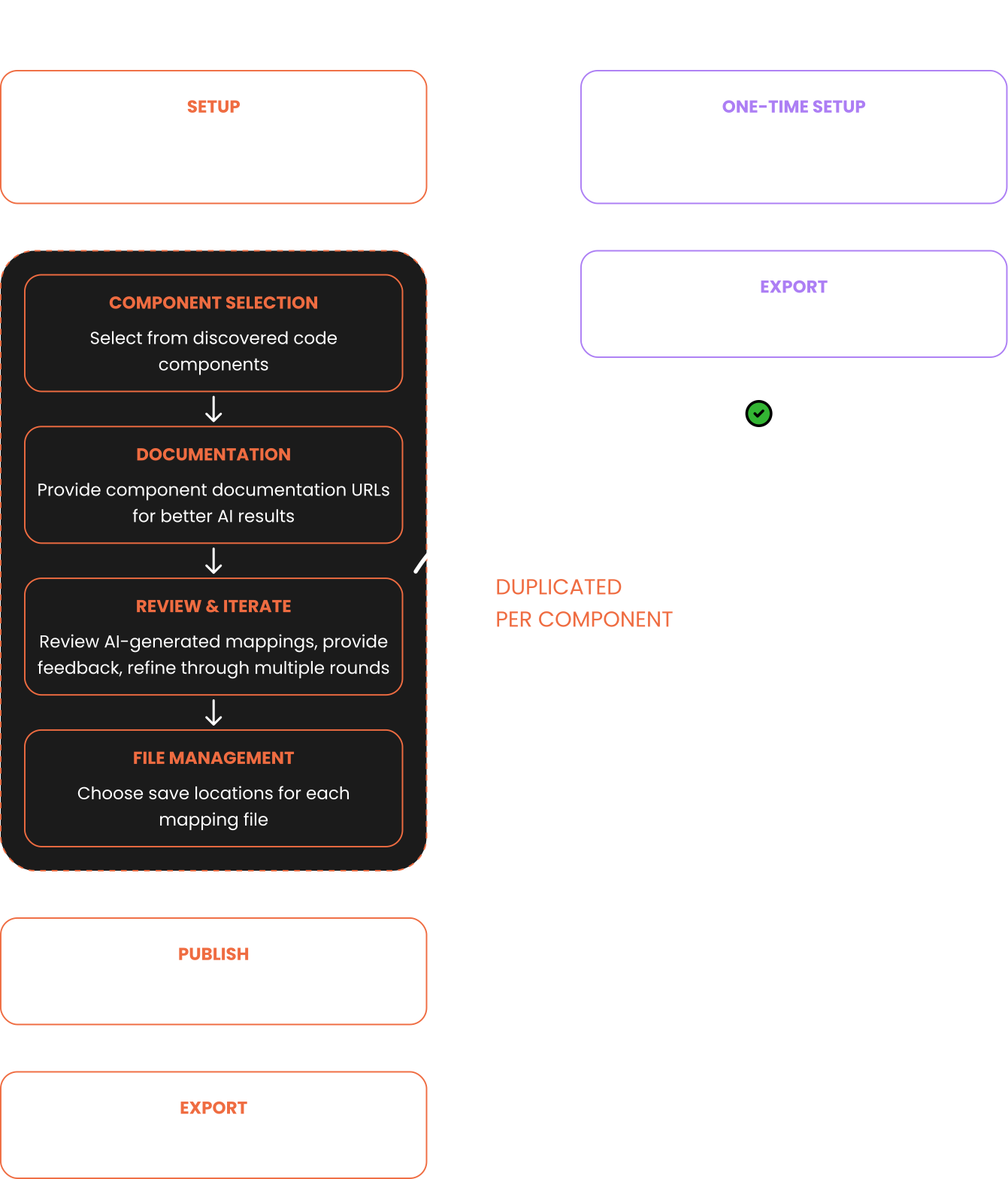
How It Works
Automated discovery of all of your library's components. Builder instantly discovers any web framework or native mobile components.
Our AI analyzes your component architecture, naming conventions, props, and design tokens.
Intelligent auto-mapping Figma components to code with 70% accuracy. Review and adjust edge cases with our visual mapping interface.
CI/CD integration keeps the component index up to date and available to your entire org
Export pixel-perfect components using your design system, tokens, and coding standards.


Builder's AI Component Indexing solves this permanently:

Reduces handoff time from days to minutes

Eliminates 95% of mapping errors with AI validating every connection

100% design-code parity with automatic updates when Figma changes

Zero documentation debt, it self-documents component relationships

Removes repetitive mapping tasks enabling teams to deliver faster with less upkeep
Frequently Asked Questions

Builder uses machine learning to analyze your codebase structure, component patterns, and naming conventions. It then creates intelligent mappings between your Figma components and code components, maintaining these connections automatically as both evolve.

Yes. Builder indexes ANY component structure, including custom components, compound components, and complex compositional patterns. It adapts to your architecture, not the other way around.
Absolutely. Builder automatically detects and maps design tokens from Style Dictionary, Theo, or custom token systems, maintaining full token relationships between design and code.
Builder's AI handles mismatched architectures through intelligent pattern recognition. You can also set custom mapping rules and aliases for complex scenarios.
Most teams are fully indexed and mapped within 15 minutes. Large enterprises (5,000+ components) typically take 30-45 minutes for complete indexing.
Your code never leaves your infrastructure. Builder uses read-only access to analyze structure, and all processing happens in isolated, encrypted environments. We're SOC 2 certified and GDPR compliant.
React, Vue, Angular, Next.js, Nuxt, and Svelte. Framework-agnostic HTML/CSS/JS also supported.
Yes! Our enterprise trial includes full access to all features.